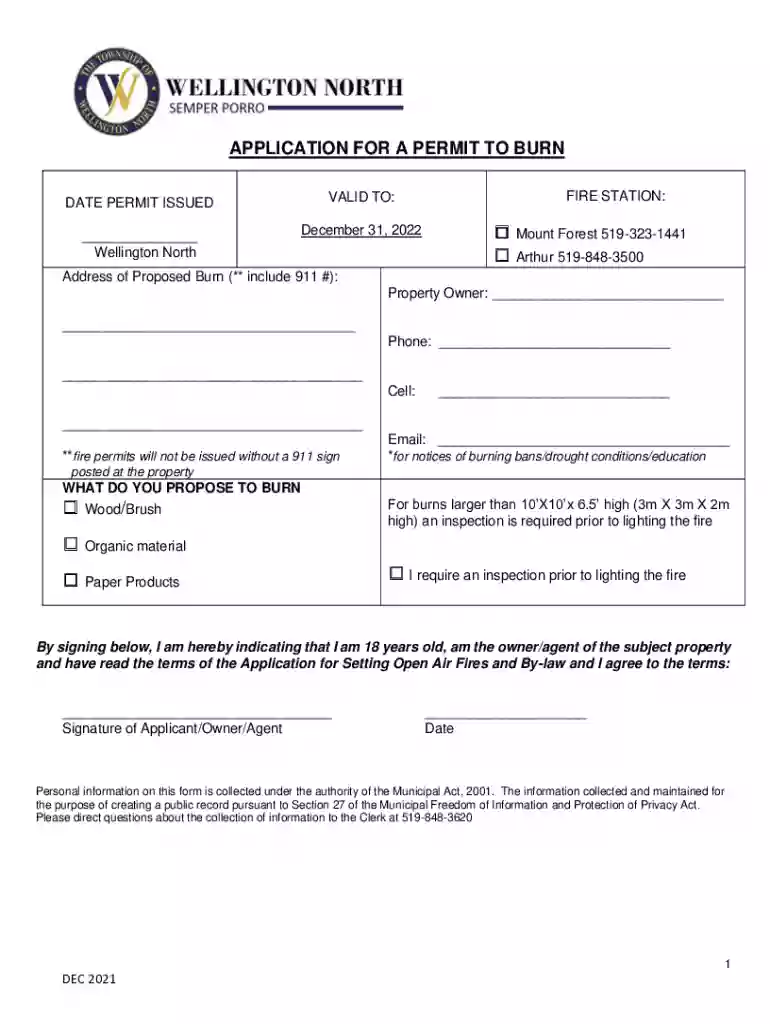
APPLICATION FOR A PERMIT TO BURN - wellington-north Preview on Page 1

APPLICATION FOR A PERMIT TO BURN - wellington-north 2026

Here's how it works

  • 01. Edit your form online

    Type text, add images, blackout confidential details, add comments, highlights and more.

  • 02. Sign it in a few clicks

    Draw your signature, type it, upload its image, or use your mobile device as a signature pad.

  • 03. Share your form with others

    Send it via email, link, or fax. You can also download it, export it or print it out.

How to use or fill out APPLICATION FOR A PERMIT TO BURN - wellington-north with our platform

Form edit decoration
9.5
Ease of Setup
DocHub User Ratings on G2
9.0
Ease of Use
DocHub User Ratings on G2
  1. Click ‘Get Form’ to open the APPLICATION FOR A PERMIT TO BURN in the editor.
  2. Begin by entering the date of permit issuance and the valid date. Ensure these dates are accurate for your records.
  3. Select the fire station you will be contacting by checking either Mount Forest or Arthur, and include their phone number.
  4. Fill in the address of the proposed burn, including the required 911 number, along with your name as the property owner and contact information.
  5. Indicate what materials you propose to burn by checking the appropriate boxes for wood/brush, organic material, or paper products. If necessary, request an inspection prior to lighting.
  6. Sign and date the application at the bottom to confirm that you are 18 years old and agree to all terms outlined in the application.
  7. Review all entered information for accuracy before submitting your application through our platform.

Start filling out your APPLICATION FOR A PERMIT TO BURN today for free using our editor!

See more APPLICATION FOR A PERMIT TO BURN - wellington-north versions

We've got more versions of the APPLICATION FOR A PERMIT TO BURN - wellington-north form. Select the right APPLICATION FOR A PERMIT TO BURN - wellington-north version from the list and start editing it straight away!

VersionsForm popularityFillable & printable
20214.8 Satisfied (151 Votes)

be ready to get more

Complete this form in 5 minutes or less

Security and compliance

At DocHub, your data security is our priority. We follow HIPAA, SOC2, GDPR, and other standards, so you can work on your documents with confidence.

Related links

NOTICE OF INTENT TO DRILL

File Drill Pit Application. Obtain written approval. Settling and Burn Pits ONLY: This form must be submitted with all Forms C-1 (Notice of Intent to Drill);

Learn more
Obama administration actions on coal - Global Energy Monitor

The Environmental Protection Agency is not halting, holding or placing a moratorium on any of the mining permit applications. Plain and simple. EPA has issuedRead more

Learn more
If you believe that this page should be taken down, please follow our DMCA take down process here