





Cambridgecollege sitesdefaultStudent ID# Registrar's Office - Cambridge College 2026

Get Form
cambridgecollege sitesdefaultStudent ID# Registrar's Office - Cambridge College Preview on Page 1

Here's how it works

01. Edit your form online
Type text, add images, blackout confidential details, add comments, highlights and more.
02. Sign it in a few clicks
Draw your signature, type it, upload its image, or use your mobile device as a signature pad.
03. Share your form with others
Send it via email, link, or fax. You can also download it, export it or print it out.

How to use or fill out cambridgecollege sitesdefaultStudent ID# Registrar's Office - Cambridge College with our platform

Form edit decoration
9.5
Ease of Setup
DocHub User Ratings on G2
9.0
Ease of Use
DocHub User Ratings on G2
  1. Click ‘Get Form’ to open it in the editor.
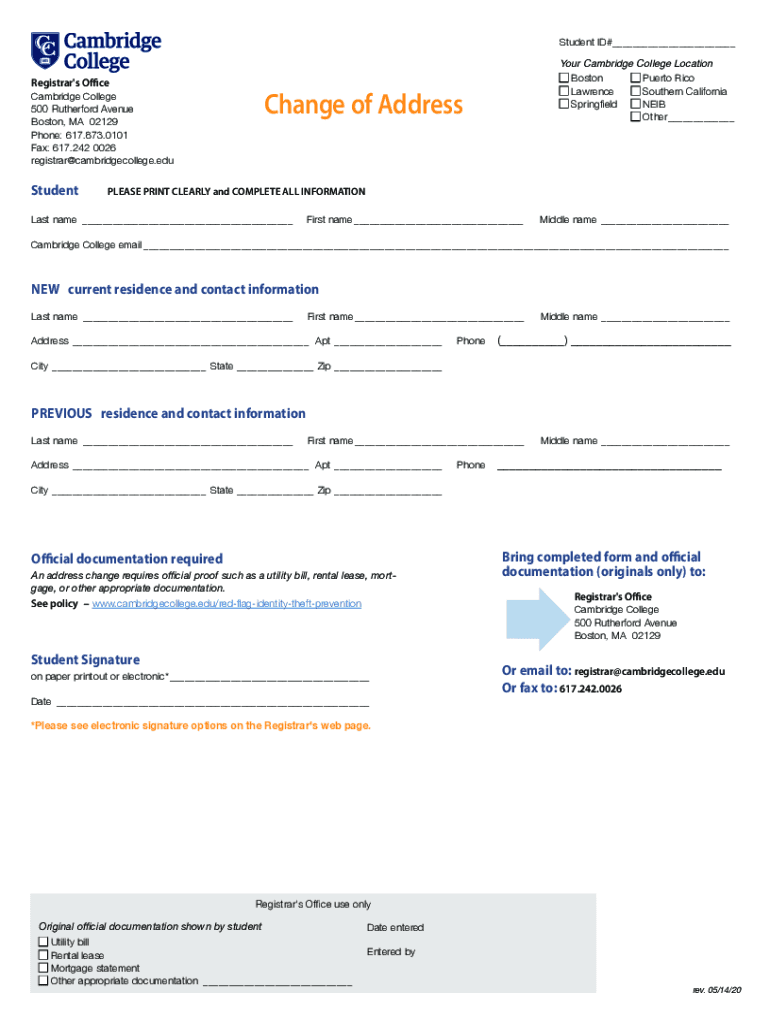
  2. Begin by entering your Student ID# at the top of the form. This is essential for identification purposes.
  3. Select your Cambridge College location from the provided options, ensuring you mark only one choice.
  4. In the 'Change of Address' section, print clearly and complete all fields including your last name, first name, and middle name.
  5. Fill in your Cambridge College email address accurately to ensure proper communication.
  6. Provide your new current residence details including address, apartment number (if applicable), phone number, city, state, and zip code.
  7. Repeat the process for your previous residence information to maintain a clear record.
  8. Attach any required official documentation such as a utility bill or rental lease to support your address change request.
  9. Sign and date the form electronically or on paper as per the instructions provided.
  10. Submit the completed form along with documentation via email or fax as indicated at the bottom of the form.

Start using our platform today for free to streamline your document editing and submission process!

See more cambridgecollege sitesdefaultStudent ID# Registrar's Office - Cambridge College versions

We've got more versions of the cambridgecollege sitesdefaultStudent ID# Registrar's Office - Cambridge College form. Select the right cambridgecollege sitesdefaultStudent ID# Registrar's Office - Cambridge College version from the list and start editing it straight away!
Versions Form popularity Fillable & printable
2020 4.8 Satisfied (240 Votes)
be ready to get more

Complete this form in 5 minutes or less

Get form

Got questions?

We have answers to the most popular questions from our customers. If you can't find an answer to your question, please contact us.
Contact us

Most eSignature services require users to have a paid subscription. With DocHub, there are two ways for you to add an electronic signature to your cambridgecollege sitesdefaultStudent ID# Registrar's Office - Cambridge College without being charged:

  • You can do it during a 7-day trial period;
  • You can subscribe to a free plan.

The second option, however, has restrictions on the number of signatures, sign requests, emails, and documents for editing available per month. You can check for full details here.

In case your go-to electronic mail service is Gmail, you can easily integrate your DocHub editor into your work. Modify your cambridgecollege sitesdefaultStudent ID# Registrar's Office - Cambridge College with DocHub tools and connect it to your drafts in Gmail. See how effortless it can be to exchange documents and collaborate with a swift PDF editing solution at hand.

Student identification refers to the random identifier associated with a students academic record. It will not transfer with students should they switch institutions. This number helps institutions track, monitor and organize student records more efficiently.
The identity number is printed on all of your national identification documents, such as your ID-card, passport, residents permit etc. It is usually either next to or below your name or your birth date. Look for a number with 11 digits containing your birthday in a year-month-date or date-month-year format.
Student identification is the unique number assigned to all full-time and part-time students at a post-secondary institution. All students receive an identification card, with their name, ID number and a photo of themselves displayed. This ID is randomly generated upon applying to the university or college.

Security and compliance

At DocHub, your data security is our priority. We follow HIPAA, SOC2, GDPR, and other standards, so you can work on your documents with confidence.

Learn more
ccpa2
pci-dss
gdpr-compliance
hipaa
soc-compliance

People also ask

Your student ID can be found on your student card. This student card also has an image of you much like your passport does. Student ID also has the name of your university and a barcode that can be scanned. This barcode is very important and can be used for many things which will be discussed further on.
Your University Student Number (USN) can usually be found on a letter you received from the University or College. This might also be available on your CamSIS account. If you are unsure of where to find it, you could contact your department and/or the College who could help you to obtain it.
It can usually be found on school, college, or university documents, such as an invoice or course registration. If you are unable to find your Student ID, please contact your institution directly for more assistance.
Student number and student ID are sometimes used interchangeably. However, student ID is often used to mean your student ID card. Your student number (also called student ID number) is your student identification number that you get assigned from your school. Your student ID number is on your student ID card.
What is my USN? Your USN is the unique student number that was allocated to you when you were at the University of Cambridge - this is a nine digit number.

Related links

