Sutton Specialist Risks - Leave Feedback - ssr co uk 2026

Get Form
sutton specialist risks Preview on Page 1

Here's how it works

01. Edit your sutton specialist risks online
Type text, add images, blackout confidential details, add comments, highlights and more.
02. Sign it in a few clicks
Draw your signature, type it, upload its image, or use your mobile device as a signature pad.
03. Share your form with others
Send it via email, link, or fax. You can also download it, export it or print it out.

How to use or fill out Sutton Specialist Risks - Leave Feedback - ssr co uk with our platform

Form edit decoration
9.5
Ease of Setup
DocHub User Ratings on G2
9.0
Ease of Use
DocHub User Ratings on G2
  1. Click ‘Get Form’ to open it in the editor.
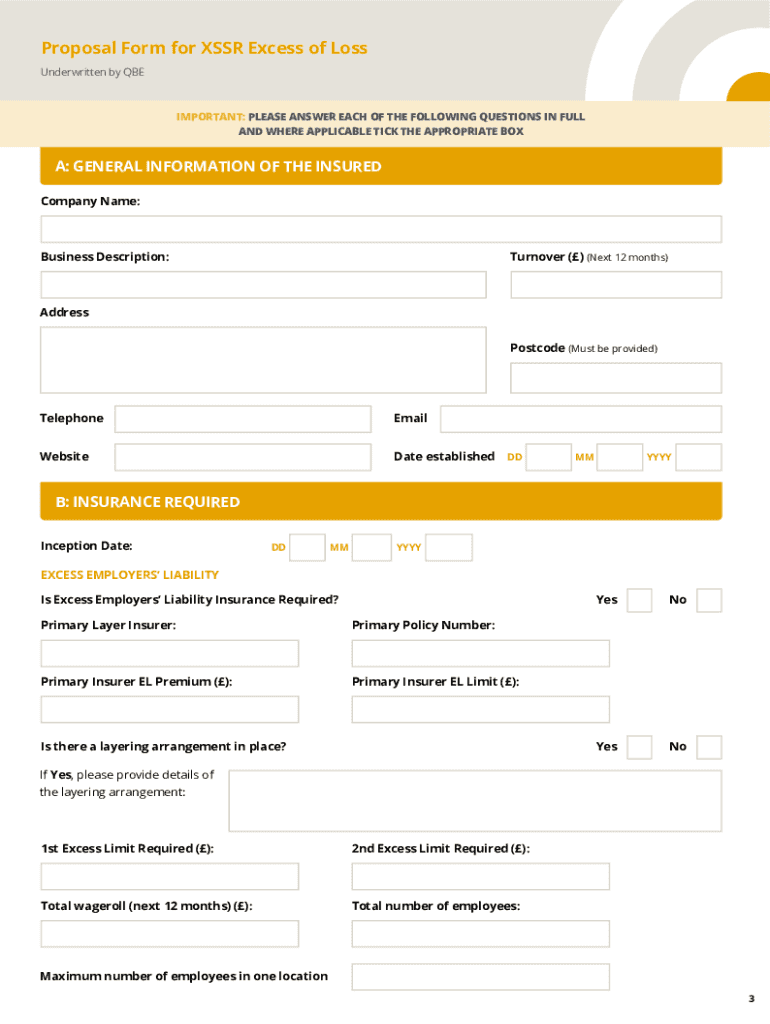
  2. Begin by filling out Section A: General Information of the Insured. Enter your Company Name, Turnover for the next 12 months, Business Description, Address, Postcode, Telephone, Email, Website, and Date Established.
  3. Proceed to Section B: Insurance Required. Specify the Inception Date and indicate whether Excess Employers’ Liability Insurance is required. Fill in details about your Primary Layer Insurer and Policy Number.
  4. In Section C: Activities Questions, answer any relevant questions regarding your business activities. If applicable, provide further details on hazardous activities.
  5. Complete Section D: Claims and Directors Information by answering questions related to past claims and any legal issues involving directors or partners.
  6. Finally, review and sign the Declaration in Section E. Ensure that all information is accurate before submitting your proposal form to info@ssr.co.uk.

Start using our platform today for free to streamline your document editing and submission process!

See more Sutton Specialist Risks - Leave Feedback - ssr co uk versions

We've got more versions of the Sutton Specialist Risks - Leave Feedback - ssr co uk form. Select the right Sutton Specialist Risks - Leave Feedback - ssr co uk version from the list and start editing it straight away!
Versions Form popularity Fillable & printable
2022 4.8 Satisfied (122 Votes)
be ready to get more

Complete this form in 5 minutes or less

Get form

Got questions?

We have answers to the most popular questions from our customers. If you can't find an answer to your question, please contact us.
Contact us
Need assistance? If you need further assistance, please give our expert team a call on 0117 930 0100.
Submitting a claim is fast and easy - just answer a few questions, take a picture of your receipt, tap to sign, and submit it on the portal for our claims department to review. For all other claims, please complete a claim form and submit it to the Sutton Claims Department.
Talk to us today: 0117 930 0100.

Security and compliance

At DocHub, your data security is our priority. We follow HIPAA, SOC2, GDPR, and other standards, so you can work on your documents with confidence.

Learn more
ccpa2
pci-dss
gdpr-compliance
hipaa
soc-compliance