Type text, add images, blackout confidential details, add comments, highlights and more.
02. Sign it in a few clicks
Draw your signature, type it, upload its image, or use your mobile device as a signature pad.
03. Share your form with others
Send it via email, link, or fax. You can also download it, export it or print it out.
How to use or fill out the ZUBSOLV Patient Assistance Program with our platform
Ease of Setup
DocHub User Ratings on G2
Ease of Use
DocHub User Ratings on G2
Click ‘Get Form’ to open it in the editor.
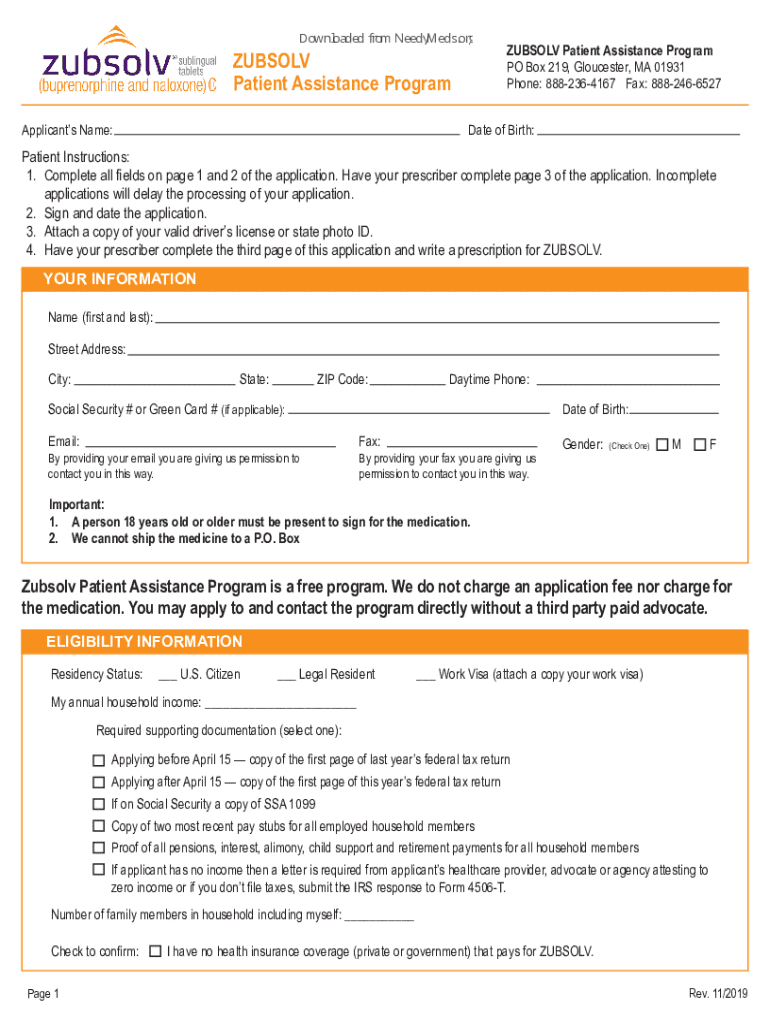
Begin by filling out your personal information in the 'YOUR INFORMATION' section. Include your name, address, phone number, and email. Ensure all fields are completed accurately.
In the 'ELIGIBILITY INFORMATION' section, indicate your residency status and annual household income. Attach the required supporting documentation as specified.
Proceed to the 'MEDICAL QUESTIONS' section. List all medications you are currently taking and any allergies you may have. If applicable, check the box for 'NONE'.
Sign and date the application in 'THE AGREEMENT' section to confirm that all information is true and complete.
Ensure that your prescriber completes page 3 of the application, including their signature and prescription details for ZUBSOLV.
Finally, submit your completed application by mailing it to the address provided or have your prescriber fax it directly.
Start using our platform today to simplify your application process for ZUBSOLV!
We've got more versions of the the pharmacy chosen form. Select the right the pharmacy chosen version from the list and start editing it straight away!
Why you choose pharmacy as a career interview questionWhy did you choose pharmacy as your courseWhy I choose pharmacy as a career EssayWhy study pharmacy and not medicineImportance of pharmacy in daily lifeAdvantages and disadvantages of pharmacyWhat is pharmacyImportance of pharmacy essay
Security and compliance
At DocHub, your data security is our priority. We follow HIPAA, SOC2, GDPR, and other standards, so you can work on your documents with confidence.
Patients Right to Pharmacy Choice Act (10.22.2024)
Oct 22, 2024 The purpose of the Patients Right to Pharmacy Choice Act is to establish minimum and uniform access to a provider and standards andRead more
School of Pharmacy Chosen for two statewide awards
Oct 6, 2014 The Lake Erie College of Osteopathic Medicine (LECOM) School of Pharmacy was chosen for three statewide awards at the recent annual conference.Read more
Cookie consent notice
This site uses cookies to enhance site navigation and personalize your experience.
By using this site you agree to our use of cookies as described in our Privacy Notice.
You can modify your selections by visiting our Cookie and Advertising Notice.