Truworths learnership form 2026

Get Form
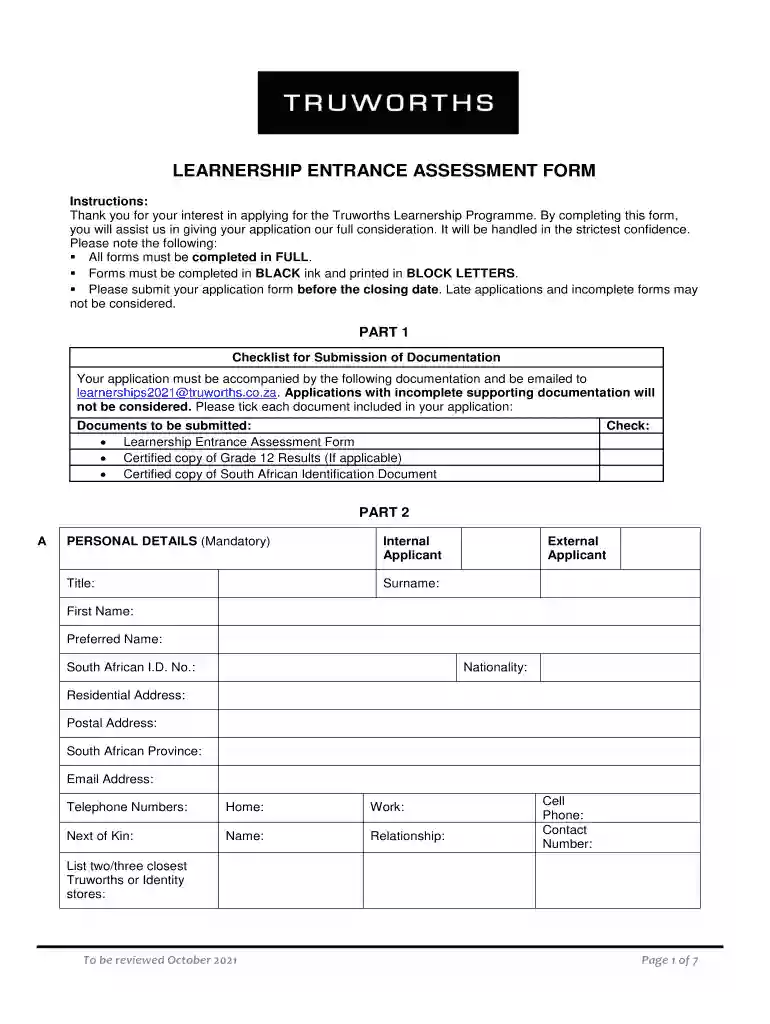
truworths learnership form Preview on Page 1

Here's how it works

01. Edit your truworths learnership form online
Type text, add images, blackout confidential details, add comments, highlights and more.

02. Sign it in a few clicks
Draw your signature, type it, upload its image, or use your mobile device as a signature pad.

03. Share your form with others
Send truworths assessment via email, link, or fax. You can also download it, export it or print it out.

How to use or fill out truworths learnership form with our platform

Form edit decoration
9.5
Ease of Setup
DocHub User Ratings on G2
9.0
Ease of Use
DocHub User Ratings on G2
  1. Click ‘Get Form’ to open the Truworths Learnership Entrance Assessment Form in the editor.
  2. Begin with Part 1, where you will find a checklist for submission. Ensure you have all required documents ready, such as your certified Grade 12 results and ID copy. Tick each box as you prepare these documents.
  3. Move to Part 2, Personal Details. Fill in your title, surname, first name, and contact information in BLOCK LETTERS using black ink. Make sure to provide accurate details for your residential and postal addresses.
  4. Continue by completing the Language Proficiency section. Rate your competence in each language from 1 (fluent) to 3 (basic).
  5. In the Education section, list your high school and any post-matric studies. Include subjects and grades achieved.
  6. For Work Experience, detail your previous jobs starting with the most recent. Include dates, organization names, job titles, and key responsibilities.
  7. Complete the mandatory sections regarding references and any factors affecting your role at Truworths.
  8. Finally, review all information for accuracy before signing and dating the form at the end of Part 4.

Start filling out your Truworths Learnership form today on our platform for free!

See more truworths learnership form versions

We've got more versions of the truworths learnership form form. Select the right truworths learnership form version from the list and start editing it straight away!
Versions Form popularity Fillable & printable
2021 4.8 Satisfied (51 Votes)
2020 4.2 Satisfied (59 Votes)
be ready to get more

Complete this form in 5 minutes or less

Get form

Got questions?

We have answers to the most popular questions from our customers. If you can't find an answer to your question, please contact us.
Contact us
The learnership will allow individuals to be cross trained making them able to operate on both the sales floor and the service desk, of a retail outlet. Working with customers and stock will be a key focus area.
How to Apply for Truworths Learnerships Step 1: Visit your preferred Province Truworths Learnerships Site. Step 2: Sign up for a profile. Step 3: When your application is complete, you will receive a confirmation email.
Professional Tone:- I am looking for an opportunity to work in a fast-paced environment where I can utilize my skills and abilities to contribute to the growth of the company. I am also interested in the companys development programmes and opportunities for career advancement.

Security and compliance

At DocHub, your data security is our priority. We follow HIPAA, SOC2, GDPR, and other standards, so you can work on your documents with confidence.

Learn more
ccpa2
pci-dss
gdpr-compliance
hipaa
soc-compliance