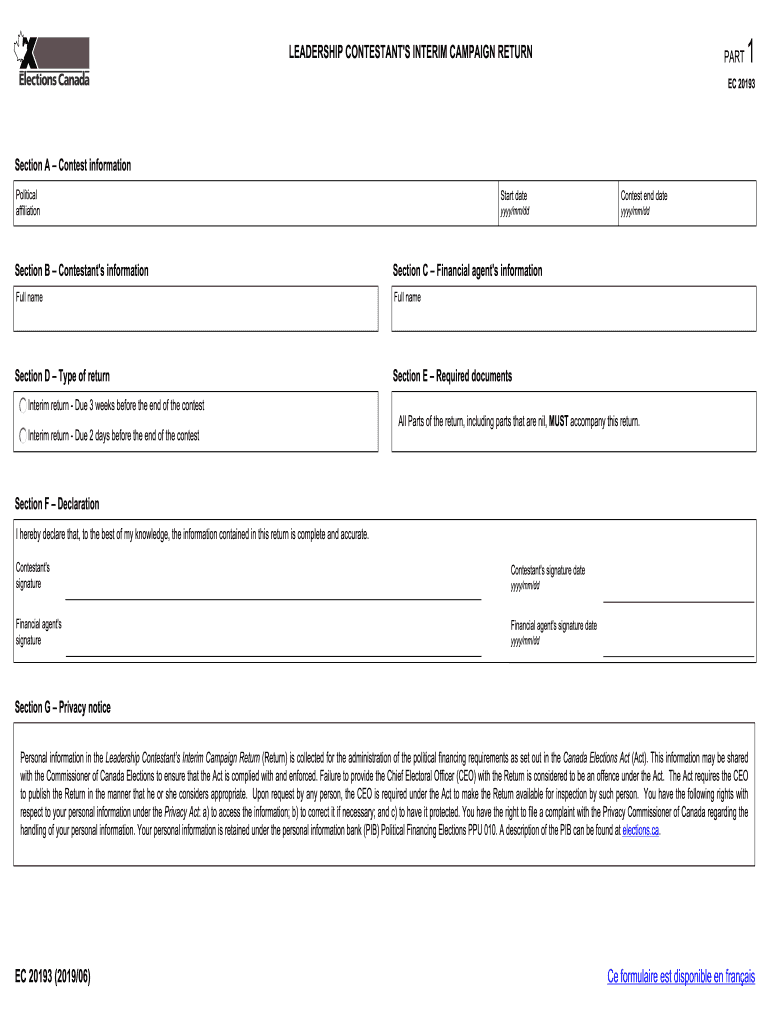
Leadership Contestant's Interim Campaign Return EC 20193 2026

Get Form
Leadership Contestant's Interim Campaign Return EC 20193 Preview on Page 1

Here's how it works

01. Edit your form online
Type text, add images, blackout confidential details, add comments, highlights and more.
02. Sign it in a few clicks
Draw your signature, type it, upload its image, or use your mobile device as a signature pad.
03. Share your form with others
Send it via email, link, or fax. You can also download it, export it or print it out.

How to use or fill out Leadership Contestant's Interim Campaign Return EC 20193

Form edit decoration
9.5
Ease of Setup
DocHub User Ratings on G2
9.0
Ease of Use
DocHub User Ratings on G2
  1. Click ‘Get Form’ to open it in the editor.
  2. Begin with Section A, where you will input your political affiliation and the start date of your campaign. Ensure the date is formatted as yyyy/mm/dd.
  3. In Section B, provide your full name as the contestant. This is crucial for identification purposes.
  4. Section C requires the financial agent's full name. Make sure this person is authorized to handle financial matters for your campaign.
  5. For Section D, select the type of return you are submitting. Choose between interim returns due at different times based on your contest end date.
  6. In Section E, ensure all required documents are attached, including any nil parts of the return.
  7. Complete Section F by signing and dating both the contestant's and financial agent's signatures to validate your submission.
  8. Finally, review all sections for accuracy before submitting through our platform for a seamless process.

Start using our editor today to effortlessly complete your Leadership Contestant's Interim Campaign Return!

See more Leadership Contestant's Interim Campaign Return EC 20193 versions

We've got more versions of the Leadership Contestant's Interim Campaign Return EC 20193 form. Select the right Leadership Contestant's Interim Campaign Return EC 20193 version from the list and start editing it straight away!
Versions Form popularity Fillable & printable
2019 4.8 Satisfied (147 Votes)
be ready to get more

Complete this form in 5 minutes or less

Get form

Got questions?

We have answers to the most popular questions from our customers. If you can't find an answer to your question, please contact us.
Contact us

Yes, and it’s really easy! DocHub is a web-based PDF editor with advanced document management functions that allow you rapidly edit your documents, fill out blank fields and add new ones for others to fill out, and create eSignatures in several ways. Upload your Leadership Contestant's Interim Campaign Return EC 20193, provide information as requested, and select how you want to eSign your document - by typing your name, drawing your signature, uploading its image, or using a QR code.

It is a no-brainer on a computer or via a mobile device to fill out a Leadership Contestant's Interim Campaign Return EC 20193 with DocHub. All you need to do is open any installed browser on your smartphone and proceed to the DocHub site. Once authenticated, add your file and open it in editing mode. Use our toolbar to make your edits and save modifications. Optionally, keep your document in your files or send it to a recipient immediately.