Anatomy of a wave worksheet 2026

Get Form
anatomy of a wave worksheet Preview on Page 1

Here's how it works

01. Edit your anatomy of a wave worksheet online
Type text, add images, blackout confidential details, add comments, highlights and more.
02. Sign it in a few clicks
Draw your signature, type it, upload its image, or use your mobile device as a signature pad.
03. Share your form with others
Send anatomy of a wave worksheet answers via email, link, or fax. You can also download it, export it or print it out.

How to use or fill out anatomy of a wave worksheet with our platform

Form edit decoration
9.5
Ease of Setup
DocHub User Ratings on G2
9.0
Ease of Use
DocHub User Ratings on G2
  1. Click ‘Get Form’ to open the anatomy of a wave worksheet in the editor.
  2. Begin by entering your name, date, and period at the top of the worksheet. This personalizes your document and helps keep track of submissions.
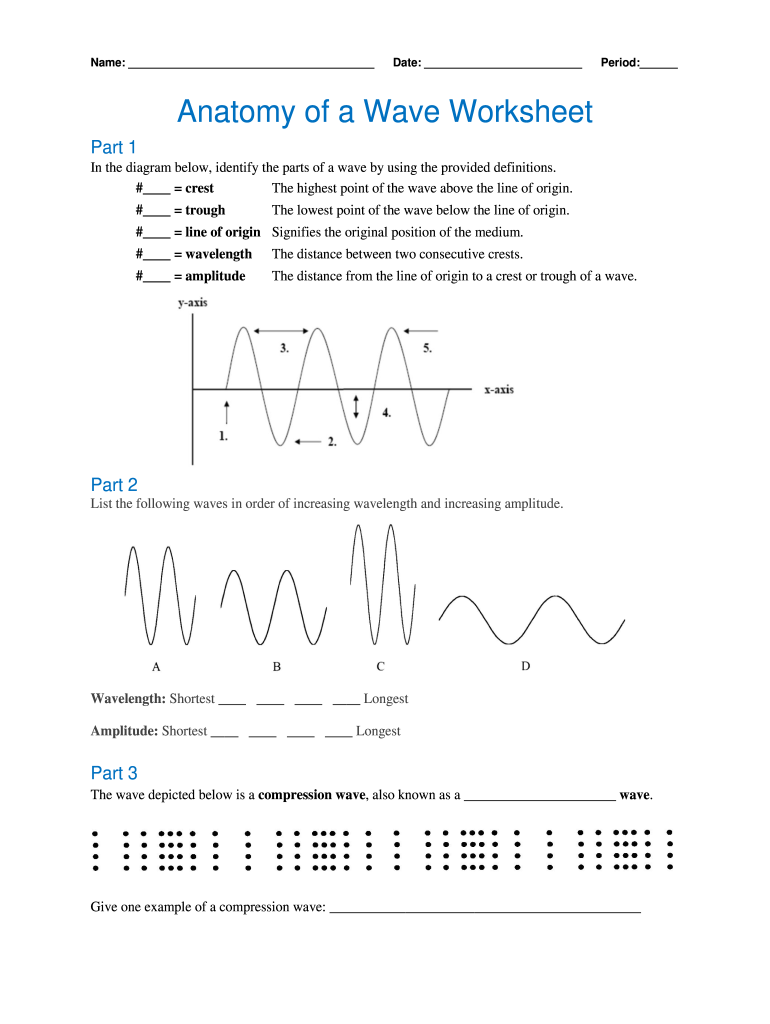
  3. In Part 1, refer to the diagram provided and fill in the blanks with the correct terms for each part of the wave: crest, trough, line of origin, wavelength, and amplitude. Use the definitions as a guide.
  4. For Part 2, list the waves in order of increasing wavelength and amplitude. Ensure you understand each term to accurately arrange them.
  5. In Part 3, identify the type of compression wave depicted and provide an example. This section encourages critical thinking about real-world applications.
  6. Part 4 requires calculating frequency. Count the number of waves for each wave train and divide by time to find frequency. Input your answers directly into the fields provided.
  7. Finally, in Part 5, use our platform's drawing tools to sketch two different waves on graph paper. Label all necessary components clearly for full credit.

Start editing your anatomy of a wave worksheet online for free today!

See more anatomy of a wave worksheet versions

We've got more versions of the anatomy of a wave worksheet form. Select the right anatomy of a wave worksheet version from the list and start editing it straight away!
Versions Form popularity Fillable & printable
2013 4.6 Satisfied (33 Votes)
be ready to get more

Complete this form in 5 minutes or less

Get form

Got questions?

We have answers to the most popular questions from our customers. If you can't find an answer to your question, please contact us.
Contact us

Microsoft Word doesn’t have signing tools to create valid eSignatures and enforceable forms. Luckily, DocHub is an online eSignature-compliant editor that works with different file formats, such as .doc files. Log in to your account and upload the Word version of your wave worksheet from your device and cloud, or URL - our editor will automatically transform it into an editable PDF. Make all necessary changes in your document and click Sign to create your own legally-binding eSignature. You will find four signing options from which to choose.

You can find the latest and most relevant version of the anatomy of a wave worksheet answer key in our DocHub forms collection. Browse it by categories or utilize the search field to get the exact template that fits your case. You can open this form for editing once you find it.

be ready to get more

Complete this form in 5 minutes or less

Get form