CRYSTAL OAKS GROUP HEALTH PLAN ACCIDENT QUESTIONNAIRE 2025

Get Form
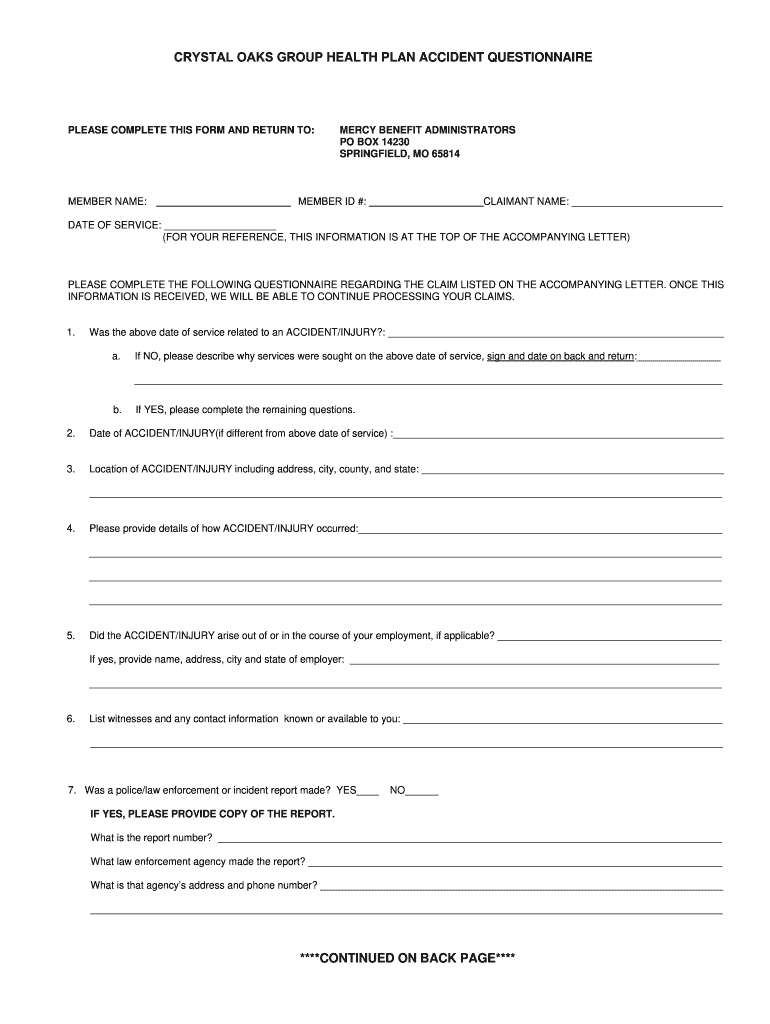
CRYSTAL OAKS GROUP HEALTH PLAN ACCIDENT QUESTIONNAIRE Preview on Page 1

Here's how it works

01. Edit your form online
Type text, add images, blackout confidential details, add comments, highlights and more.
02. Sign it in a few clicks
Draw your signature, type it, upload its image, or use your mobile device as a signature pad.
03. Share your form with others
Send it via email, link, or fax. You can also download it, export it or print it out.

How to use or fill out CRYSTAL OAKS GROUP HEALTH PLAN ACCIDENT QUESTIONNAIRE

Form edit decoration
9.5
Ease of Setup
DocHub User Ratings on G2
9.0
Ease of Use
DocHub User Ratings on G2
  1. Click ‘Get Form’ to open the CRYSTAL OAKS GROUP HEALTH PLAN ACCIDENT QUESTIONNAIRE in our editor.
  2. Begin by entering your MEMBER NAME and MEMBER ID # at the top of the form. This information is crucial for processing your claim.
  3. Indicate whether the date of service was related to an accident/injury by selecting 'YES' or 'NO'. If 'NO', provide a brief explanation in the designated area.
  4. If you answered 'YES', fill in the date of the accident/injury, location details, and a comprehensive description of how it occurred.
  5. Answer questions regarding employment-related injuries, witnesses, and any police reports. Ensure to provide all requested details accurately.
  6. Complete the authorization section at the end of the form by signing and dating it. If applicable, have the claimant sign as well.

Start filling out your questionnaire online for free using our platform today!

See more CRYSTAL OAKS GROUP HEALTH PLAN ACCIDENT QUESTIONNAIRE versions

We've got more versions of the CRYSTAL OAKS GROUP HEALTH PLAN ACCIDENT QUESTIONNAIRE form. Select the right CRYSTAL OAKS GROUP HEALTH PLAN ACCIDENT QUESTIONNAIRE version from the list and start editing it straight away!
Versions Form popularity Fillable & printable
2016 4.8 Satisfied (41 Votes)
be ready to get more

Complete this form in 5 minutes or less

Get form

Got questions?

We have answers to the most popular questions from our customers. If you can't find an answer to your question, please contact us.
Contact us

Sure, and it’s really straightforward! DocHub is an online PDF editor with advanced document processing functions that allow you promptly adjust your paperwork, fill out empty fields and drop new ones for other people to fill out, and create eSignatures in several ways. Add your CRYSTAL OAKS GROUP HEALTH PLAN ACCIDENT QUESTIONNAIRE, provide information as requested, and select how you want to eSign your template - by typing your name, drawing your signature, uploading its image, or utilizing a QR code.

You need only a web connection and a web browser to complete your CRYSTAL OAKS GROUP HEALTH PLAN ACCIDENT QUESTIONNAIRE by using an iOS phone. Open the DocHub website and authenticate. Then, add your document or select it from the list in your dashboard. Then use our editing instruments to complete your form and save all your changes. You can also send it to a specified recipient right away.