Nav 34 00 15 engelsk 2026

Get Form
nav34 Preview on Page 1

Here's how it works

01. Edit your nav34 online
Type text, add images, blackout confidential details, add comments, highlights and more.
02. Sign it in a few clicks
Draw your signature, type it, upload its image, or use your mobile device as a signature pad.
03. Share your form with others
Send it via email, link, or fax. You can also download it, export it or print it out.

How to use or fill out nav 34 00 15 engelsk with our platform

Form edit decoration
9.5
Ease of Setup
DocHub User Ratings on G2
9.0
Ease of Use
DocHub User Ratings on G2
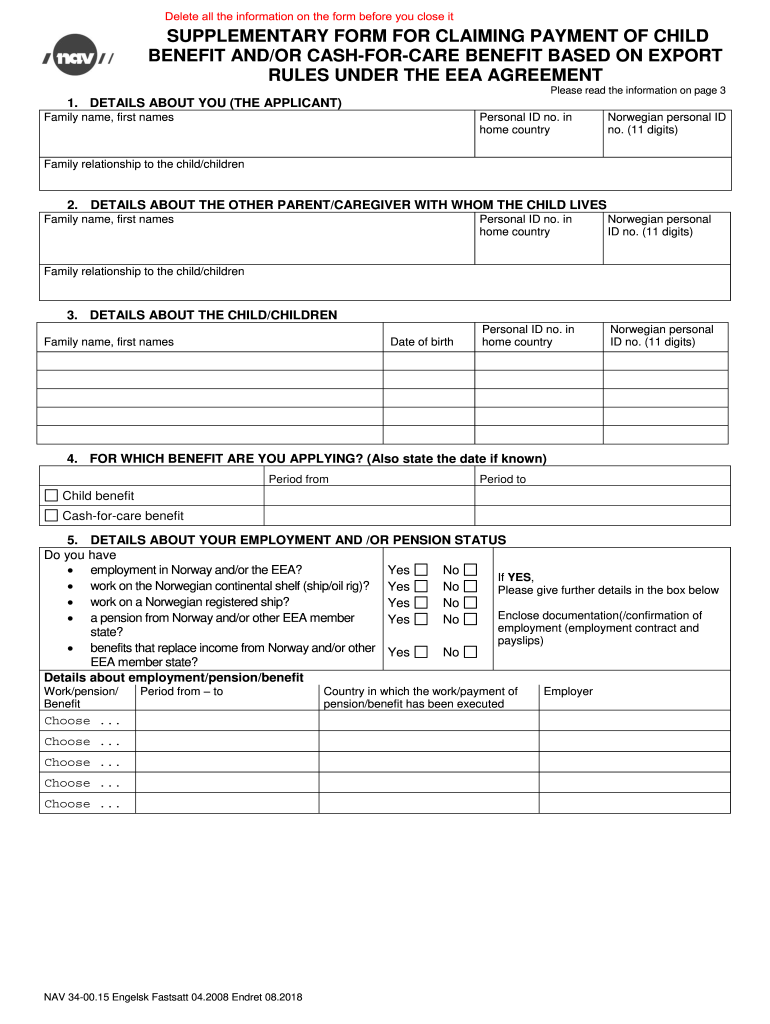
  1. Click ‘Get Form’ to open the nav 34 00 15 engelsk in the editor.
  2. Begin by filling out Section 1, 'Details About You.' Enter your family name, first names, and personal ID numbers as required.
  3. Proceed to Section 2, 'Details About the Other Parent/Caregiver.' Provide their family name, first names, and personal ID numbers.
  4. In Section 3, 'Details About the Child/Children,' input the family name, first names, and date of birth for each child.
  5. For Section 4, indicate which benefit you are applying for by selecting either 'Child Benefit' or 'Cash-for-Care Benefit' and specify the applicable periods.
  6. Complete Sections 5 and 6 regarding employment and pension status for both you and the other parent/caregiver. Answer all relevant questions accurately.
  7. Fill in your residence details in Section 7. Ensure that full addresses are provided for all parties involved.
  8. In Sections 8 and 9, disclose any benefits received from other countries and previous applications made elsewhere.
  9. Finally, complete Section 10 with your bank account number and review Section 11 for declaration and signature before submitting.

Start using our platform today to fill out your nav 34 00 15 engelsk form easily and efficiently!

See more nav 34 00 15 engelsk versions

We've got more versions of the nav 34 00 15 engelsk form. Select the right nav 34 00 15 engelsk version from the list and start editing it straight away!
Versions Form popularity Fillable & printable
2008 4.8 Satisfied (109 Votes)
be ready to get more

Complete this form in 5 minutes or less

Get form

Got questions?

We have answers to the most popular questions from our customers. If you can't find an answer to your question, please contact us.
Contact us

Log in to your DocHub account and add your nav 34 00 15 engelsk to our editor using one of its upload methods - from your device, cloud storage, protected URL, or your DocHub folders if you have already managed your form before. Open our editor, click the Sign key in the upper toolbar, and choose your signing method. You can use an image of your handwritten signature, draw it, type in your name, or use a QR code as an alternative.

It is a no-brainer on a computer or via a mobile device to complete a nav 34 00 15 engelsk with DocHub. All you need to do is open any installed web browser on your smartphone and proceed to the DocHub site. Once authenticated, add your document and open it in editing mode. Use our toolbar to make your edits and save adjustments. Optionally, keep your document in your files or send it to a recipient immediately.

Security and compliance

At DocHub, your data security is our priority. We follow HIPAA, SOC2, GDPR, and other standards, so you can work on your documents with confidence.

Learn more
ccpa2
pci-dss
gdpr-compliance
hipaa
soc-compliance