




Here's how it works



How to use or fill out community room rental agreement - Duanesburg Volunteer

- Click ‘Get Form’ to open the community room rental agreement in our editor.
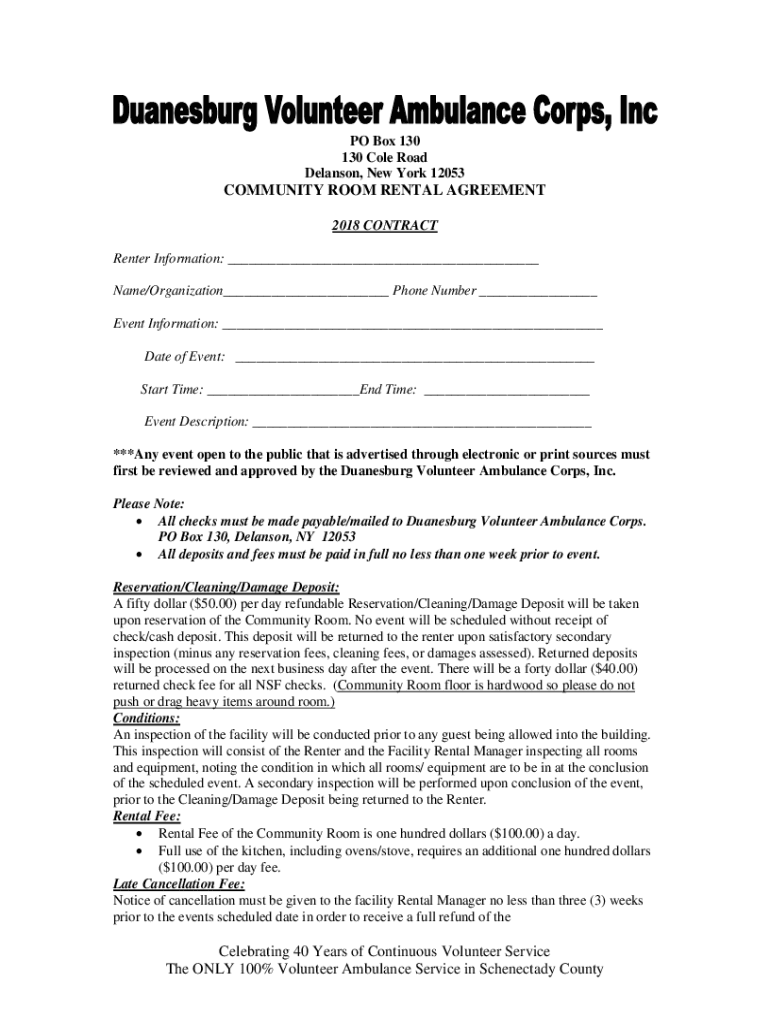
- Begin by filling out the Renter Information section. Enter your name or organization and phone number clearly.
- Next, provide details about your event. Fill in the Event Information section with the date, start time, end time, and a brief description of the event.
- Review the conditions regarding deposits and fees. Ensure you understand that a $50 refundable deposit is required upon reservation.
- If alcohol will be served, note that you must comply with New York State Law and provide an insurance binder one week prior to the event.
- Finally, sign and date the agreement at the bottom to confirm your understanding and acceptance of all terms.
Start using our platform today to complete your community room rental agreement effortlessly!
It's free
See more community room rental agreement - Duanesburg Volunteer versions
| Versions | Form popularity | Fillable & printable |
|---|---|---|
| 2018 | 4.8 Satisfied (47 Votes) |
Got questions?
Can I use DocHub to create legal eSignatures on my community room rental agreement - Duanesburg Volunteer?
Yes, you can utilize DocHub for signing any business and private paperwork, including your community room rental agreement - Duanesburg Volunteer. All electronic signatures you create with our service are legally binding and court-admissible, as DocHub complies with standards required by ESIGN and UETA. Save your completed paperwork with a detailed Audit Trail if necessary.
How do you edit community room rental agreement - Duanesburg Volunteer from Google Drive?
If you store your papers in Google Drive, there is no need to download your community room rental agreement - Duanesburg Volunteer on your computer and upload it back to our editor. A significantly simpler way is to install a browser extension created by DocHub to streamline this flow. The extension allows editing PDFs in your browser. Alternatively, you may integrate your DocHub and Gmail accounts for more efficient modifying.
How to write a simple contract agreement?
How to write up a roommate agreement?
How to write a simple room rental agreement?
Security and compliance
At DocHub, your data security is our priority. We follow HIPAA, SOC2, GDPR, and other standards, so you can work on your documents with confidence.
Learn more




