




01. Edit your form online
Type text, add images, blackout confidential details, add comments, highlights and more.

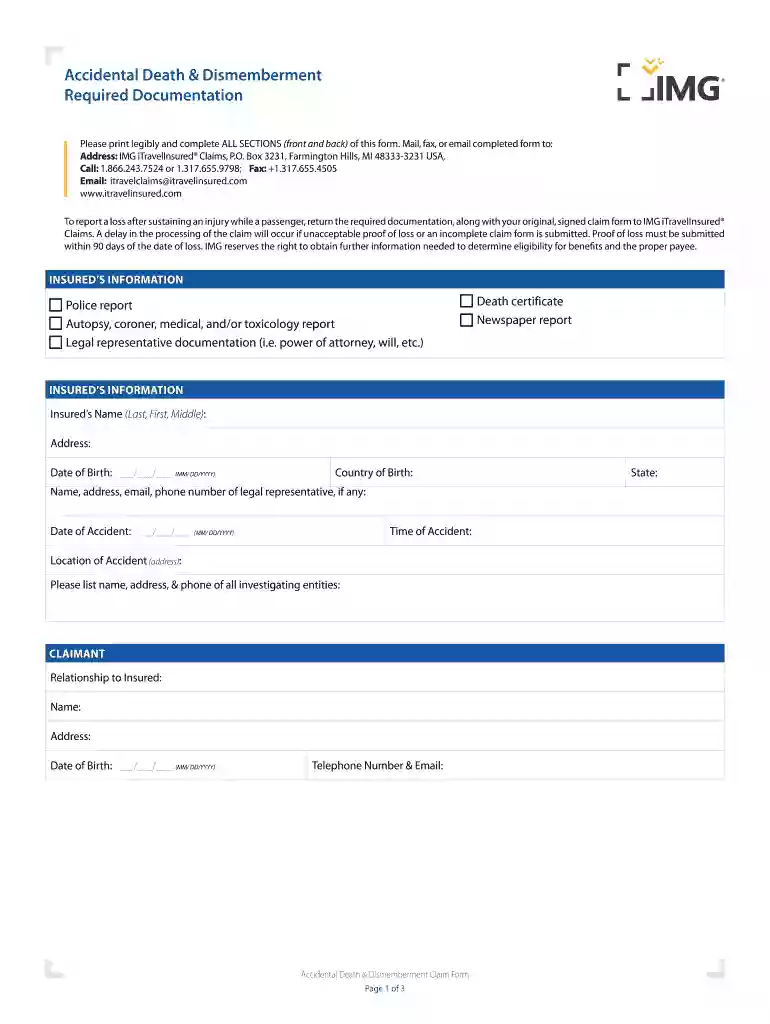
Type text, add images, blackout confidential details, add comments, highlights and more.

Draw your signature, type it, upload its image, or use your mobile device as a signature pad.

Send it via email, link, or fax. You can also download it, export it or print it out.

Start filling out your Accidental Death & Dismemberment Required Documentation today for free on our platform!
We've got more versions of the Accidental Death & Dismemberment Required Documentation form. Select the right Accidental Death & Dismemberment Required Documentation version from the list and start editing it straight away!
| Versions | Form popularity | Fillable & printable |
|---|---|---|
| 2019 | 4.8 Satisfied (120 Votes) |
Sure, and it’s really easy! DocHub is an online PDF editor with advanced document processing features that allow you rapidly modify your forms, complete empty fields and drop new ones for others to fill out, and create electronic signatures in several ways. Add your Accidental Death & Dismemberment Required Documentation, provide information as requested, and choose how you want to eSign your template - by typing your name, drawing your signature, uploading its picture, or utilizing a QR code.
If you store your papers in Google Drive, there is no need to download your Accidental Death & Dismemberment Required Documentation on your computer and upload it back to our editor. A significantly simpler way is to set up a browser extension developed by DocHub to streamline this flow. The extension allows editing PDFs in your browser. Alternatively, you may integrate your DocHub and Gmail accounts for more efficient modifying.
At DocHub, your data security is our priority. We follow HIPAA, SOC2, GDPR, and other standards, so you can work on your documents with confidence.
ADD can provide you and your family with extra protection in the event of death or dismemberment as a result of a covered accident.Read more
Required Documentation Address Change COBRA Premiums Retiree Benefits Retiree Benefit Options Preparing for Retirement Resources ContactsRead more
Life Insurance and Accidental Death and Dismemberment Insurance. Short-Term and Long-Term Disability benefits. Employee Assistance Program (EAP). 401(k)


