




01. Edit your kansas power of attorney online
Type text, add images, blackout confidential details, add comments, highlights and more.

Type text, add images, blackout confidential details, add comments, highlights and more.

Draw your signature, type it, upload its image, or use your mobile device as a signature pad.

Send power of attorney kansas via email, link, or fax. You can also download it, export it or print it out.

Start using our platform today to easily complete and manage your Kansas Vehicle Power of Attorney TR-41 for free!
We've got more versions of the kansas power of attorney form. Select the right kansas power of attorney version from the list and start editing it straight away!
At DocHub, your data security is our priority. We follow HIPAA, SOC2, GDPR, and other standards, so you can work on your documents with confidence.
by T Circuit 2020 The district court granted the preliminary injunction and required [the Secretary] to register to vote any applicants previously unable toRead more
All downloadable National Academies titles are free to be used for personal and/or non-commercial academic use. Users may also freely post links to ourRead more
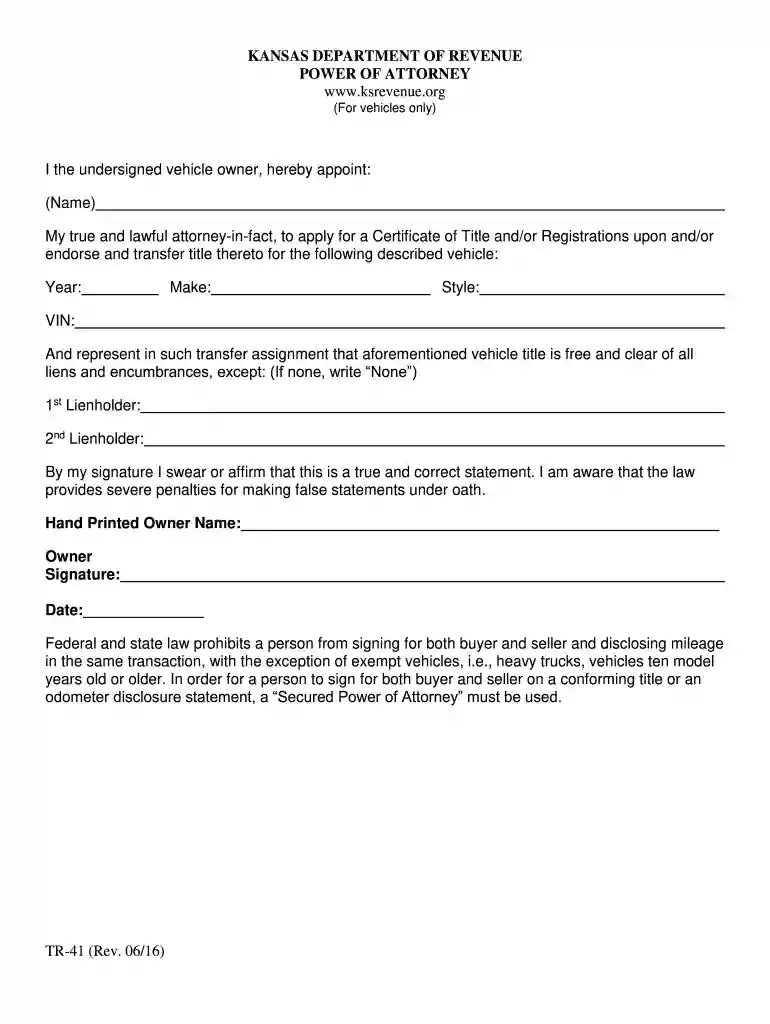
I the undersigned vehicle owner, hereby appoint: (Name). My true and lawful attorney-in-fact, to apply for a Certificate of Title and/or Registrations uponRead more


