01. Edit your nominated qualified supervisor consent declaration online
Type text, add images, blackout confidential details, add comments, highlights and more.

02. Sign it in a few clicks
Draw your signature, type it, upload its image, or use your mobile device as a signature pad.

03. Share your form with others
Send nominated qualified supervisor consent declaration form via email, link, or fax. You can also download it, export it or print it out.

How to use or fill out the Nominated Qualified Supervisor Consent Declaration form online
Ease of Setup
DocHub User Ratings on G2
Ease of Use
DocHub User Ratings on G2
Click ‘Get Form’ to open it in the editor.
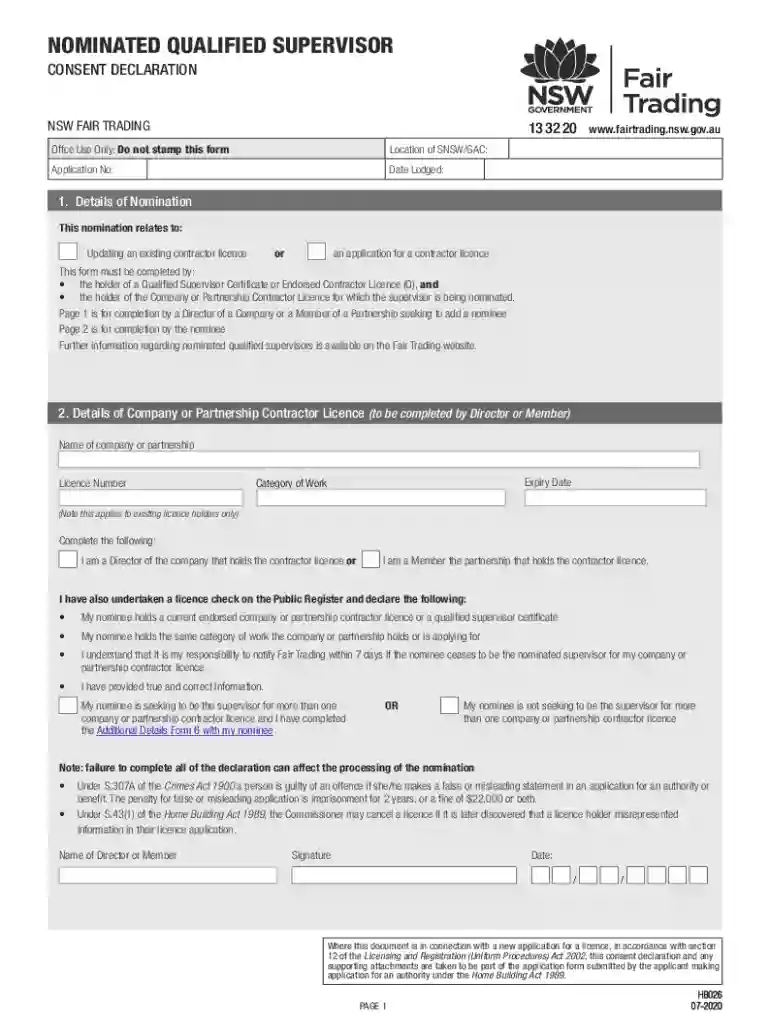
Begin with 'Details of Nomination'. Indicate whether you are updating an existing contractor licence or applying for a new one. Ensure that both the holder of the Qualified Supervisor Certificate and the Company/Partnership Licence holder complete this section.
In 'Details of Company or Partnership Contractor Licence', enter the name, licence number, expiry date, and category of work. Confirm your role as either a Director or Member and check the necessary declarations regarding your nominee's qualifications.
Proceed to 'Details of Nominated Qualified Supervisor'. Fill in the nominee's full legal name, date of birth, driver licence number, and other required details. Select their role within the company or partnership.
Complete any additional declarations required for nominees seeking to supervise multiple licences. Ensure all information is accurate to avoid processing delays.
Finally, review all entries for accuracy before signing and dating the form. Save your changes and submit via email or in person as instructed.
Start filling out your form online today for free and streamline your document process!
Fill out NSW Qualified Supervisor Consent Declaration online It's free
See more NSW Qualified Supervisor Consent Declaration versions
We've got more versions of the NSW Qualified Supervisor Consent Declaration form. Select the right NSW Qualified Supervisor Consent Declaration version from the list and start editing it straight away!
❖ The user password can be set up under the supervisor password. Using a supervisor password. A supervisor password prevents other users from changing.Read more
Cookie consent notice
This site uses cookies to enhance site navigation and personalize your experience.
By using this site you agree to our use of cookies as described in our Privacy Notice.
You can modify your selections by visiting our Cookie and Advertising Notice.