Type text, add images, blackout confidential details, add comments, highlights and more.
02. Sign it in a few clicks
Draw your signature, type it, upload its image, or use your mobile device as a signature pad.
03. Share your form with others
Send it via email, link, or fax. You can also download it, export it or print it out.
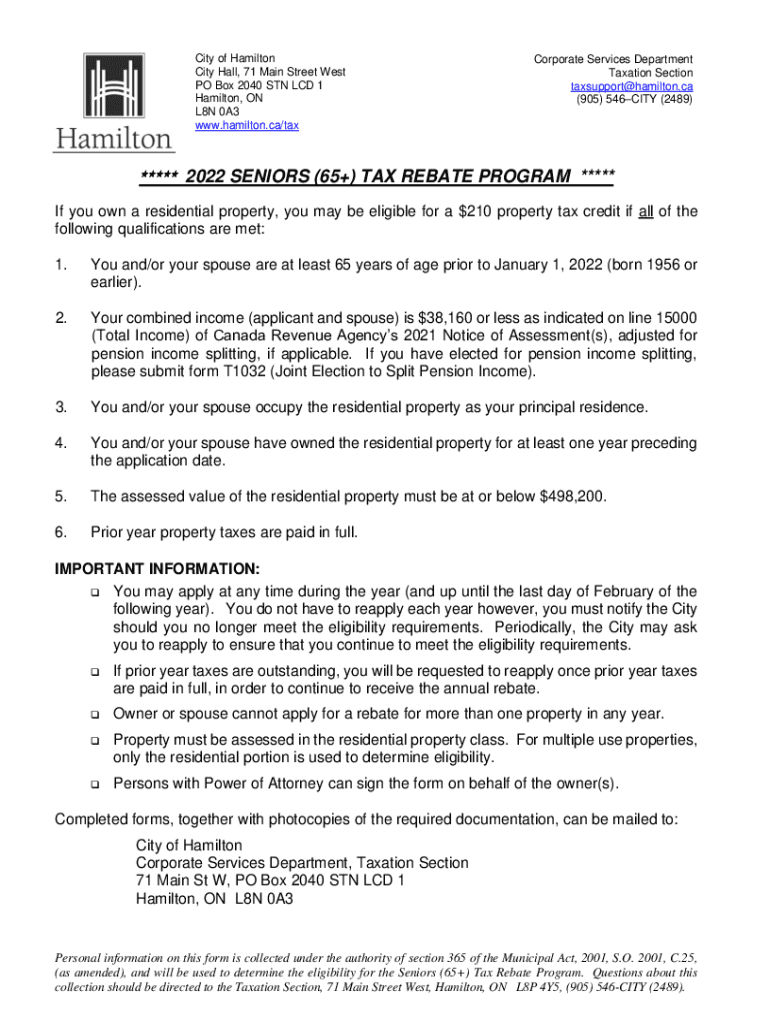
How to use or fill out the 2022 Seniors (65+) Tax Rebate Program form online
Ease of Setup
DocHub User Ratings on G2
Ease of Use
DocHub User Ratings on G2
Click ‘Get Form’ to open it in the editor.
Begin by entering your name and date of birth in the designated fields. If applicable, provide your spouse's information as well.
List all registered owners of the property along with their relation to you. Ensure accuracy for eligibility verification.
Fill in the property address and contact details, ensuring that the address is your principal residence.
Locate and enter your Roll Number from your tax bill in the specified field.
Certify your eligibility by signing and dating the form at the bottom. This declaration confirms you have not received a rebate for any other residence in Hamilton for 2022.
Attach required documentation such as identification and income assessment copies before submitting.
Start filling out your form online today for free and streamline your application process!
Fill out 2022 Seniors Tax Rebate Application online It's free
See more 2022 Seniors Tax Rebate Application versions
We've got more versions of the 2022 Seniors Tax Rebate Application form. Select the right 2022 Seniors Tax Rebate Application version from the list and start editing it straight away!
Property Tax Postponement - State Controllers Office - CA.gov
The State Controllers Property Tax Postponement Program allows homeowners who are seniors, are blind, or have a disability to defer current-year propertyRead more
Jun 30, 2022 Rebates for eligible seniors, Application deadline: JUNE 30, 2022 Rebates begin: EARLY JULY, 2022 ・ providing rebates on property tax or rent
Cookie consent notice
This site uses cookies to enhance site navigation and personalize your experience.
By using this site you agree to our use of cookies as described in our Privacy Notice.
You can modify your selections by visiting our Cookie and Advertising Notice.