




01. Edit your form online
Type text, add images, blackout confidential details, add comments, highlights and more.

Type text, add images, blackout confidential details, add comments, highlights and more.

Draw your signature, type it, upload its image, or use your mobile device as a signature pad.

Send it via email, link, or fax. You can also download it, export it or print it out.

Start using our platform today to complete your Farm and Ranch Business Health Assessment for free!
We've got more versions of the Farm and Ranch Business Health Assessment - National form. Select the right Farm and Ranch Business Health Assessment - National version from the list and start editing it straight away!
| Versions | Form popularity | Fillable & printable |
|---|---|---|
| 2017 | 4.8 Satisfied (96 Votes) |
According to eSignature regulations, documents approved digitally have the same validity as traditionally approved ones. You can eSign almost any business and personal paperwork. Four types of paperwork still require handwritten signatures only - wills and testamentary trusts, court orders and other court papers, state statutes regulating divorce, adoption, or other family law, and notice of cancellation of utility services. If you adhere to the rules and utilize a trustworthy and compliant software solution, like DocHub, you can eSign your Farm and Ranch Business Health Assessment - National without printing it.
You can get and edit your Farm and Ranch Business Health Assessment - National online by using DocHub. Its straightforward yet feature-rich design allows you to begin productive work immediately after you register your account. Create your account and add your file, and then our interface will guide you through our stress-free form completion experience.
At DocHub, your data security is our priority. We follow HIPAA, SOC2, GDPR, and other standards, so you can work on your documents with confidence.
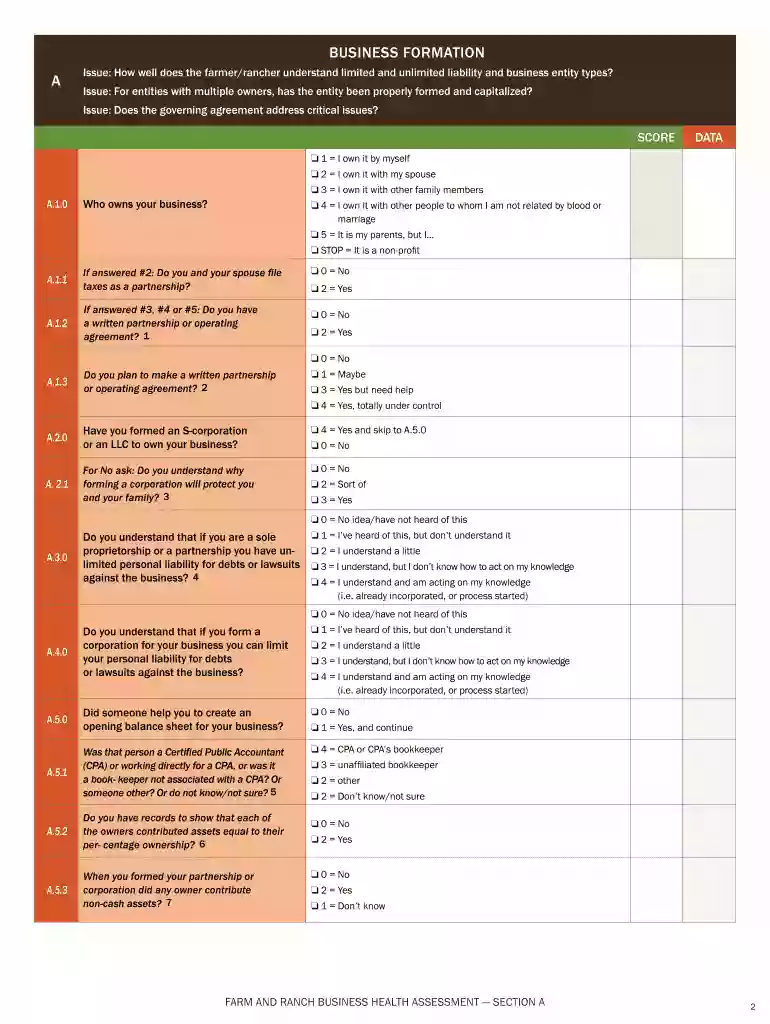
There are nine separate sections covering different aspects of farm and ranch business health. Each question has a number of answer choices,.Read more
With its extensive farms, forests, and ranches, NCHU provides an integrated ecosystem for education and hands-on training in agricultural and livestock


