Type text, add images, blackout confidential details, add comments, highlights and more.
02. Sign it in a few clicks
Draw your signature, type it, upload its image, or use your mobile device as a signature pad.
03. Share your form with others
Send medical cooling concession form via email, link, or fax. You can also download it, export it or print it out.
How to use or fill out medical cooling concession form with our platform
Ease of Setup
DocHub User Ratings on G2
Ease of Use
DocHub User Ratings on G2
Click ‘Get Form’ to open the medical cooling concession form in the editor.
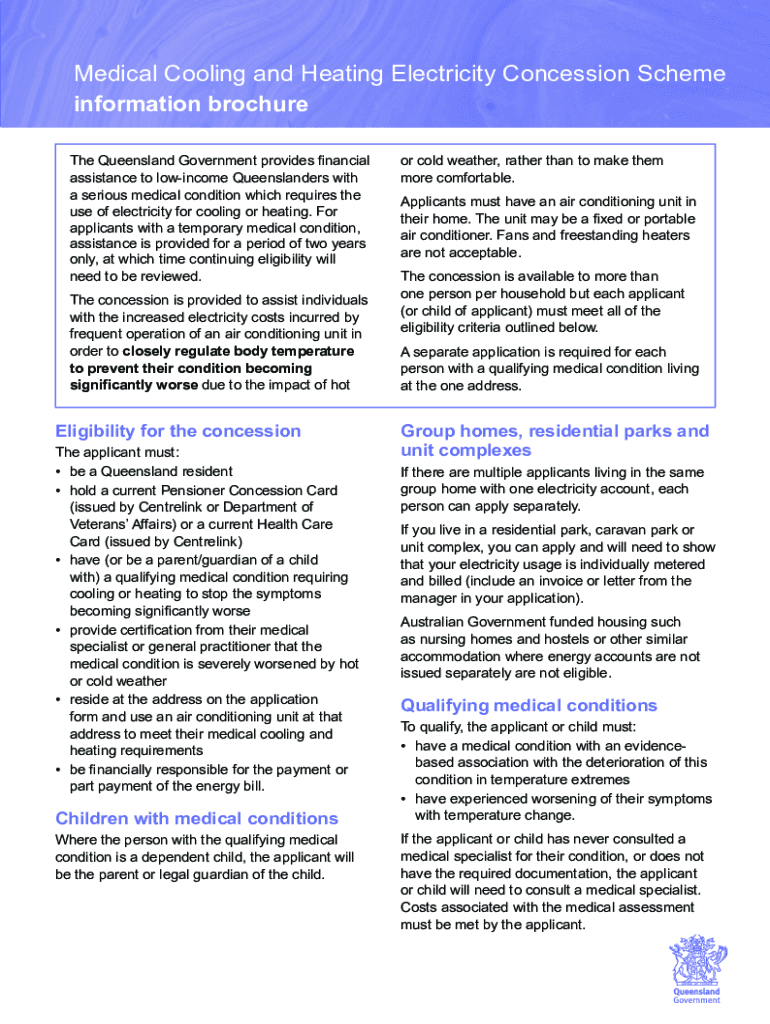
Begin by completing Section A, which requires your personal details as they appear on your Centrelink or Veterans’ Affairs card. Ensure accuracy to avoid processing delays.
If applicable, fill out Section B with details of any dependent child under 18 years who has a qualifying medical condition.
In Section C, confirm whether there is an air conditioning unit at your address and that you are responsible for part of the energy bill. Select 'Yes' to proceed.
Provide your bank account details in Section D for electronic transfer of the concession. Attach a copy of your bank statement or have your financial institution stamp this section.
Complete Section E by reading and agreeing to the authority and declaration statements before signing and dating the form.
Finally, ensure Section F is filled out by a qualified medical practitioner who can certify your medical condition. This section is mandatory for approval.
Start filling out your medical cooling concession form today using our platform for free!
Fill out medical cooling concession form online It's free
We've got more versions of the medical cooling concession form form. Select the right medical cooling concession form version from the list and start editing it straight away!
Medical cooling concession form pdfMedical cooling concession form onlineEssential Plan Cooling ProgramNY State of Health Cooling ProgramFree air conditioner program near meEssential Plan Cooling Program applicationFree air conditioner program NYCFree air conditioner NYC application
Security and compliance
At DocHub, your data security is our priority. We follow HIPAA, SOC2, GDPR, and other standards, so you can work on your documents with confidence.
by L Nicholls 2017 Cited by 22 Ensure medical cooling concessions are able to assist people with a range of heat health needs both in terms of eligibility and accessibility. Ensure medical
Cookie consent notice
This site uses cookies to enhance site navigation and personalize your experience.
By using this site you agree to our use of cookies as described in our Privacy Notice.
You can modify your selections by visiting our Cookie and Advertising Notice.