Bankofthewest customer-serviceCustomer ServiceBank of the West 2026

Get Form
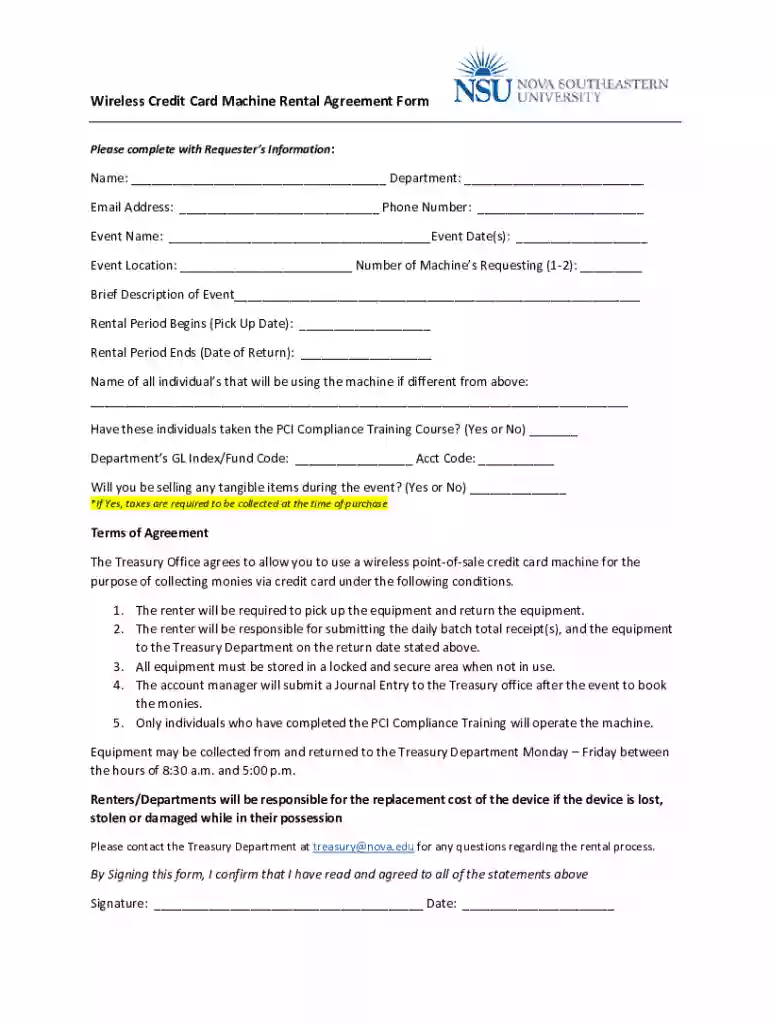
credit card rental agreement form Preview on Page 1

Here's how it works

01. Edit your credit card rental agreement form online
Type text, add images, blackout confidential details, add comments, highlights and more.

02. Sign it in a few clicks
Draw your signature, type it, upload its image, or use your mobile device as a signature pad.

03. Share your form with others
Send it via email, link, or fax. You can also download it, export it or print it out.

How to use or fill out bankofthewest customer-serviceCustomer ServiceBank of the West with our platform

Form edit decoration
9.5
Ease of Setup
DocHub User Ratings on G2
9.0
Ease of Use
DocHub User Ratings on G2
  1. Click ‘Get Form’ to open it in the editor.
  2. Begin by entering your Requester’s Information. Fill in your Name, Department, Email Address, and Phone Number in the designated fields.
  3. Next, provide details about your event. Enter the Event Name, Event Date(s), and Event Location. Specify the Number of Machines you are requesting (1-2) and include a Brief Description of the Event.
  4. Indicate the Rental Period by selecting a Pick Up Date and a Date of Return for the equipment.
  5. List all individuals who will be using the machine if different from yourself, and confirm whether they have taken the PCI Compliance Training Course by selecting Yes or No.
  6. Complete the financial information by filling in your Department’s GL Index/Fund Code and Acct Code. Indicate if you will be selling tangible items during the event.
  7. Finally, review the Terms of Agreement section carefully before signing. Confirm your agreement by providing your Signature and Date at the bottom of the form.

Start using our platform today to streamline your document editing experience for free!

See more bankofthewest customer-serviceCustomer ServiceBank of the West versions

We've got more versions of the bankofthewest customer-serviceCustomer ServiceBank of the West form. Select the right bankofthewest customer-serviceCustomer ServiceBank of the West version from the list and start editing it straight away!
Versions Form popularity Fillable & printable
2017 4.9 Satisfied (57 Votes)
be ready to get more

Complete this form in 5 minutes or less

Get form

Got questions?

We have answers to the most popular questions from our customers. If you can't find an answer to your question, please contact us.
Contact us
1-888-340-2265 (from 8 a.m. to 8 p.m. CT Monday to Friday and 8 a.m. to 7 p.m. on Saturdays for general inquiries). BMO Digital Banking password resets, reporting lost/stolen debit cards and debit card activations can be done 24 hours a day.
(888) 340-2265 BMO Bank / Customer service
Its as easy as dialing 1-888-340-2265. For personal credit card assistance, please call 1-855-825-9237. For business credit card assistance, please call 1-855-825-9231.