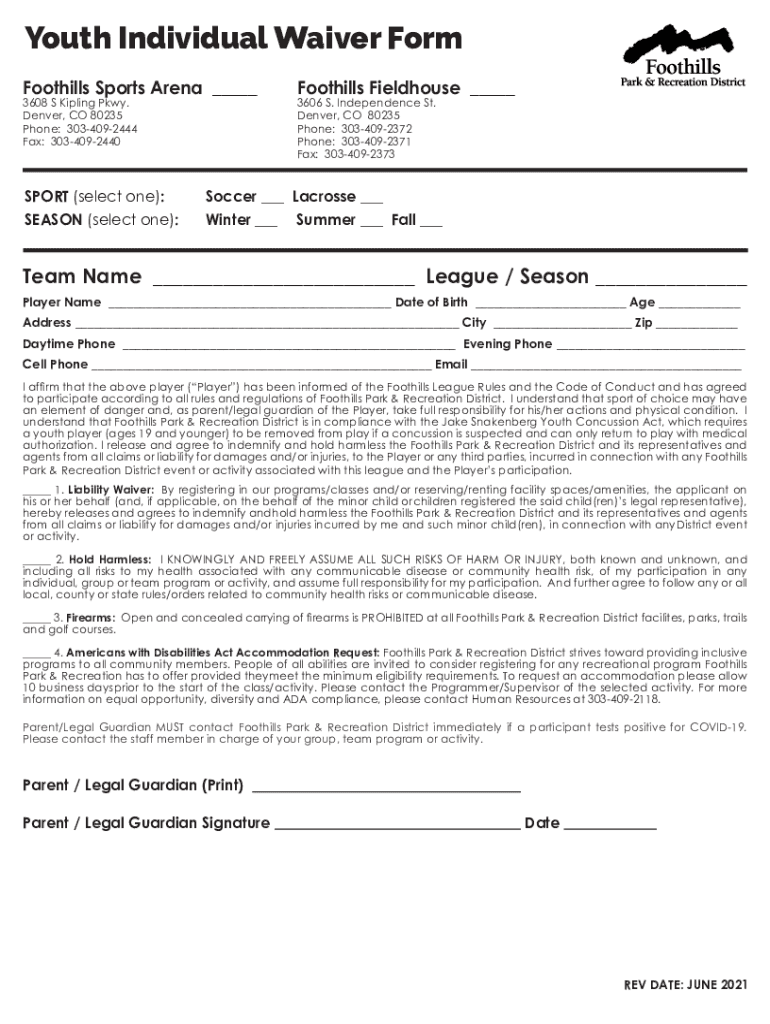
FOOTHILLS SPORTS ARENA 20 YOUTH SPORTS INDIVIDUAL WAIVER 2025

Get Form
FOOTHILLS SPORTS ARENA 20 YOUTH SPORTS INDIVIDUAL WAIVER Preview on Page 1

Here's how it works

01. Edit your form online
Type text, add images, blackout confidential details, add comments, highlights and more.
02. Sign it in a few clicks
Draw your signature, type it, upload its image, or use your mobile device as a signature pad.
03. Share your form with others
Send it via email, link, or fax. You can also download it, export it or print it out.

How to use or fill out FOOTHILLS SPORTS ARENA 20 YOUTH SPORTS INDIVIDUAL WAIVER

Form edit decoration
9.5
Ease of Setup
DocHub User Ratings on G2
9.0
Ease of Use
DocHub User Ratings on G2
  1. Click ‘Get Form’ to open it in the editor.
  2. Select the sport you are registering for by checking either 'Soccer' or 'Lacrosse'.
  3. Choose the season of participation by selecting 'Winter', 'Summer', or 'Fall'.
  4. Fill in the team name and league/season information in the designated fields.
  5. Enter the player's name, date of birth, age, and address accurately.
  6. Provide contact information including daytime, evening, and cell phone numbers along with an email address.
  7. Review the liability waiver and hold harmless sections. Ensure you understand and agree to these terms before signing.
  8. Print your name as the parent/legal guardian, sign, and date the form at the bottom.

Start filling out your FOOTHILLS SPORTS ARENA waiver today for free using our platform!

See more FOOTHILLS SPORTS ARENA 20 YOUTH SPORTS INDIVIDUAL WAIVER versions

We've got more versions of the FOOTHILLS SPORTS ARENA 20 YOUTH SPORTS INDIVIDUAL WAIVER form. Select the right FOOTHILLS SPORTS ARENA 20 YOUTH SPORTS INDIVIDUAL WAIVER version from the list and start editing it straight away!
Versions Form popularity Fillable & printable
2021 4.8 Satisfied (51 Votes)
2019 4.1 Satisfied (47 Votes)
2011 4.7 Satisfied (25 Votes)
be ready to get more

Complete this form in 5 minutes or less

Get form

Got questions?

We have answers to the most popular questions from our customers. If you can't find an answer to your question, please contact us.
Contact us

Of course, you’ll find numerous applications for this on the web. Nevertheless, if you need to eSign your FOOTHILLS SPORTS ARENA 20 YOUTH SPORTS INDIVIDUAL WAIVER without installing additional software, DocHub is the best choice you can make. This robust editor works on mobile devices just like on desktops. Open our editor in your preferred internet browser, register or log in to your account, and start managing your paperwork.

It is a no-brainer on a computer or via a mobile phone to complete a FOOTHILLS SPORTS ARENA 20 YOUTH SPORTS INDIVIDUAL WAIVER with DocHub. All you need to do is open any installed web browser on your smartphone and proceed to the DocHub site. Once authenticated, add your document and open it in editing mode. Use our toolbar to make your edits and save adjustments. Optionally, keep your document in your files or send it to a recipient on the spot.