




Here's how it works

01. Edit your wsu tuition online
Type text, add images, blackout confidential details, add comments, highlights and more.

02. Sign it in a few clicks
Draw your signature, type it, upload its image, or use your mobile device as a signature pad.

03. Share your form with others
Send wsu tuition waiver via email, link, or fax. You can also download it, export it or print it out.
How to use or fill out wsu tuition waiver with our platform

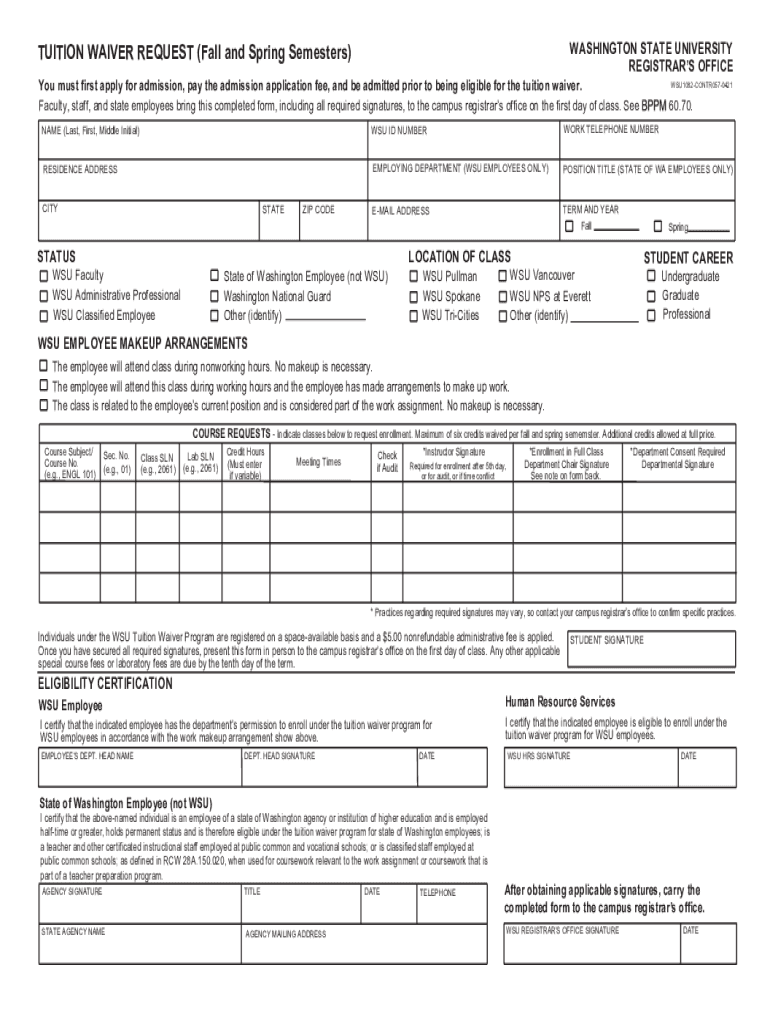
- Click ‘Get Form’ to open the WSU Tuition Waiver Request in the editor.
- Begin by filling in your personal information, including your name, WSU ID number, and contact details. Ensure accuracy as this information is crucial for processing your request.
- Indicate your employment status by selecting the appropriate category (e.g., WSU Faculty, State of Washington Employee). This helps determine your eligibility for the waiver.
- List the courses you wish to enroll in by entering the course subject, number, section, and SLN. Remember that a maximum of six credits can be waived per semester.
- Obtain all necessary signatures from your department head and Human Resource Services. Make sure these are original signatures as required.
- Once completed, submit the form to the campus registrar’s office on or after the first day of class but before the end of the second week of term.
Start using our platform today to streamline your WSU Tuition Waiver process for free!
Fill out wsu tuition waiver online
It's free
It's free
Security and compliance
At DocHub, your data security is our priority. We follow HIPAA, SOC2, GDPR, and other standards, so you can work on your documents with confidence.
Learn more




