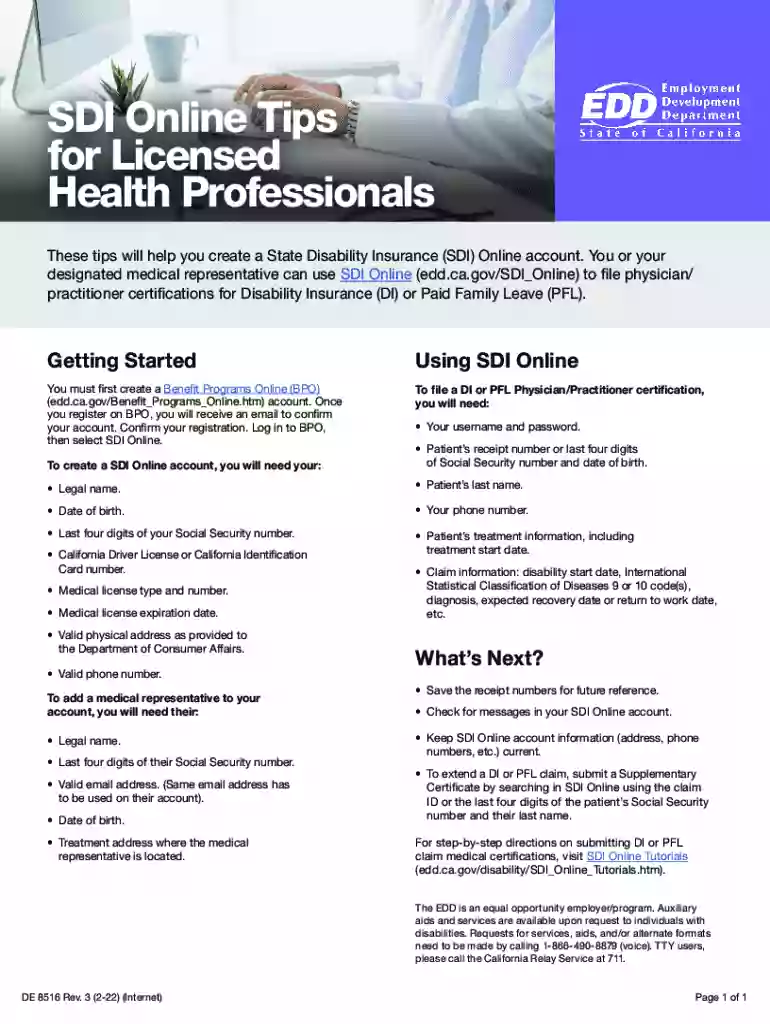
Edd supplementary certificate 2026

Get Form
supplemental certification edd Preview on Page 1

Here's how it works

01. Edit your supplemental certification edd online
Type text, add images, blackout confidential details, add comments, highlights and more.

02. Sign it in a few clicks
Draw your signature, type it, upload its image, or use your mobile device as a signature pad.

03. Share your form with others
Send what is supplemental certification edd via email, link, or fax. You can also download it, export it or print it out.

How to use or fill out edd supplementary certificate with our platform

Form edit decoration
9.5
Ease of Setup
DocHub User Ratings on G2
9.0
Ease of Use
DocHub User Ratings on G2
  1. Click ‘Get Form’ to open the edd supplementary certificate in the editor.
  2. Begin by entering your legal name and contact information in the designated fields. Ensure accuracy as this information is crucial for processing.
  3. Fill in the patient’s details, including their last name, date of birth, and Social Security number. This information helps link the certificate to the correct claim.
  4. Provide treatment information such as the start date and any relevant medical codes. This section is vital for validating the claim.
  5. If applicable, add a medical representative's details, ensuring you include their legal name and email address for verification purposes.
  6. Review all entered information for accuracy before submitting. Use our platform’s features to save your progress or make edits as needed.

Start using our platform today to effortlessly complete your edd supplementary certificate online for free!

See more edd supplementary certificate versions

We've got more versions of the edd supplementary certificate form. Select the right edd supplementary certificate version from the list and start editing it straight away!
Versions Form popularity Fillable & printable
2022 4.8 Satisfied (205 Votes)
2012 4.3 Satisfied (29 Votes)
be ready to get more

Complete this form in 5 minutes or less

Get form

Got questions?

We have answers to the most popular questions from our customers. If you can't find an answer to your question, please contact us.
Contact us
If you lost or did not receive the DE 2525XX, you can request the form using your SDI Online account or by calling 1-800-480-3287 or 1-866-658-8846 (en espaol).
Statements, records or letters from a Federal Government agency that issues or provides disability benefits. Statements, records or letters from a State Vocational Rehabilitation Agency counselor. Certification from a private Vocational Rehabilitation or other Counselor that issues or provides disability benefits.
Your physician/practitioner can find and file this form online using SDI Online or you can provide them with a paper form. If you lost or did not receive the DE 2525XX, you can request the form using your SDI Online account or by calling 1-800-480-3287 or 1-866-658-8846 (en espaol).
If you have not fully recovered and need to continue your benefits, you must submit a medical certification. You will receive a Physician/Practitioners Supplementary Certificate (DE 2525XX) with your final payment.
docHubing is the process of answering basic questions every two weeks to tell us youre still unemployed and eligible to receive benefit payments. Youll first docHub for benefits about two weeks after we process your application and again every two weeks.

Security and compliance

At DocHub, your data security is our priority. We follow HIPAA, SOC2, GDPR, and other standards, so you can work on your documents with confidence.

Learn more
ccpa2
pci-dss
gdpr-compliance
hipaa
soc-compliance
be ready to get more

Complete this form in 5 minutes or less

Get form

People also ask

If you are on automatic payments, you will receive a Disability Claim Continued Eligibility Questionnaire (DE 2593) after 10 weeks of payment. You must return this form to us to docHub that your disability continues. Your benefits will stop if you do not complete and return the DE 2593.

Related links