License california 2026

Get Form
license california exam Preview on Page 1

Here's how it works

01. Edit your license california exam online
Type text, add images, blackout confidential details, add comments, highlights and more.

02. Sign it in a few clicks
Draw your signature, type it, upload its image, or use your mobile device as a signature pad.

03. Share your form with others
Send license california board via email, link, or fax. You can also download it, export it or print it out.

How to use or fill out license california with our platform

Form edit decoration
9.5
Ease of Setup
DocHub User Ratings on G2
9.0
Ease of Use
DocHub User Ratings on G2
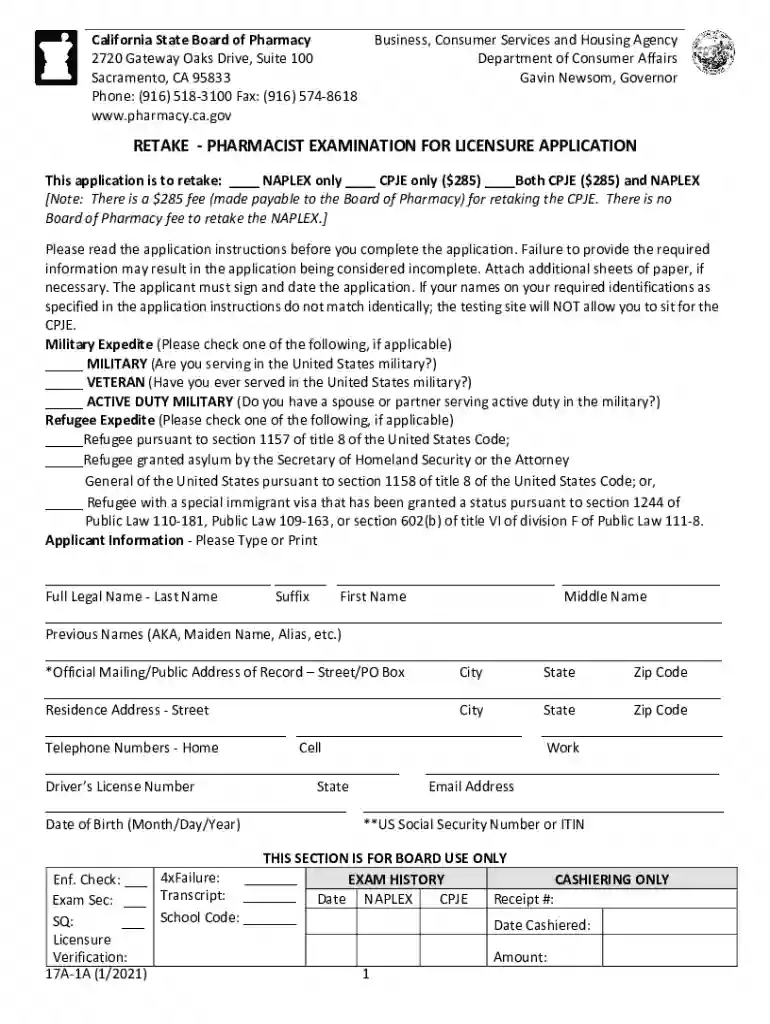
  1. Click ‘Get Form’ to open the license california application in the editor.
  2. Begin by entering your Full Legal Name in the designated field. Ensure it matches your identification documents exactly.
  3. Provide your Official Mailing Address and Residence Address. This information is crucial for correspondence from the Board.
  4. Fill in your U.S. Social Security Number or Individual Taxpayer Identification Number (ITIN) as required.
  5. Complete the Exam History section, indicating any previous attempts at the NAPLEX or CPJE, along with relevant dates.
  6. Review all sections for completeness, ensuring you have attached any necessary documentation, such as identifications and verification forms.
  7. Sign and date the application within 60 days of submission to validate it before sending it to the Board.

Start using our platform today to streamline your license application process for free!

See more license california versions

We've got more versions of the license california form. Select the right license california version from the list and start editing it straight away!
Versions Form popularity Fillable & printable
2021 4.8 Satisfied (120 Votes)
2013 4.3 Satisfied (65 Votes)
be ready to get more

Complete this form in 5 minutes or less

Get form

Got questions?

We have answers to the most popular questions from our customers. If you can't find an answer to your question, please contact us.
Contact us
If you prefer not to visit a DMV office or submit a request online, you can check your license status by calling the California DMV Driver Safety Office at (800) 777-0133. A DMV representative will be able to confirm whether your license is valid, suspended, or revoked.
What You Need Proof of identity: Proving who you are. Two proofs of residency: Proving you live in California. Exceptions may apply. Legal full name document: Proving your current name if the name on your identity document and application do not match. Social security number: Exceptions may apply.
We require first-time DL applicants, and other applicants who meet certain conditions, to pass a behind-the-wheel drive test before they can get a DL.
If you are a lawfully present non-U.S. citizen, acceptable documents include: Unexpired foreign passport with valid U.S. Visa and approved I-94 form. Valid, unexpired Permanent Resident Card. Valid/expired Permanent Resident Card with Notice of Action (I-797 C) or Approval Notice (I-797)
Identity and Residency Documents: You must also establish your California residency with one of the following documents: a lease, utility bill, tax return, medical record, record of a financial institution, or school records.

Security and compliance

At DocHub, your data security is our priority. We follow HIPAA, SOC2, GDPR, and other standards, so you can work on your documents with confidence.

Learn more
ccpa2
pci-dss
gdpr-compliance
hipaa
soc-compliance