




Here's how it works



How to use or fill out NY TA-W51343 with our platform

- Click ‘Get Form’ to open the NY TA-W51343 in the editor.
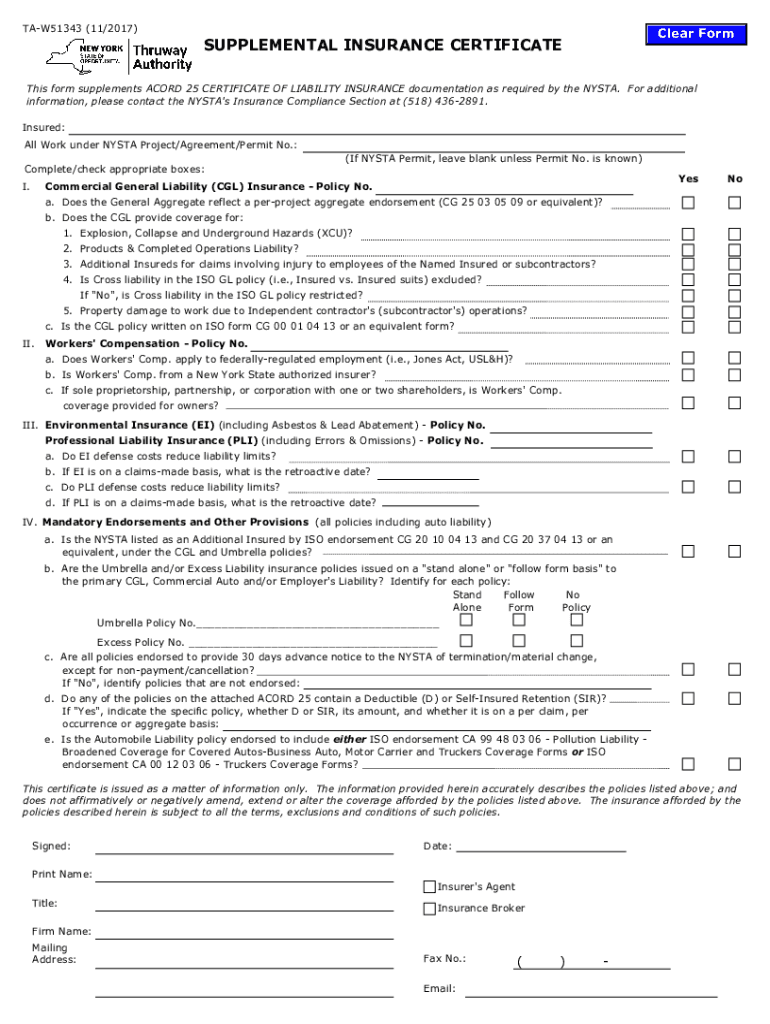
- Begin by entering the 'Insured' name and the relevant NYSTA Project/Agreement/Permit number. If you do not have a Permit number, leave that section blank.
- In Section I, provide your Commercial General Liability (CGL) Insurance Policy Number. Answer the questions regarding coverage specifics by checking 'Yes' or 'No' as applicable.
- Proceed to Section II for Workers' Compensation details. Fill in the Policy Number and respond to each question regarding coverage applicability and insurer authorization.
- For Sections III and IV, enter policy numbers for Environmental Insurance and Professional Liability Insurance. Ensure you answer all related questions accurately.
- Complete any mandatory endorsements and provisions as required in Section IV, ensuring that all necessary policies are listed and endorsed correctly.
- Finally, sign the document by entering your name, title, date, and contact information for your insurance broker or agent.
Start using our platform today to fill out your NY TA-W51343 form easily and for free!
It's free
See more NY TA-W51343 versions
| Versions | Form popularity | Fillable & printable |
|---|---|---|
| 2017 | 4.8 Satisfied (124 Votes) |
Got questions?
How do I sign my NY TA-W51343 online?
Sign in to your DocHub account and import your NY TA-W51343 to our editor using one of its upload methods - from your device, cloud storage, secure URL, or your DocHub folders if you have already processed your form before. Open our editor, click the Sign button in the top toolbar, and choose your signing method. You can upload an image of your handwritten signature, draw it, type in your name, or utilize a QR code as an alternative.
How do you edit NY TA-W51343 on iOS?
You can easily edit and complete your NY TA-W51343 on any iOS device. Open an internet browser of your liking, visit the DocHub site, authorize or create a new account, upload your file for editing, and make your required adjustments. Our service is mobile-friendly, so utilizing its features on your phone will be a no-brainer, even on the first try.
Are trucks allowed on the New York Thruway?
What is considered the NY Thruway?
How do you pay NY Thruway tolls?
Security and compliance
At DocHub, your data security is our priority. We follow HIPAA, SOC2, GDPR, and other standards, so you can work on your documents with confidence.
Learn more




