Release of LiabilityStencil & Knot Norfolk DIY Studio 2026

Get Form
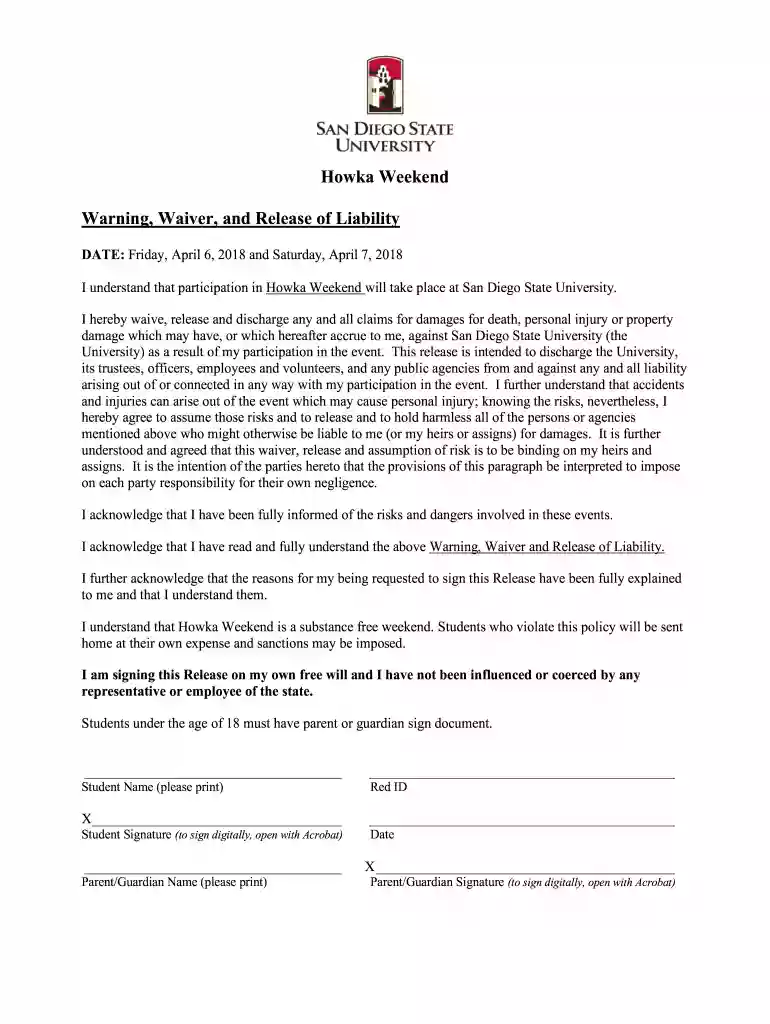
Release of LiabilityStencil & Knot Norfolk DIY Studio Preview on Page 1

Here's how it works

01. Edit your form online
Type text, add images, blackout confidential details, add comments, highlights and more.

02. Sign it in a few clicks
Draw your signature, type it, upload its image, or use your mobile device as a signature pad.

03. Share your form with others
Send it via email, link, or fax. You can also download it, export it or print it out.

How to use or fill out Release of Liability Stencil & Knot Norfolk DIY Studio

Form edit decoration
9.5
Ease of Setup
DocHub User Ratings on G2
9.0
Ease of Use
DocHub User Ratings on G2
  1. Click ‘Get Form’ to open it in the editor.
  2. Begin by entering your full legal name and Red ID number in the designated fields. This information is crucial for identification purposes.
  3. Fill out your local address, including city, state, and zip code. Ensure accuracy to facilitate any necessary communication.
  4. Provide your cell phone number and email address for emergency contact purposes.
  5. Complete the Emergency Contact Information section by listing at least one emergency contact's details, including their relationship to you.
  6. Indicate any important medical information that may be relevant during the event, such as allergies or existing medical conditions.
  7. Review all entered information for accuracy before proceeding to sign the document digitally. Ensure both student and parent/guardian signatures are included if applicable.

Start using our platform today to fill out your Release of Liability form easily and for free!

See more Release of LiabilityStencil & Knot Norfolk DIY Studio versions

We've got more versions of the Release of LiabilityStencil & Knot Norfolk DIY Studio form. Select the right Release of LiabilityStencil & Knot Norfolk DIY Studio version from the list and start editing it straight away!
Versions Form popularity Fillable & printable
2018 4.8 Satisfied (247 Votes)
be ready to get more

Complete this form in 5 minutes or less

Get form

Got questions?

We have answers to the most popular questions from our customers. If you can't find an answer to your question, please contact us.
Contact us

Many software applications are available out there for document editing and signing. DocHub is one of the most in-demand online solutions that comply with all data protection and compliance requirements and ensures your eSigned paperwork is legally enforceable. All you need to give it a try is to register an account, upload your Release of LiabilityStencil & Knot Norfolk DIY Studio, fill out the necessary information, and click Sign. Create your electronic signature by typing, drawing it, uploading its picture to your template, or scanning a unique QR code.

You can find the latest and most relevant version of the Release of LiabilityStencil & Knot Norfolk DIY Studio in our DocHub forms collection. Browse it by categories or utilize the search field to locate the exact template that fits your situation. You can open this form for editing once you find it.

Waiver Electronic - Google Workspace Marketplace. Waiver Electronic is the easiest and most secure way to manage liability waivers powering your business by making the waiver sign up process quick, paperless, and secure.
To build a waiver of liability: Choose a waiver template. Determine the type of activity or service. State the purpose of the waiver. Identify the risks. Include a title. Include customer information. Include waiver terms. Include a statement of understanding.

Security and compliance

At DocHub, your data security is our priority. We follow HIPAA, SOC2, GDPR, and other standards, so you can work on your documents with confidence.

Learn more
ccpa2
pci-dss
gdpr-compliance
hipaa
soc-compliance
be ready to get more

Complete this form in 5 minutes or less

Get form

People also ask

I AM VOLUNTARILY PARTICIPATING IN THESE ACTIVITIES WITH KNOWLEDGE OF THE DANGER INVOLVED, AND AGREE TO ASSUME ANY AND ALL RISKS OF BODILY INJURY, DEATH OR PROPERTY DAMAGE, WHETHER THOSE RISKS ARE KNOWN OR UNKNOWN.
What Should Be Included in a Release of Liability Form? The name and contact details of the releasor. The name and contact details of the releasee. The effective date when the release of liability takes effect. A description of the event or circumstances that the releasor is releasing claims for.
I am voluntarily participating in this Activity. I understand that there are risks associated with my participation in this activity, such as physical and/or psychological injury, pain, suffering, illness, disfigurement, temporary or permanent disability, death or economic loss.
For the most part, the signing of a waiver is going to hold up in court as a binding document. That does not mean, however, that you are out of options if you sign a release of liability waiver and then sustain an injury while participating in the activity the business offered.
A release of liability, also known as a liability waiver or a hold harmless agreement, is a contract in which one party agrees not to hold another party liable for damages or injury. These contracts are common in fields that involve some risk to property, finances, or health.

Related links