STUDENT WORK PERMISSION & CONSENT FORM Nicholson Library 2026

Get Form
STUDENT WORK PERMISSION & CONSENT FORM Nicholson Library Preview on Page 1

Here's how it works

01. Edit your form online
Type text, add images, blackout confidential details, add comments, highlights and more.

02. Sign it in a few clicks
Draw your signature, type it, upload its image, or use your mobile device as a signature pad.

03. Share your form with others
Send it via email, link, or fax. You can also download it, export it or print it out.

How to use or fill out STUDENT WORK PERMISSION & CONSENT FORM Nicholson Library

Form edit decoration
9.5
Ease of Setup
DocHub User Ratings on G2
9.0
Ease of Use
DocHub User Ratings on G2
  1. Click ‘Get Form’ to open it in the editor.
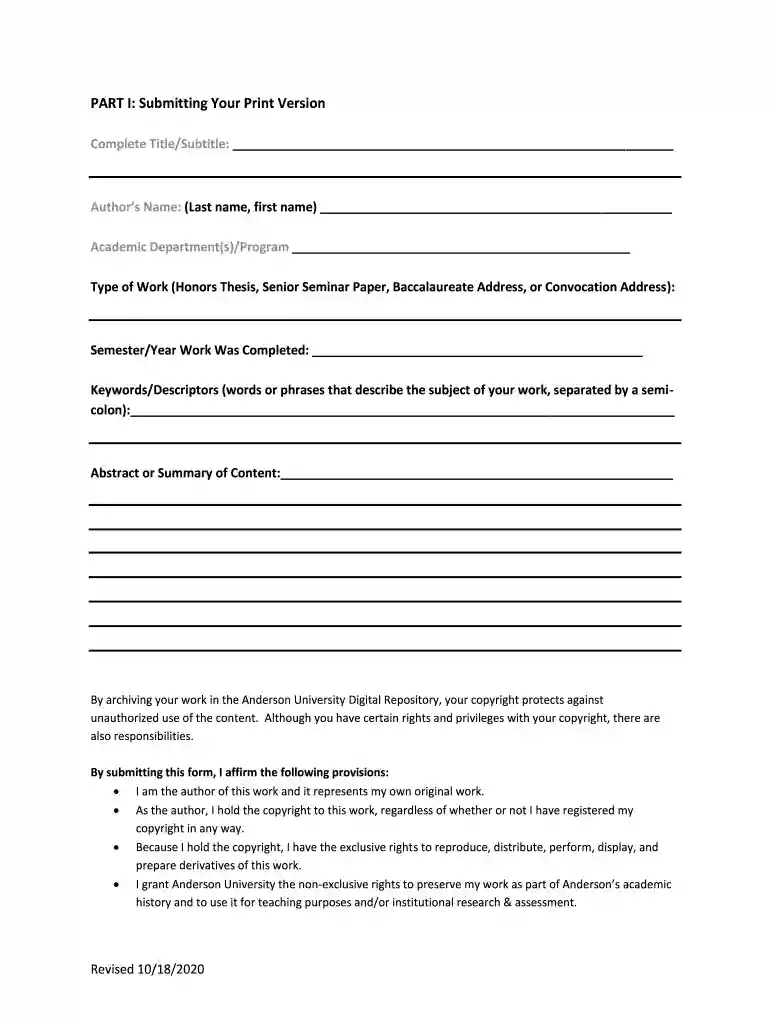
  2. Begin with Part I by entering your Complete Title/Subtitle, Author’s Name, and Academic Department. Ensure accuracy as this information is crucial for archiving.
  3. Specify the Type of Work you are submitting (e.g., Honors Thesis) and the Semester/Year it was completed.
  4. Fill in Keywords/Descriptors that encapsulate your work's subject matter, separated by semicolons for clarity.
  5. Provide an Abstract or Summary of your content to give context to your submission.
  6. Review the copyright provisions carefully. By signing, you affirm ownership and grant rights to Anderson University for preservation and educational purposes.
  7. Choose between Option 1 (Open access) or Option 2 (Restricted access) regarding how your work will be shared. Sign and date accordingly.
  8. For Part II, prepare a digital version of your work along with any accompanying files. Ensure they are named correctly before submission.

Start using our platform today to streamline your form completion process for free!

See more STUDENT WORK PERMISSION & CONSENT FORM Nicholson Library versions

We've got more versions of the STUDENT WORK PERMISSION & CONSENT FORM Nicholson Library form. Select the right STUDENT WORK PERMISSION & CONSENT FORM Nicholson Library version from the list and start editing it straight away!
Versions Form popularity Fillable & printable
2020 4.8 Satisfied (141 Votes)
be ready to get more

Complete this form in 5 minutes or less

Get form

Got questions?

We have answers to the most popular questions from our customers. If you can't find an answer to your question, please contact us.
Contact us

Electronic signatures are an excellent alternative to traditional signing, as they save time, effort, and costs people spend on printing, scanning, and paper delivery. You can eSign your STUDENT WORK PERMISSION & CONSENT FORM Nicholson Library utilizing a trustworthy and powerful online document management services like DocHub. It complies with primary eSignature standards (ESIGN and UETA), so all forms approved there are legally binding and have the same validity as manually signed ones.

When you choose analog ways of completing your STUDENT WORK PERMISSION & CONSENT FORM Nicholson Library, it is simple to download your file for printing. Search DocHub’s Forms & Templates catalog to get the exact file template you need and open it for editing or download it on your device in the format of your choice. It is easy to complete your form electronically and place your handwritten signature on it right after printing or eSign your file with DocHub.

Accepting illegal employment can directly hinder your ability to legally live, work, or visit the United States now and in the future. A proven incident of unauthorized employment will make you ineligible for reinstatement to lawful F-1 status.
Students studying on F1 student visas are allowed to work 20 hours per week on campus during fall and spring semesters, and when school is not in session or in the summer period, you are allowed to work more than 20 hours per week.
Answer: Yes. As an international student on an F-1 visa, you have work authorization through CPT and OPT. Also, students on other visas typically have work authorization as well.

Security and compliance

At DocHub, your data security is our priority. We follow HIPAA, SOC2, GDPR, and other standards, so you can work on your documents with confidence.

Learn more
ccpa2
pci-dss
gdpr-compliance
hipaa
soc-compliance

People also ask

International students are advised to carefully monitor their weekly work hours in order that they do not exceed 20 hours per week. If International Students work over 20 hours per week, they violate the regulations of their legal status which results in their loss of the right to work in the United States.
You must maintain valid F1 status. You can work up to 20 hours per week while school is in session. You can work full-time on campus during holidays and vacation periods if you intend to register for the next academic semester.
International students are advised to carefully monitor their weekly work hours in order that they do not exceed 20 hours per week. If International Students work over 20 hours per week, they violate the regulations of their legal status which results in their loss of the right to work in the United States.
In most cases it is a two-step process, the minor along with the parent/guardian and employer fill out the B1-1 form and submit to the school local to the minors address. The school district reviews the B1-1 form and issues the B1-4 (Work Permit).
An F-1 student automatically has permission to work on campus (unless he or she is a border commuter) but still needs to work with a DSO to ensure the job offered qualifies as on-campus employment. An F-1 student will need certification letters from the DSO and the employer.

Related links