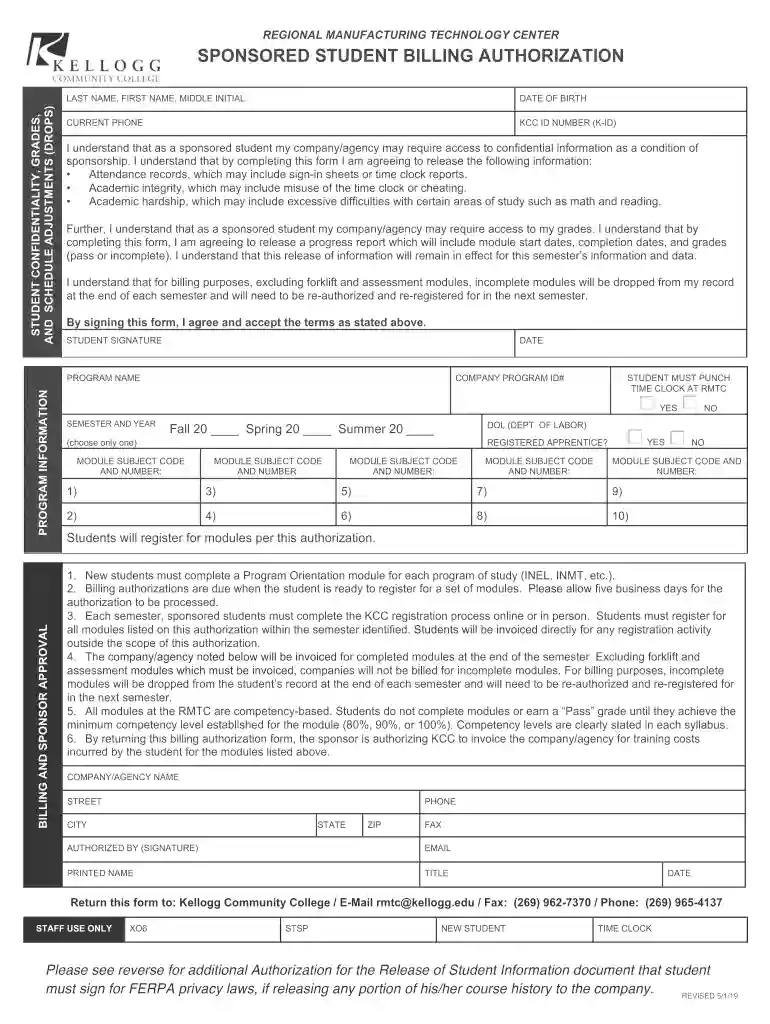
kellogg community college billing Preview on Page 1

REGIONAL MANUFACTURING TECHNOLOGY CENTER 2026

Here's how it works

  • 01. Edit your kellogg community college billing online

    Type text, add images, blackout confidential details, add comments, highlights and more.

  • 02. Sign it in a few clicks

    Draw your signature, type it, upload its image, or use your mobile device as a signature pad.

  • 03. Share your form with others

    Send it via email, link, or fax. You can also download it, export it or print it out.

How to use or fill out REGIONAL MANUFACTURING TECHNOLOGY CENTER

Form edit decoration
9.5
Ease of Setup
DocHub User Ratings on G2
9.0
Ease of Use
DocHub User Ratings on G2
  1. Click ‘Get Form’ to open it in the editor.
  2. Begin by entering your last name, first name, and middle initial in the designated fields. This ensures that your information is accurately recorded.
  3. Fill in your date of birth and current phone number. These details are essential for identification and communication purposes.
  4. Input your KCC ID number (K-ID) to link your records with the college system.
  5. Review the sections regarding student confidentiality and billing authorization. Make sure you understand what information will be shared with your sponsoring company.
  6. Select the semester and year for which you are registering, ensuring you choose only one option.
  7. Complete the module subject codes as required. If applicable, indicate whether you are a registered apprentice.
  8. Finally, sign and date the form at the bottom to confirm your agreement with the terms outlined.

Start using our platform today to streamline your form completion process for free!

See more kellogg community college billing versions

We've got more versions of the kellogg community college billing form. Select the right kellogg community college billing version from the list and start editing it straight away!

VersionsForm popularityFillable & printable
20194.8 Satisfied (76 Votes)
20184.3 Satisfied (70 Votes)

be ready to get more

Complete this form in 5 minutes or less

Got questions?

We have answers to the most popular questions from our customers. If you can't find an answer to your question, please contact us.

Yes, a typed name is recognized as a valid electronic signature when you add it to your paperwork using a compliant solution like DocHub. Simply upload your REGIONAL MANUFACTURING TECHNOLOGY CENTER to our editor, click Sign in the top tool pane → Create your signature → Type your name in the proper tab, and decide how it will look on your document.

If you edit your REGIONAL MANUFACTURING TECHNOLOGY CENTER with DocHub, you merely need a stable web connection and virtually any browser installed on your device. No need to install any third-party software or research guides. Simply open a tab with DocHub, drag and drop your file, and edit it on the spot.

Security and compliance

At DocHub, your data security is our priority. We follow HIPAA, SOC2, GDPR, and other standards, so you can work on your documents with confidence.

Related links

The manufacturing technology centers program

The centers are designed to bridge a technology gap between sources of manufacturing technology and the small and mid-sized companies that need it. The purpose

Learn more
If you believe that this page should be taken down, please follow our DMCA take down process here