csub transcripts Preview on Page 1

Transcript request form - CSU Bakersfield 2026

Here's how it works

  • 01. Edit your csub transcripts online

    Type text, add images, blackout confidential details, add comments, highlights and more.

  • 02. Sign it in a few clicks

    Draw your signature, type it, upload its image, or use your mobile device as a signature pad.

  • 03. Share your form with others

    Send it via email, link, or fax. You can also download it, export it or print it out.

How to use or fill out transcript request form - CSU Bakersfield with our platform

Form edit decoration
9.5
Ease of Setup
DocHub User Ratings on G2
9.0
Ease of Use
DocHub User Ratings on G2
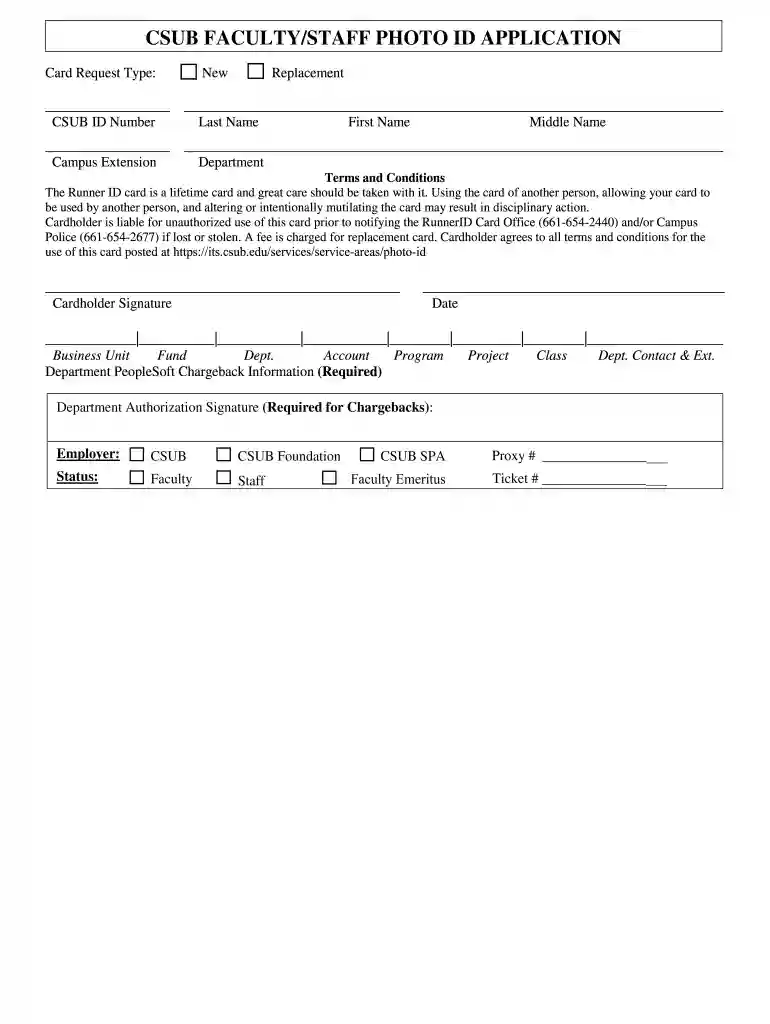
  1. Click ‘Get Form’ to open the transcript request form in the editor.
  2. Begin by selecting the type of card request: 'New' or 'Replacement'. This is crucial for processing your application correctly.
  3. Fill in your CSUB ID Number, Last Name, First Name, and Middle Name. Ensure all names are spelled correctly to avoid any issues.
  4. Provide your Campus Extension and Department information. This helps in routing your request to the appropriate office.
  5. Read through the Terms and Conditions carefully. Acknowledge that you understand the responsibilities associated with the Runner ID card.
  6. Sign and date the form at the designated areas to confirm your agreement with the terms outlined.
  7. Complete any required chargeback information, including Business Unit, Fund, Dept., Account, Program, Project, and Class details if applicable.
  8. Obtain necessary signatures for department authorization if required for chargebacks before submitting your form.

Start using our platform today to easily fill out your transcript request form online for free!

See more csub transcripts versions

We've got more versions of the csub transcripts form. Select the right csub transcripts version from the list and start editing it straight away!

VersionsForm popularityFillable & printable
20194.8 Satisfied (117 Votes)

be ready to get more

Complete this form in 5 minutes or less

Got questions?

We have answers to the most popular questions from our customers. If you can't find an answer to your question, please contact us.

Each university has their own process to issue transcript certificate in India. Students can either visit the university personally and fill out an application form or a few universities offer this service online from their website.
How To Apply For A Transcript Certificate? Contact your institution. Complete the transcript request form. Submit the transcript certificates to institutions. New school transfer. Application for the college admission. Placements. Mention relevant details. Describe the urgency of the transcript.
There are two ways to order official transcripts online: through a third party service (Parchment), or by logging onto MyCSUEB using your NetID. To order transcripts, or check the status of your order through Parchment, log in using your SSN.
Visit our Registrar page via the CSUB Website () 2. Scroll down and select the box labeled Records, or selected Records on the ribbon at the top of the page. 3. Scroll down until you find the section labeled Official Transcripts.
You will need to email bcrecords@kccd.edu to access these unofficial/official transcripts. If you have a Bakersfield College assigned email account, please make sure to use this when corresponding with our office.

Security and compliance

At DocHub, your data security is our priority. We follow HIPAA, SOC2, GDPR, and other standards, so you can work on your documents with confidence.

Related links

NCLEX Pass Rates - California Board of Nursing - CA.gov

Forms Publications Public Record Requests Request. Transcript Copy of NCLEX-RN. Please contact the individual nursing education program. CSU Bakersfield 52

Learn more
Records | California State University

Transcripts are available to current or former students. , certified electronic transcripts. Contact us at transcriptorders@csub.edu. Contact us at registrar@

Learn more
If you believe that this page should be taken down, please follow our DMCA take down process here