




Here's how it works



How to use or fill out loudoun adu with our platform

- Click ‘Get Form’ to open the loudoun adu in the editor.
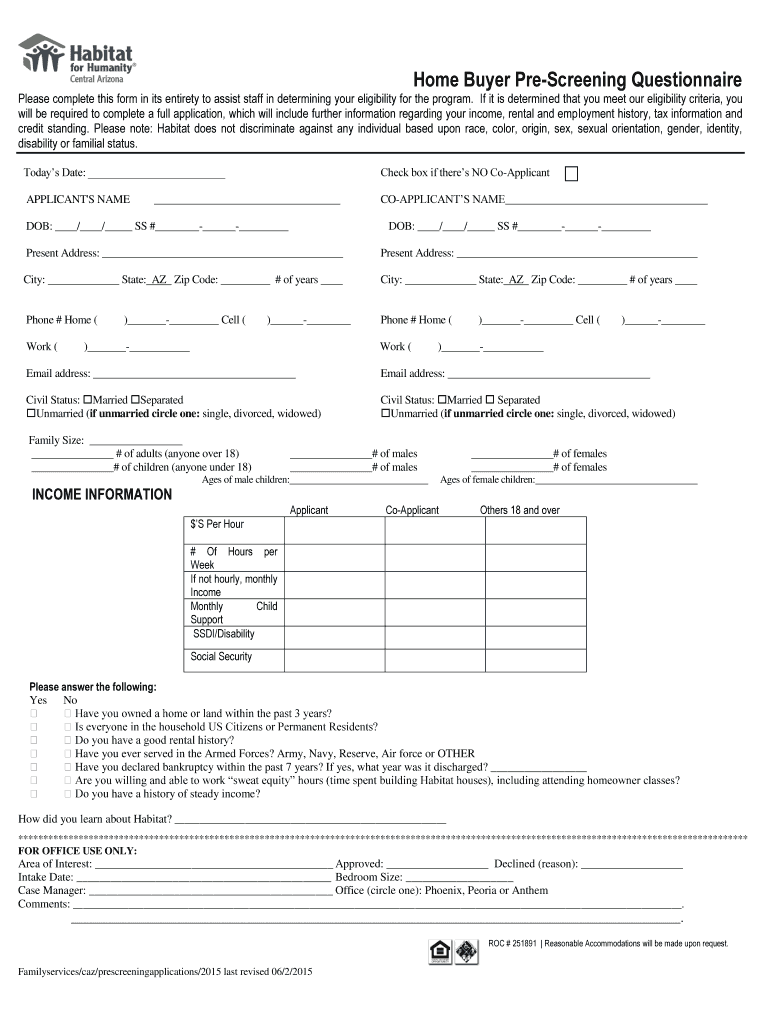
- Begin by entering today’s date at the top of the form. This helps track your application timeline.
- Fill in your name and, if applicable, your co-applicant's name. Ensure that all names are spelled correctly for accurate processing.
- Provide your date of birth and Social Security number. Double-check these entries for accuracy as they are crucial for eligibility verification.
- Complete the present address section, including city, state, zip code, and duration of residence. This information is essential for demographic analysis.
- Indicate your civil status by checking the appropriate box. This helps assess family dynamics.
- In the income information section, detail your employment status and income sources. Be thorough to ensure a complete evaluation.
- Finally, review all entries for completeness before submitting. Use our platform’s features to save or share your completed form easily.
Start filling out your loudoun adu form today using our platform for free!
It's free
Got questions?
Can I type my eSignature on my loudoun adu?
Yes, a typed name is recognized as a valid electronic signature when you create it on your form using a compliant solution like DocHub. Simply import your loudoun adu to our editor, click Sign in the top tool pane → Create your signature → Type your name in the proper tab, and select how it will look on your document.
How do you edit loudoun adu in Chrome?
If you use Chrome, there are two straightforward ways to edit your loudoun adu online. First, go to the DocHub site, add your file, and edit it using our toolbar. You may also set up our Chrome extension and edit any document by dragging and dropping it in your web browser tab.
Can I put a tiny house on my property in Virginia?
How close to my house can I build an ADU?
What is the ADU rental program in Loudoun County?
Security and compliance
At DocHub, your data security is our priority. We follow HIPAA, SOC2, GDPR, and other standards, so you can work on your documents with confidence.
Learn more


