




Here's how it works

01. Edit your form online
Type text, add images, blackout confidential details, add comments, highlights and more.

02. Sign it in a few clicks
Draw your signature, type it, upload its image, or use your mobile device as a signature pad.

03. Share your form with others
Send it via email, link, or fax. You can also download it, export it or print it out.
How to use or fill out Member Companies of Western World Insurance Group Western with our platform

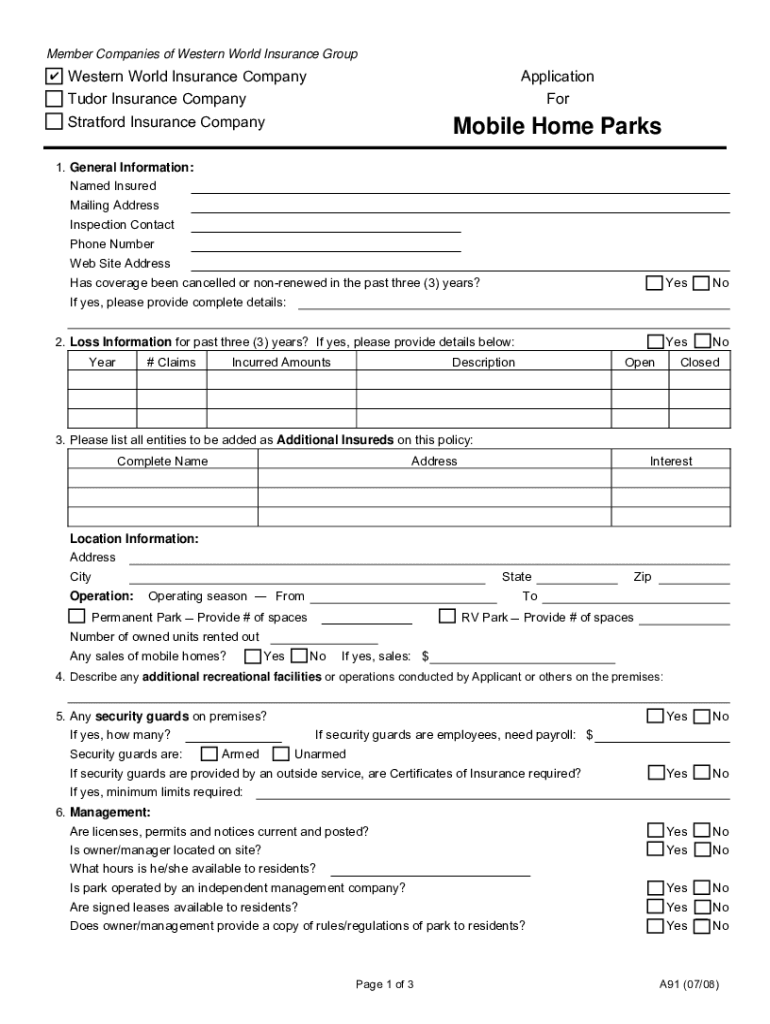
- Click ‘Get Form’ to open the Member Companies of Western World Insurance Group Western application in the editor.
- Begin by filling out the 'General Information' section. Enter the Named Insured, Mailing Address, Inspection Contact, Phone Number, and Web Site Address. If applicable, indicate if coverage has been cancelled or non-renewed in the past three years and provide details.
- Proceed to 'Loss Information' for the past three years. Fill in the year, number of claims, incurred amounts, and descriptions for each claim. Indicate whether claims are open or closed.
- In the 'Additional Insureds' section, list all entities to be added as additional insureds along with their complete names and addresses.
- Complete the 'Location Information' by providing details about your park's address, operation season, number of spaces for mobile home parks or RV parks, and any sales of mobile homes.
- Continue through sections regarding management practices, sewer maintenance, other operations like recreational facilities, and any ongoing construction plans. Ensure all relevant questions are answered accurately.
- Finally, review your entries for accuracy before signing and dating the application at the bottom of the form.
Start using our platform today to streamline your document editing and form completion process for free!
Fill out Member Companies of Western World Insurance Group Western online
It's free
It's free
See more Member Companies of Western World Insurance Group Western versions
We've got more versions of the Member Companies of Western World Insurance Group Western form. Select the right Member Companies of Western World Insurance Group Western version from the list and start editing it straight away!
Security and compliance
At DocHub, your data security is our priority. We follow HIPAA, SOC2, GDPR, and other standards, so you can work on your documents with confidence.
Learn more




