




Here's how it works



How to use or fill out StaffNorth Pole Physical Therapy with our platform

- Click ‘Get Form’ to open the StaffNorth Pole Physical Therapy document in the editor.
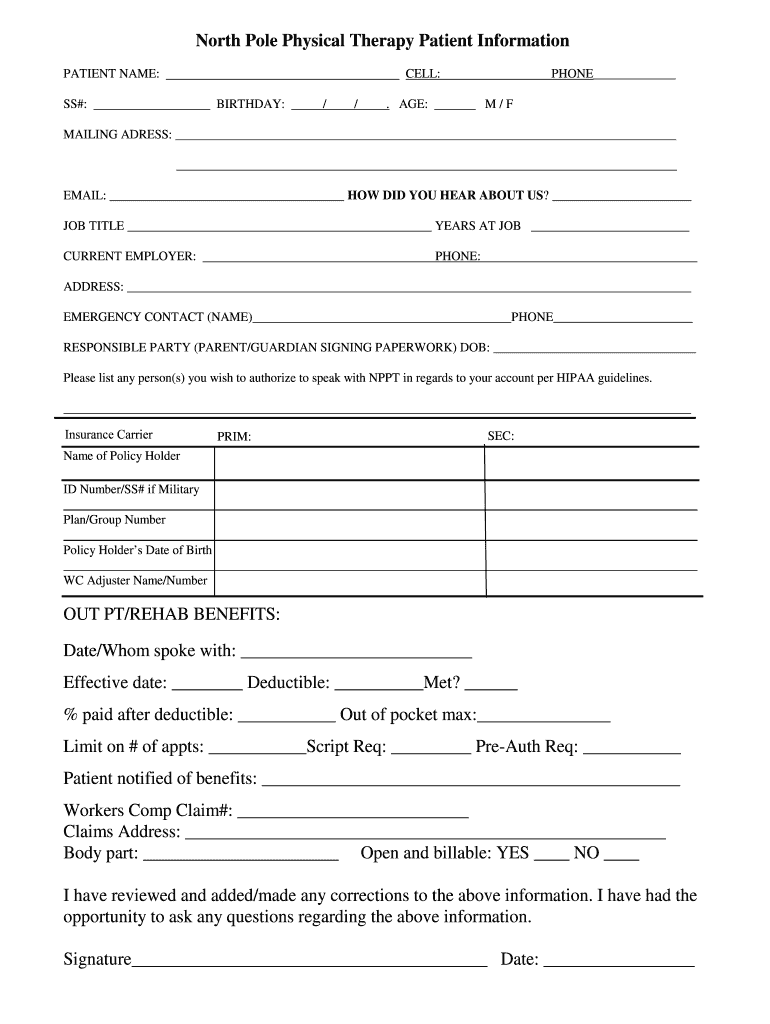
- Begin by entering your personal information in the designated fields, including your name, contact number, and date of birth. Ensure accuracy as this information is crucial for your records.
- Fill out your mailing address and email. This will help us communicate effectively regarding your appointments and any necessary updates.
- Provide details about your current employer and job title. This section helps us understand your work situation better.
- List an emergency contact along with their phone number. This is important for safety during therapy sessions.
- Complete the insurance information section carefully, including primary and secondary carriers, policy holder details, and any relevant claim numbers.
- Review the consent for physical therapy section thoroughly before signing. It’s essential to understand what you are agreeing to regarding treatment.
- Finally, ensure all information is correct before submitting the form. Use our platform's features to save or print a copy for your records.
Start filling out your StaffNorth Pole Physical Therapy form today using our platform for a seamless experience!
It's free
See more StaffNorth Pole Physical Therapy versions
| Versions | Form popularity | Fillable & printable |
|---|---|---|
| 2018 | 4.8 Satisfied (56 Votes) |
Got questions?
How can I eSign my StaffNorth Pole Physical Therapy from Gmail?
With DocHub, it’s pretty simple. The editor offers users an add-on called DocHub for Gmail, which you can locate in the Google Workspace Marketplace free of charge. Install it and grant it access to your Google account. Open your email with your StaffNorth Pole Physical Therapy attached and click on the add-on button in the right-side panel. Log in to your DocHub account, and upload the file to our editor, where you can complete it and sign.
How to fill out and sign StaffNorth Pole Physical Therapy online?
You can easily complete, modify, and even eSign your StaffNorth Pole Physical Therapy utilizing DocHub. Create a new account and start your free trial. After that, you may add the document with the form and simply make all the required edits. No need to print on paper or use a third-party application to sign it, as you can place your electronic signature on your document faster through DocHub.
Security and compliance
At DocHub, your data security is our priority. We follow HIPAA, SOC2, GDPR, and other standards, so you can work on your documents with confidence.
Learn more




