




Here's how it works



How to use or fill out v twin dealer application with our platform

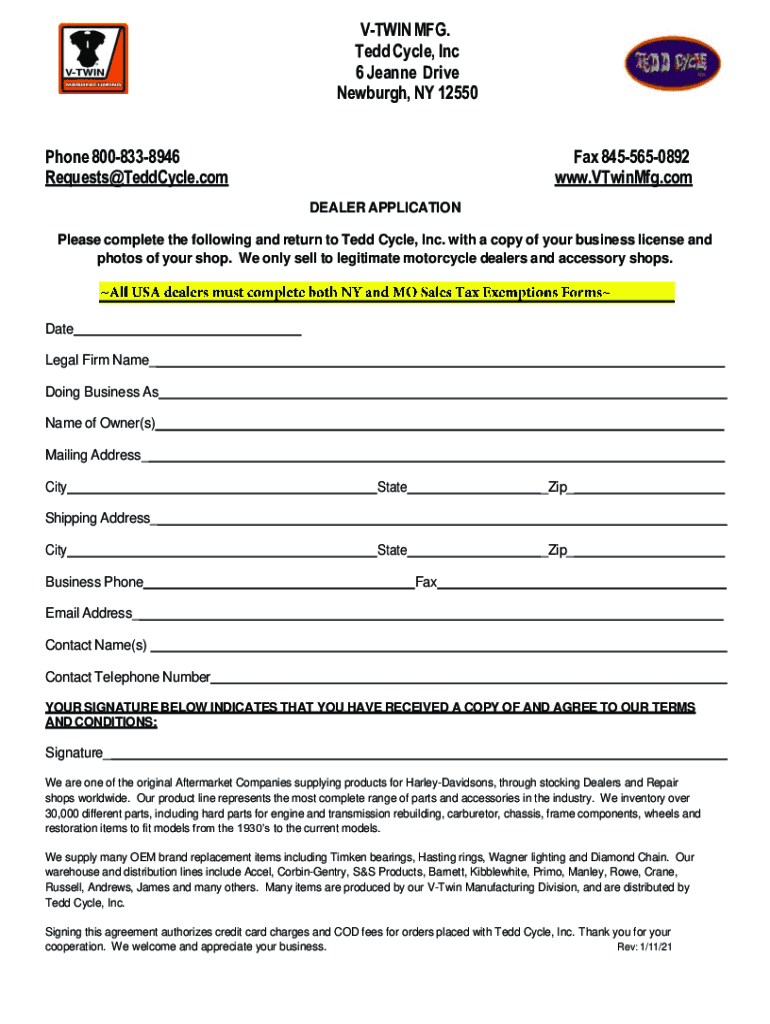
- Click ‘Get Form’ to open the v twin dealer application in the editor.
- Begin by entering the date at the top of the form. This is essential for record-keeping.
- Fill in your legal firm name and 'Doing Business As' (DBA) name. Ensure accuracy as this identifies your business.
- Provide the owner's name(s) and complete mailing and shipping addresses, including city, state, and zip code.
- Enter your business phone number, fax number, email address, and contact names along with their telephone numbers.
- Sign the form to indicate agreement with terms and conditions. This step is crucial for processing your application.
- Attach a copy of your business license and photos of your shop before submitting the completed application.
Start filling out your v twin dealer application today for free using our platform!
It's free
See more v twin dealer application versions
Got questions?
What is the best way to send my v twin dealer application for eSignature?
Upload your v twin dealer application to DocHub (after you’ve set up an account for this). If you need to fill out fields in it, use proper tools from the top pane. For example, drop Signature Fields, assign each to a particular party, and click on Sign → Request signatures from others. Customize your message for your recipients and click Send Request. You can also send your paperwork by fax or as a Signing link instead of using email (you’ll locate these options by navigating to the Menu → Send)
How to fill out and sign v twin dealer application online?
You may quickly complete, modify, and even eSign your v twin dealer application using DocHub. Create a new profile and begin your free trial. After that, you can add the document with the form and simply make all the necessary edits. No need to print on paper or use a third-party application to sign it, as you can put your electronic signature on your document quicker via DocHub.
Is V-Twin MFG a distributor or manufacturer?
Where is V-Twin MFG located?
Does V-Twin MFG offer a catalog?
Security and compliance
At DocHub, your data security is our priority. We follow HIPAA, SOC2, GDPR, and other standards, so you can work on your documents with confidence.
Learn more




