




Here's how it works



How to use or fill out Agent Verification Agreement - Minnesota Energy Resources with our platform

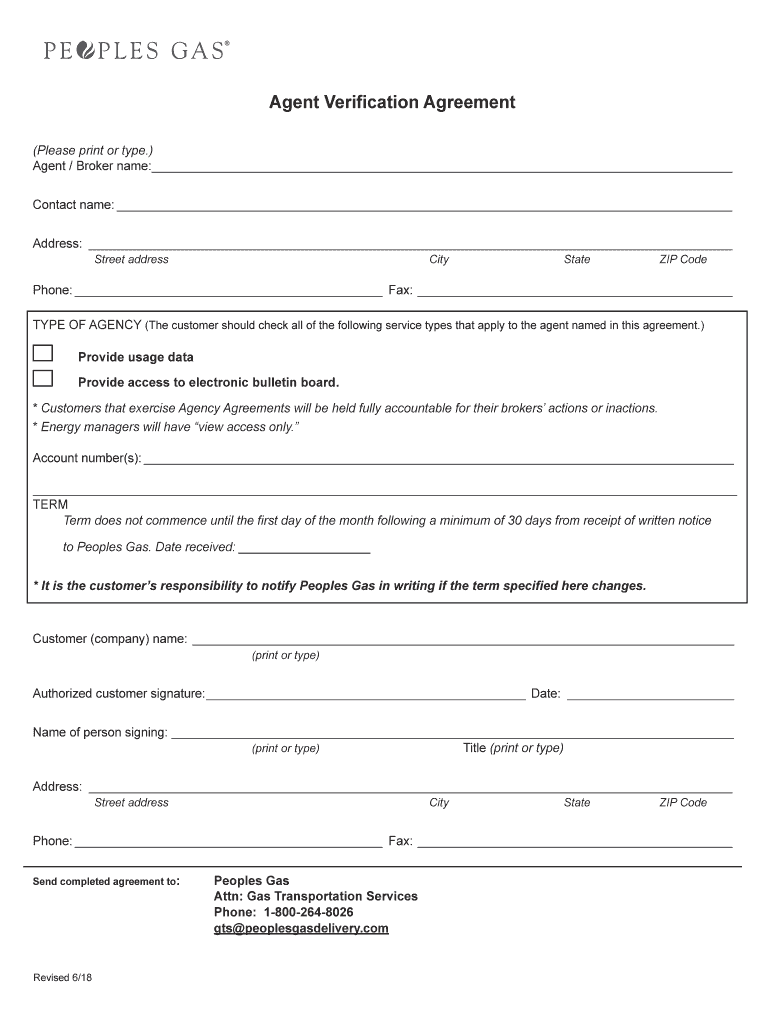
- Click ‘Get Form’ to open the Agent Verification Agreement in the editor.
- Begin by entering the 'Agent / Broker name' and 'Contact name' in the designated fields. Ensure accuracy for effective communication.
- Fill in the 'Address' section, including street address, city, state, and ZIP code. This information is crucial for identification purposes.
- Provide your phone and fax numbers in the respective fields to facilitate contact.
- In the 'TYPE OF AGENCY' section, check all applicable service types that apply to your agency. This helps clarify your role.
- Enter any relevant account number(s) associated with this agreement.
- Specify the term of the agreement by noting the date received for written notice to Peoples Gas. Remember, terms begin on the first day of the month following a minimum of 30 days from this date.
- Complete the 'Customer (company) name' field and ensure an authorized customer signature is provided along with the date.
- Finally, fill out the address and contact details for sending completed agreements before submitting it through our platform.
Start using our platform today to streamline your document editing and signing process for free!
It's free
See more Agent Verification Agreement - Minnesota Energy Resources versions
| Versions | Form popularity | Fillable & printable |
|---|---|---|
| 2018 | 4.8 Satisfied (176 Votes) |
Got questions?
Can I sign my Agent Verification Agreement - Minnesota Energy Resources with my mobile phone?
Sure, it is possible with DocHub. This trustworthy and compliant online service features a phone-based signing option. Once you log in to your DocHub account and add your Agent Verification Agreement - Minnesota Energy Resources to our editor, complete all necessary fields and utilize the Sign feature on the top barf. Click on Create your signature and select Phone from the available options. Here, you scan a QR code using your smartphone and draw your signature on your phone display, as you normally do when approving physical papers. If you access DocHub right from your mobile device, you can electronically sign your paperwork by drawing your eSignature, uploading its photo, or simply with a typed name.
How do you complete Agent Verification Agreement - Minnesota Energy Resources on iOS?
You need only an internet connection and a browser to fill out your Agent Verification Agreement - Minnesota Energy Resources on an iOS phone. Open the DocHub website and authenticate. Then, add your file or select it from the list in your dashboard. Then use our editing instruments to fill out your form and save all your modifications. You can also send it to a specified recipient immediately.
What is the phone number for Minnesota Energy Service Choice?
What is the 1 800 number for Minnesota Energy?
How do I contact Minnesota Energy?
Security and compliance
At DocHub, your data security is our priority. We follow HIPAA, SOC2, GDPR, and other standards, so you can work on your documents with confidence.
Learn more




