




Here's how it works



How to use or fill out 21 2 application for change of name of minor - Allen County with our platform

- Click ‘Get Form’ to open it in the editor.
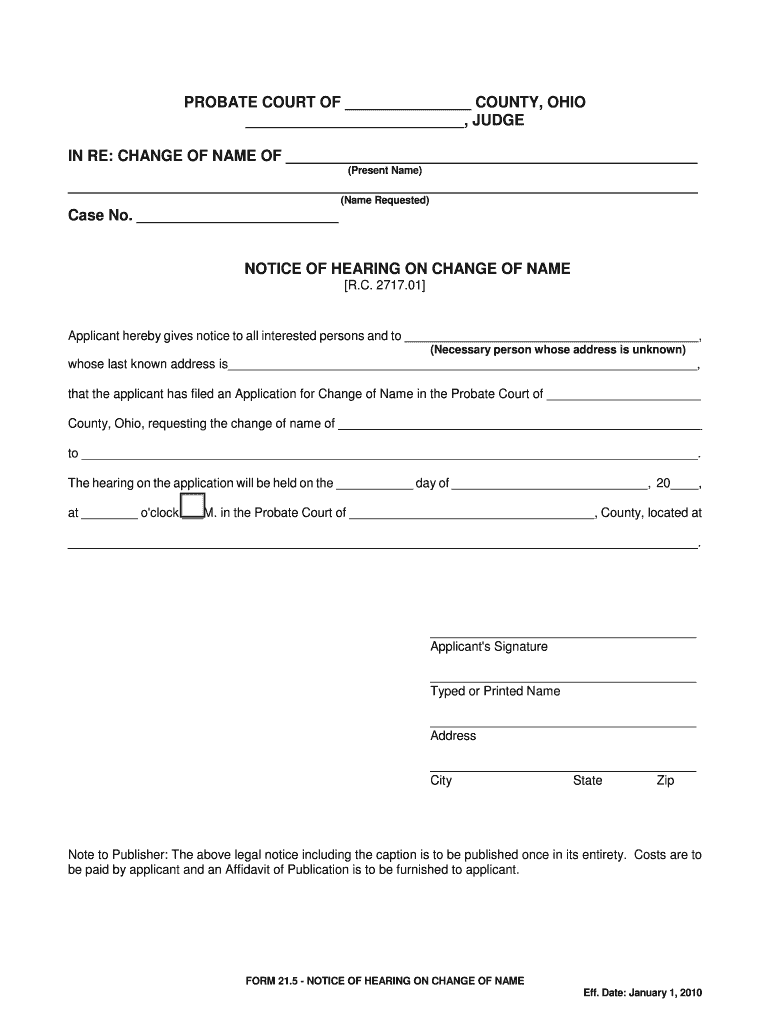
- Begin by entering the present name of the minor in the designated field. This is crucial as it identifies the individual whose name is being changed.
- Next, input the requested new name in the appropriate section. Ensure that this name complies with any legal requirements and is clearly stated.
- Fill in the case number if applicable; otherwise, leave this blank for court assignment later.
- Provide notice details by filling in the necessary person's information, including their last known address if available. This ensures all interested parties are informed.
- Specify the date and time of the hearing as indicated on your court documents. This is essential for scheduling purposes.
- Finally, sign and print your name at the bottom of the form, along with your address details to complete your application.
Start using our platform today to easily fill out and manage your documents for free!
It's free
See more 21 2 application for change of name of minor - Allen County versions
| Versions | Form popularity | Fillable & printable |
|---|---|---|
| 2010 | 4.8 Satisfied (96 Votes) |
Got questions?
How can I sign my 21 2 application for change of name of minor - Allen County without printing?
eSignatures are an excellent alternative to traditional signing, as they save time, effort, and money people spend on printing, scanning, and paper delivery. You can eSign your 21 2 application for change of name of minor - Allen County using a trustworthy and powerful online document management tool like DocHub. It complies with major eSignature policies (ESIGN and UETA), so all forms approved there are legally binding and have the same validity as manually signed ones.
How do you fill out 21 2 application for change of name of minor - Allen County online?
You may find and modify your 21 2 application for change of name of minor - Allen County online by using DocHub. Its straightforward but feature-rich design allows you to start effective work immediately after you sign up your account. Create your account and add your document, then our interface will guide you through our stress-free form completion experience.
Security and compliance
At DocHub, your data security is our priority. We follow HIPAA, SOC2, GDPR, and other standards, so you can work on your documents with confidence.
Learn more


