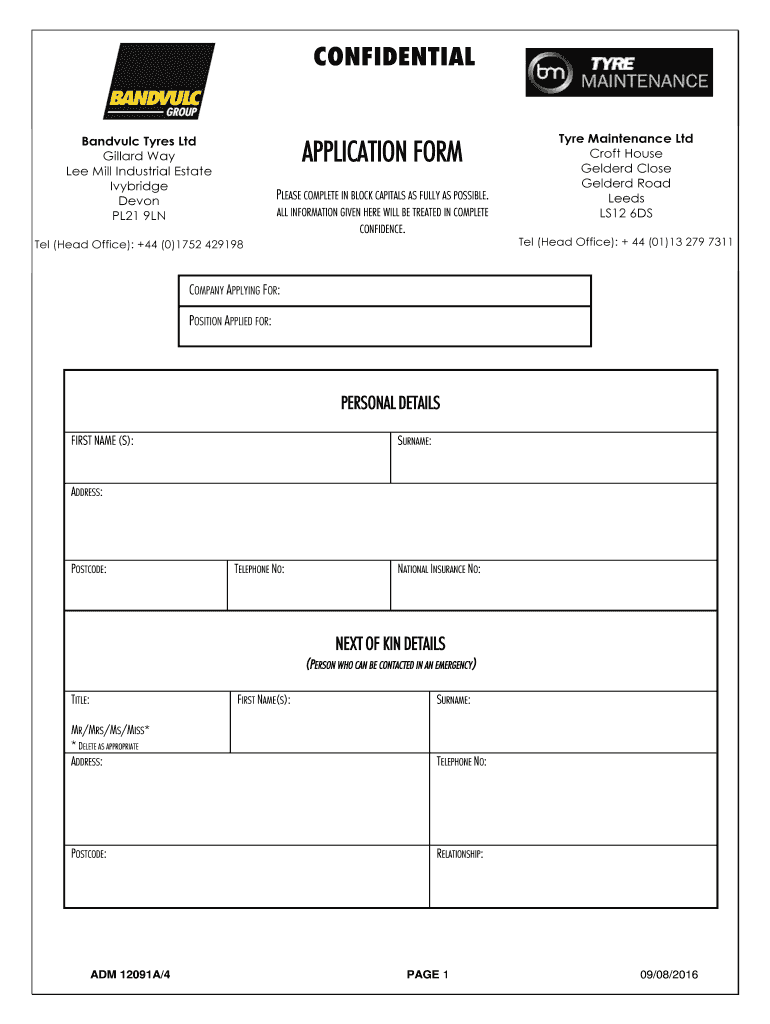
Lee Mill Industrial EstateCompanies and services on the 2026

Get Form
Lee Mill Industrial EstateCompanies and services on the Preview on Page 1

Here's how it works

01. Edit your form online
Type text, add images, blackout confidential details, add comments, highlights and more.
02. Sign it in a few clicks
Draw your signature, type it, upload its image, or use your mobile device as a signature pad.
03. Share your form with others
Send it via email, link, or fax. You can also download it, export it or print it out.

How to use or fill out Lee Mill Industrial Estate Companies and services on the

Form edit decoration
9.5
Ease of Setup
DocHub User Ratings on G2
9.0
Ease of Use
DocHub User Ratings on G2
  1. Click ‘Get Form’ to open it in the editor.
  2. Begin by filling out the 'Personal Details' section. Enter your first name, surname, address, postcode, telephone number, and national insurance number in block capitals.
  3. Next, complete the 'Next of Kin Details' section. Provide the title, first name(s), surname, address, telephone number, postcode, and relationship of your emergency contact.
  4. Proceed to the 'Education & Training' section. List your qualifications, subjects studied, grades achieved, professional memberships, and any relevant interests or hobbies.
  5. In the 'Employment History' section, detail your previous employers working backwards for at least five years. Include job titles, responsibilities, reasons for leaving, and finishing pay.
  6. Answer questions regarding your last job experience and why you applied for this position. Provide details about how you heard about the vacancy and any connections within the company.
  7. Complete the 'Personal Referees' section with names and contact information of referees who are not family members.
  8. Finally, review all sections carefully before signing and dating the declaration at the end of the form.

Start using our platform today to fill out your application form easily and for free!

See more Lee Mill Industrial EstateCompanies and services on the versions

We've got more versions of the Lee Mill Industrial EstateCompanies and services on the form. Select the right Lee Mill Industrial EstateCompanies and services on the version from the list and start editing it straight away!
Versions Form popularity Fillable & printable
2016 4.8 Satisfied (102 Votes)
2006 4.4 Satisfied (202 Votes)
be ready to get more

Complete this form in 5 minutes or less

Get form

Got questions?

We have answers to the most popular questions from our customers. If you can't find an answer to your question, please contact us.
Contact us

Log in to your DocHub account and import your Lee Mill Industrial EstateCompanies and services on the to our editor using one of its upload options - from your device, cloud storage, secure URL, or your DocHub folders if you have already processed your form before. Open our editor, click the Sign key in the top toolbar, and choose your signing method. You can upload an image of your handwritten signature, draw it, type in your name, or utilize a QR code as an alternative.

You can easily edit and complete your Lee Mill Industrial EstateCompanies and services on the on any iOS gadget. Open an internet browser of your liking, visit the DocHub website, authorize or create a new account, upload your file for editing, and make your desired adjustments. Our service is mobile-friendly, so using its features on your phone will be a no-brainer, even on the first try.

Security and compliance

At DocHub, your data security is our priority. We follow HIPAA, SOC2, GDPR, and other standards, so you can work on your documents with confidence.

Learn more
ccpa2
pci-dss
gdpr-compliance
hipaa
soc-compliance
be ready to get more

Complete this form in 5 minutes or less

Get form