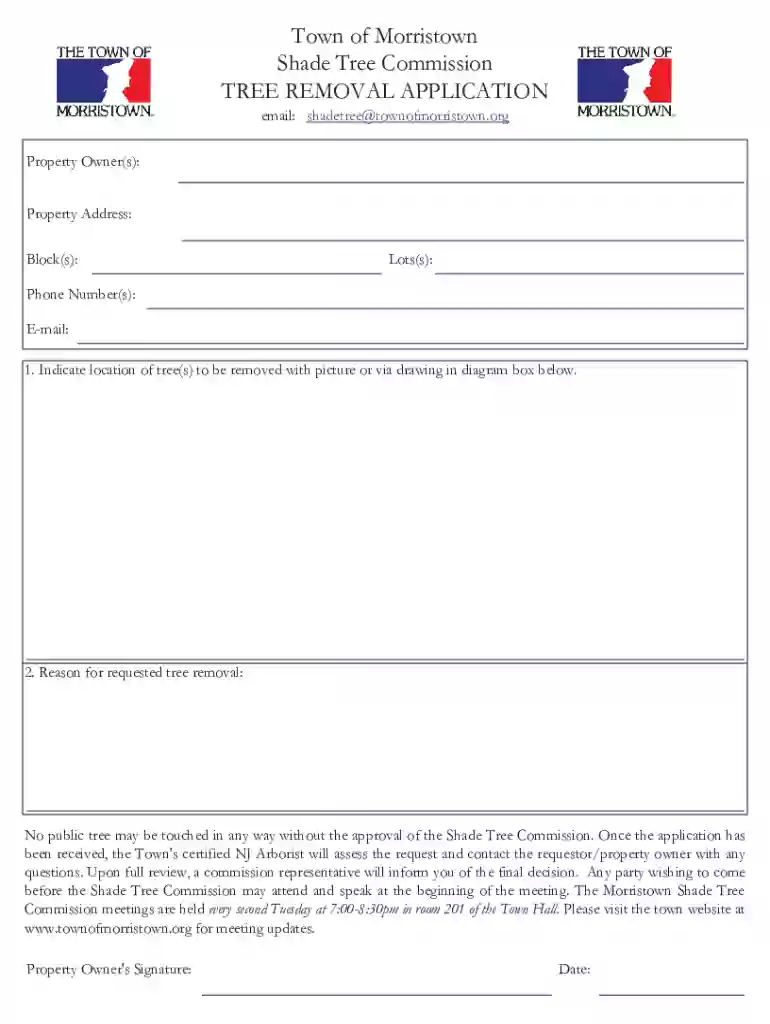
Morristown Tree Removal Application Preview on Page 1

Morristown Tree Removal Application 2026

Here's how it works

  • 01. Edit your form online

    Type text, add images, blackout confidential details, add comments, highlights and more.

  • 02. Sign it in a few clicks

    Draw your signature, type it, upload its image, or use your mobile device as a signature pad.

  • 03. Share your form with others

    Send it via email, link, or fax. You can also download it, export it or print it out.

How to use or fill out the Tree Removal Application online

Form edit decoration
9.5
Ease of Setup
DocHub User Ratings on G2
9.0
Ease of Use
DocHub User Ratings on G2
  1. Click ‘Get Form’ to open the Tree Removal Application in our editor.
  2. Begin by entering your Property Owner(s) name(s) in the designated field. Ensure that all names are spelled correctly for accurate processing.
  3. Next, fill in the Property Address, including Block(s) and Lot(s). This information is crucial for identifying the location of the tree(s) you wish to remove.
  4. Provide your Phone Number(s) and E-mail address. This allows the Shade Tree Commission to contact you regarding your application.
  5. In the diagram box, indicate the location of the tree(s) to be removed. You can upload a picture or draw directly in this section for clarity.
  6. Lastly, specify the reason for requested tree removal in the provided field. Be as detailed as possible to support your request.
  7. Don’t forget to sign and date at the bottom of the form before submitting it through our platform.

Start filling out your Tree Removal Application today for free and streamline your submission process!

See more Morristown Tree Removal Application versions

We've got more versions of the Morristown Tree Removal Application form. Select the right Morristown Tree Removal Application version from the list and start editing it straight away!

VersionsForm popularityFillable & printable
20184.8 Satisfied (120 Votes)

be ready to get more

Complete this form in 5 minutes or less

Got questions?

We have answers to the most popular questions from our customers. If you can't find an answer to your question, please contact us.

An online form is an electronic application in which data is entered by the person filling it out for recording and further processing via predefined data fields. Such electronic forms can be found, for example, on websites or as attachments in e-mails.
Online Application Form means the electronic sign-up form which is available on the Companys website (the websites) and which a prospective Client has to complete in order to become the Companys Client.
Use docHub eSignature to fill out a PDF form and sign it Sign up for a free docHub account to fill and sign PDFs. Some PDF forms are fillable and some arent.
To convert a PDF to fillable online, upload your document to docHub. docHub online editor instantly converts any PDF document to a fillable format online. You can fill your PDF with our various tools and features. To fill the form with text, choose the Text button and start typing.
How to Create a Request Form Define Your Use Case and Requirements. Start Building Your Form. Add and Customize Form Fields. Personalize the Form Design. Set Up Notifications and Approvals. Publish and Share Your Form. Test and Manage Submissions.

Security and compliance

At DocHub, your data security is our priority. We follow HIPAA, SOC2, GDPR, and other standards, so you can work on your documents with confidence.

People also ask

Electronic forms are online web pages or electronic documents designed to capture, validate, and submit data in forms processing. Electronic forms (eforms) provide a series of fields where data is collected, often using a Web browser.
Online forms are used to achieve the following: Collect customer data as part of sales and marketing processes. Process financial details during checkout, especially on ecommerce stores. Respond to customer support tickets. Request information and signatures in contracts and proposals.

Related links

Porous Asphalt - Cooperative Extension of Morris County

The application of porous asphalt does not require disturbing the land or tree removal. Porous asphalt can be installed up to the drip line of the trees andRead more

Learn more
Shade Tree Request for Service

Fill out our service request form or give us a call. We will get out to inspect the issue as soon as possible. Note: if you see a tree blocking a road, hangingRead more

Learn more
If you believe that this page should be taken down, please follow our DMCA take down process here