




Here's how it works



How to use or fill out medical certificate for involuntary psychiatric assessment with our platform

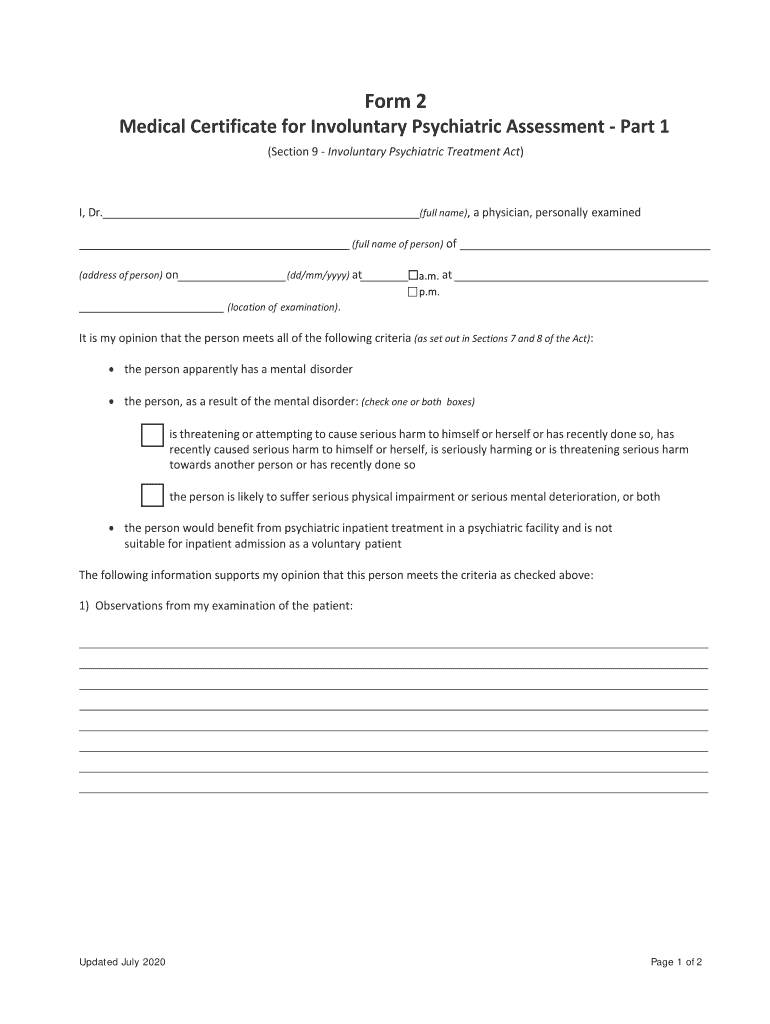
- Click ‘Get Form’ to open the medical certificate for involuntary psychiatric assessment in the editor.
- Begin by entering your full name as the examining physician in the designated field. Ensure accuracy as this is a legal document.
- Fill in the full name and address of the person being assessed. This information is crucial for identification purposes.
- Specify the date and time of examination, selecting either a.m. or p.m. to indicate when the assessment took place.
- Indicate whether the individual meets the criteria for involuntary treatment by checking the appropriate boxes based on your observations.
- Provide detailed observations from your examination in the space provided, ensuring you include all relevant findings.
- List any additional information sources that support your opinion, identifying them clearly to strengthen your certification.
- Finally, sign and date the certificate, ensuring it is completed within 72 hours of examination for validity.
Start using our platform today to streamline your document editing and ensure efficient completion of important forms like this one!
It's free
See more medical certificate for involuntary psychiatric assessment versions
Got questions?
How do I sign my form 2 psychiatric on iOS?
With DocHub, you can rapidly approve your form 2 psychiatric or any other document on iOS, even without installing extra applications. You can access your DocHub account from any internet-connected browser and complete and sign your form in any preferred method with just a couple of clicks.
How do you complete form 2 involuntary on Android?
It is a no-brainer on a computer or via a mobile phone to complete a form 2 involuntary with DocHub. All you need to do is open any installed web browser on your smartphone and go to the DocHub site. Once authenticated, add your document and open it in editing mode. Use our toolbar to make your edits and save changes. Optionally, keep your file in your files or send it to a recipient immediately.
Security and compliance
At DocHub, your data security is our priority. We follow HIPAA, SOC2, GDPR, and other standards, so you can work on your documents with confidence.
Learn more




