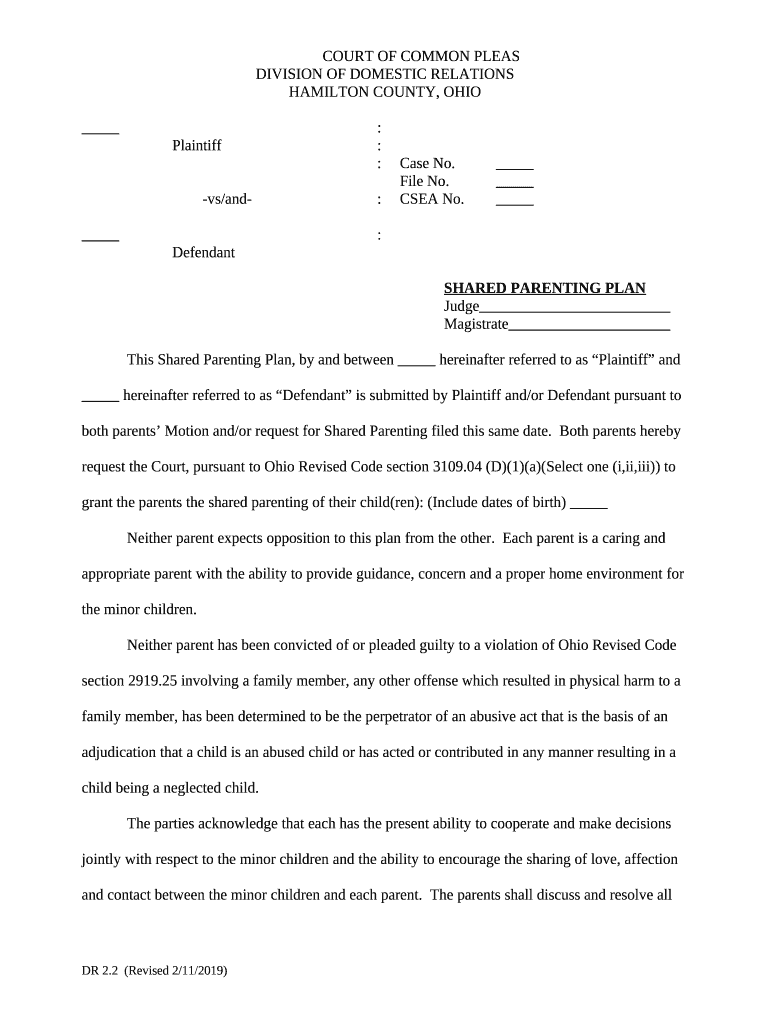
Hamilton county shared parenting 2026

Get Form
ohio hamilton shared Preview on Page 1

Here's how it works

01. Edit your ohio hamilton shared online
Type text, add images, blackout confidential details, add comments, highlights and more.
02. Sign it in a few clicks
Draw your signature, type it, upload its image, or use your mobile device as a signature pad.
03. Share your form with others
Send hamilton county shared plan via email, link, or fax. You can also download it, export it or print it out.

How to use or fill out Hamilton County Shared Parenting with our platform

Form edit decoration
9.5
Ease of Setup
DocHub User Ratings on G2
9.0
Ease of Use
DocHub User Ratings on G2
  1. Click ‘Get Form’ to open the Hamilton County Shared Parenting Plan in the editor.
  2. Begin by filling in the case number, file number, and CSEA number at the top of the form. This information is crucial for identifying your case.
  3. In the section for Plaintiff and Defendant, enter the names of both parents as they will be referred to throughout the document.
  4. Complete the physical living arrangements section by specifying parenting time for both parents, including holidays and birthdays.
  5. Fill out the support section detailing monthly child support amounts and payment methods. Ensure you include any necessary processing charges.
  6. Address tax exemptions by indicating which parent will claim each child on their taxes, ensuring compliance with relevant laws.
  7. Review all sections carefully, making sure that both parents have agreed on all terms before finalizing the document.

Start using our platform today to easily complete your Hamilton County Shared Parenting Plan online for free!

See more hamilton county shared parenting versions

We've got more versions of the hamilton county shared parenting form. Select the right hamilton county shared parenting version from the list and start editing it straight away!
Versions Form popularity Fillable & printable
2019 4.8 Satisfied (111 Votes)
2014 4.3 Satisfied (108 Votes)
be ready to get more

Complete this form in 5 minutes or less

Get form

Got questions?

We have answers to the most popular questions from our customers. If you can't find an answer to your question, please contact us.
Contact us

Of course, electronically drawing your signature is acceptable, but only if you utilize a tool that complies with industry laws and regulations. Consider DocHub, which ensures eSignature validity under ESIGN and UETA requirements. All you need to eSign your hamilton county shared parenting is an account with DocHub and an internet connection. When you open your document in our editor, click Sign and choose the Draw tool.

If you store your papers in Google Drive, there is no need to download your hamilton county shared parenting on the computer and upload it back to our editor. A much easier way is to set up a browser extension developed by DocHub to streamline this flow. The extension allows editing PDFs in your web browser. Alternatively, you may integrate your DocHub and Gmail accounts for more efficient modifying.

Loss of decision-making authority: The court may grant the other parent sole decision-making authority if its determined that one parents poor co-parenting is compromising the childs best interests.
Tennessee recently enacted new child custody laws. Effective July 1, 2024, there is now a legal presumption that joint legal custody and equal parenting time schedules are in the best interests of minor children. However, the new law does not apply if a court enters an order of protection involving the children.

Security and compliance

At DocHub, your data security is our priority. We follow HIPAA, SOC2, GDPR, and other standards, so you can work on your documents with confidence.

Learn more
ccpa2
pci-dss
gdpr-compliance
hipaa
soc-compliance