California payment small claims 2026

Get Form
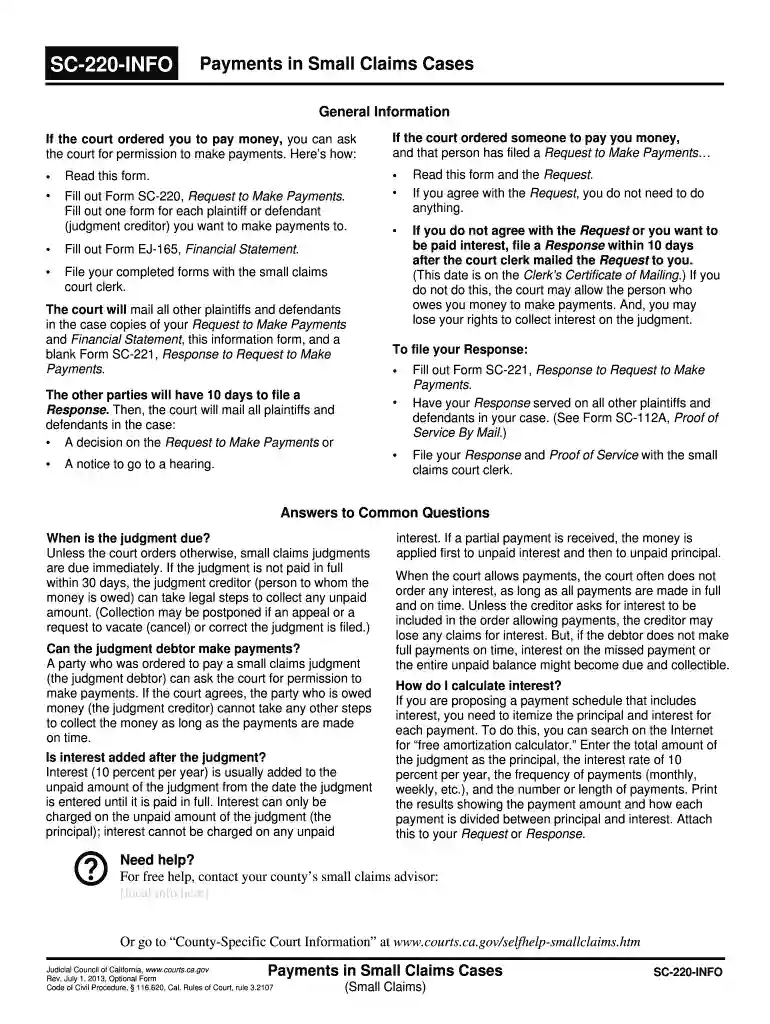
sc 220 info Preview on Page 1

Here's how it works

01. Edit your sc 220 info online
Type text, add images, blackout confidential details, add comments, highlights and more.

02. Sign it in a few clicks
Draw your signature, type it, upload its image, or use your mobile device as a signature pad.

03. Share your form with others
Send california payment cases via email, link, or fax. You can also download it, export it or print it out.

How to use or fill out California Payment Small Claims with our platform

Form edit decoration
9.5
Ease of Setup
DocHub User Ratings on G2
9.0
Ease of Use
DocHub User Ratings on G2
  1. Click ‘Get Form’ to open the California Payment Small Claims form in the editor.
  2. Begin by reading the instructions carefully. This will help you understand the requirements for making payments as ordered by the court.
  3. Fill out Form SC-220, Request to Make Payments. Ensure you complete a separate form for each plaintiff or defendant you wish to make payments to.
  4. Next, complete Form EJ-165, Financial Statement. This document provides your financial details and is essential for the court's review.
  5. Once both forms are filled out, file them with the small claims court clerk. You can do this directly through our platform for convenience.
  6. After filing, wait for the court to mail copies of your Request and Financial Statement to all other parties involved in your case.
  7. If you receive a Response from other parties, ensure you address it within 10 days as instructed in the guidelines provided.

Start using our platform today to streamline your document editing and filing process for free!

See more california payment small claims versions

We've got more versions of the california payment small claims form. Select the right california payment small claims version from the list and start editing it straight away!
Versions Form popularity Fillable & printable
2013 4.8 Satisfied (59 Votes)
be ready to get more

Complete this form in 5 minutes or less

Get form

Got questions?

We have answers to the most popular questions from our customers. If you can't find an answer to your question, please contact us.
Contact us
Remember, the courts decision is final. The defendant must pay their legal debt. If they cant pay immediately, legal mechanisms can help you collect later. This may involve payment plans or monitoring assets.
Small claims court allows you to sue a person, business, or government agency that you think owes you money. Generally, you can only sue for up to $12,500 in small claims court (or up to $6,250 if youre a business). You can ask a lawyer for advice before you go to court, but you cant have one with you in court.
The Judgment Debtor has 30 days from the mailing of the entry of judgment to pay you the money, or do one of the following: File an SC-220 request for time payments and the EJ-165 Financial Statement. File an SC-140 Appeal. If they did not appear, file an SC-135 Motion to Vacate Judgment.
Pay directly to the creditor Mail or deliver a check or money order to the Judgment Creditor. Make sure to keep proof of payment, such as your canceled check. Once the Judgment Creditor receives your payment, ask them to file the form Acknowledgment of Satisfaction of Judgment with the court within 14 days.
To pay your judgment directly to the court, take these steps: Get the form called Request to Pay Judgment to Court. Fill out the form. File the form with the court clerk at the courthouse where your case was heard. Pay the filing fee and the full amount of the judgment to the court.

Security and compliance

At DocHub, your data security is our priority. We follow HIPAA, SOC2, GDPR, and other standards, so you can work on your documents with confidence.

Learn more
ccpa2
pci-dss
gdpr-compliance
hipaa
soc-compliance