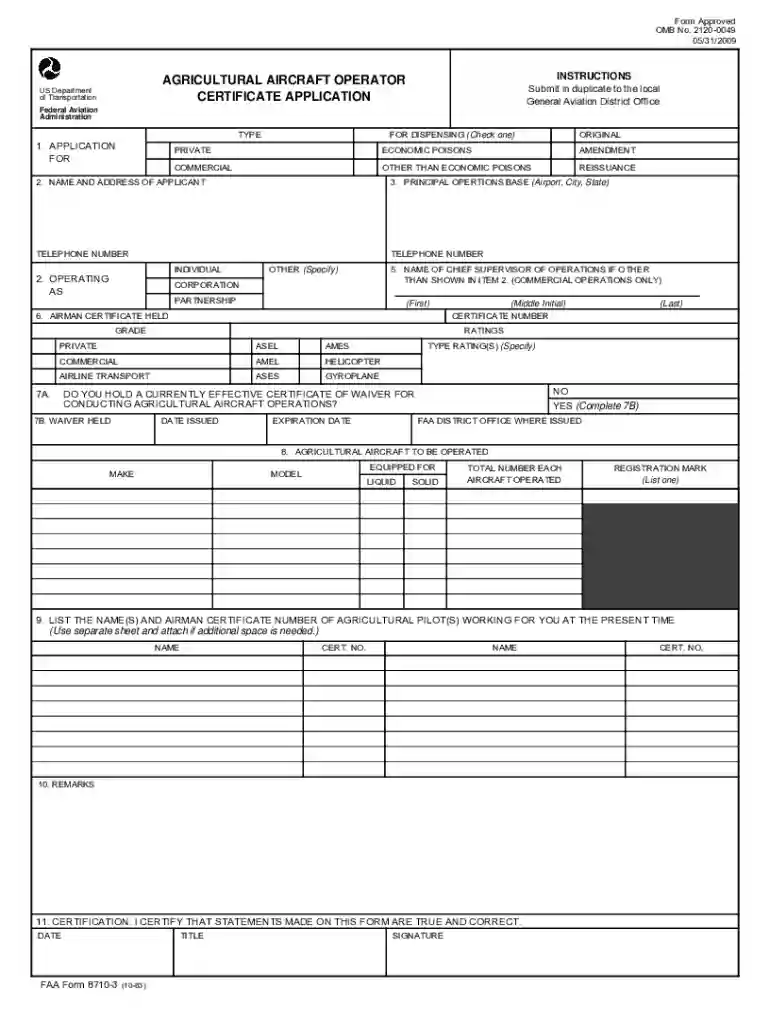
faa form 8710 3 instructions Preview on Page 1

Transportation information 2026

Here's how it works

  • 01. Edit your faa form 8710 3 instructions online

    Type text, add images, blackout confidential details, add comments, highlights and more.

  • 02. Sign it in a few clicks

    Draw your signature, type it, upload its image, or use your mobile device as a signature pad.

  • 03. Share your form with others

    Send faa form 8710 3 via email, link, or fax. You can also download it, export it or print it out.

How to use or fill out transportation information with our platform

Form edit decoration
9.5
Ease of Setup
DocHub User Ratings on G2
9.0
Ease of Use
DocHub User Ratings on G2
  1. Click ‘Get Form’ to open the Agricultural Aircraft Operator Certificate Application in the editor.
  2. Begin by selecting the type of application you are submitting: Original, Amendment, or Reissuance. Check the appropriate box for dispensing economic poisons or other types.
  3. Fill in your name and address in the designated fields. Ensure that all information is accurate to avoid processing delays.
  4. Provide your principal operations base, including the airport, city, and state. Include a contact telephone number for further communication.
  5. If applicable, enter details about your chief supervisor of operations and their airman certificate held. This section is crucial for commercial operations.
  6. Indicate whether you hold a current waiver for conducting agricultural aircraft operations by answering 'Yes' or 'No'. If 'Yes', complete the additional fields regarding waiver details.
  7. List the agricultural aircraft you will operate, including make, model, and registration mark. Specify if they are equipped for liquid or solid dispensing.
  8. Finally, certify that all statements made on this form are true and correct by signing and dating where indicated.

Start filling out your transportation information today using our platform for free!

See more faa form 8710 3 instructions versions

We've got more versions of the faa form 8710 3 instructions form. Select the right faa form 8710 3 instructions version from the list and start editing it straight away!

VersionsForm popularityFillable & printable
19834.9 Satisfied (487 Votes)

be ready to get more

Complete this form in 5 minutes or less

Got questions?

We have answers to the most popular questions from our customers. If you can't find an answer to your question, please contact us.

Yes, you can use DocHub for signing any business and private documentation, including your faa 8710 3. All electronic signatures you create with our tool are legally binding and court-admissible, as DocHub complies with criteria required by ESIGN and UETA. Save your accomplished paperwork with a detailed Audit Trail if necessary.

You can find the latest and most relevant version of the 8710 3 in our DocHub forms library. Browse it by categories or use the search field to locate the exact template that suits your case. You may open this form for editing once you find it.

Security and compliance

At DocHub, your data security is our priority. We follow HIPAA, SOC2, GDPR, and other standards, so you can work on your documents with confidence.

federal washington

Local/Regional Transit - ncsu-transportation

For detailed route and schedule information, visit the GoRaleigh website or call 919-485-RIDE. GoRaleigh route maps are also available at the NC StateRead more

Learn more
Transportation Security Administration

This site makes FOIA requests from its members publicly available, and compiles agency information based on those requests.Read more

Learn more
If you believe that this page should be taken down, please follow our DMCA take down process here