




Here's how it works



How to use or fill out Title: Wakulla news ALL ISSUES CITATION THUMBNAILS - kansasjudicialcouncil with our platform

- Click ‘Get Form’ to open the document in the editor.
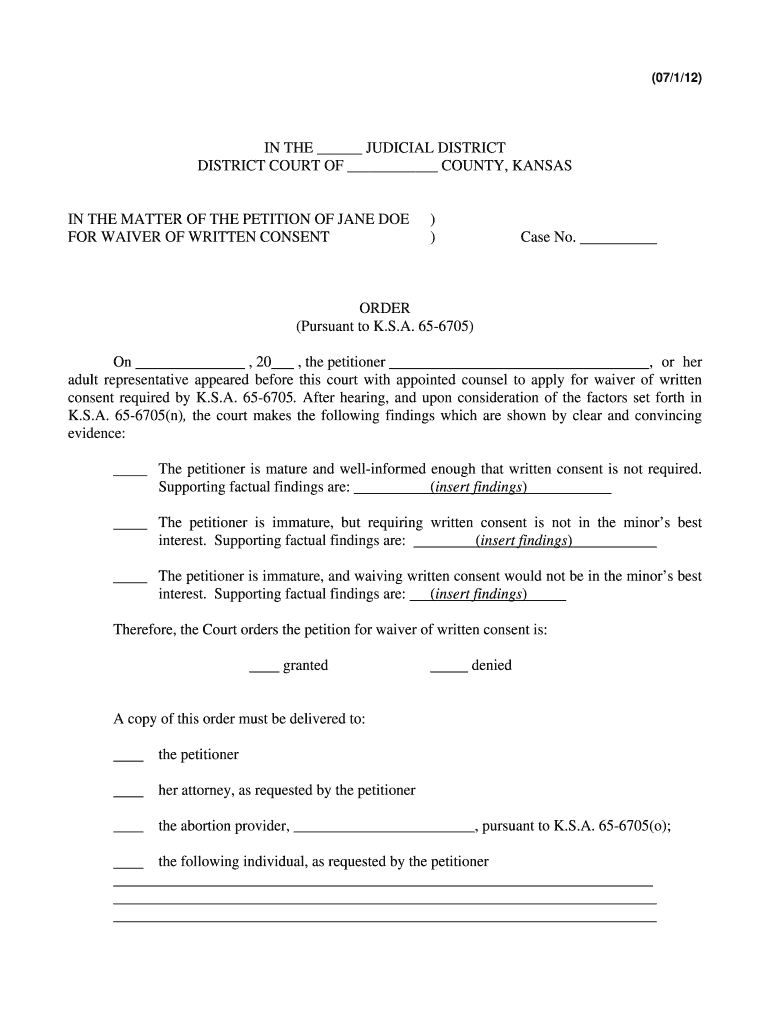
- Begin by entering the appropriate judicial district and county in the designated fields at the top of the form.
- Fill in the case number where indicated, ensuring accuracy for proper tracking.
- In the section regarding the petitioner, input 'Jane Doe' or the relevant name as needed.
- Select whether the petition for waiver of written consent is granted or denied by checking the appropriate box.
- Provide supporting factual findings in each of the three outlined scenarios, ensuring clarity and completeness.
- Specify who should receive a copy of this order by checking the corresponding boxes and filling in any additional required information.
- Finally, sign and date at the bottom of the form to complete your submission.
Start using our platform today to streamline your document editing and signing process for free!
It's free
See more Title: Wakulla news ALL ISSUES CITATION THUMBNAILS - kansasjudicialcouncil versions
| Versions | Form popularity | Fillable & printable |
|---|---|---|
| 2012 | 4.8 Satisfied (141 Votes) |
Got questions?
How can I eSign my Title: Wakulla news ALL ISSUES CITATION THUMBNAILS - kansasjudicialcouncil from Gmail?
With DocHub, it’s quite simple. The service offers users an add-on called DocHub for Gmail, which you can locate in the Google Workspace Marketplace without being charged. Install it and grant it access to your Google account. Open your email with your Title: Wakulla news ALL ISSUES CITATION THUMBNAILS - kansasjudicialcouncil attached and click on the add-on button in the right-side panel. Sign in to your DocHub account, and upload the form to our editor, where you can complete it and sign.
Do I need to set up software to edit my Title: Wakulla news ALL ISSUES CITATION THUMBNAILS - kansasjudicialcouncil?
If you edit your Title: Wakulla news ALL ISSUES CITATION THUMBNAILS - kansasjudicialcouncil with DocHub, you merely need a stable internet connection and virtually any browser installed on your device. No need to set up any third-party applications or research tutorials. Simply open a tab with DocHub, drag and drop your file, and edit it immediately.
Security and compliance
At DocHub, your data security is our priority. We follow HIPAA, SOC2, GDPR, and other standards, so you can work on your documents with confidence.
Learn more




