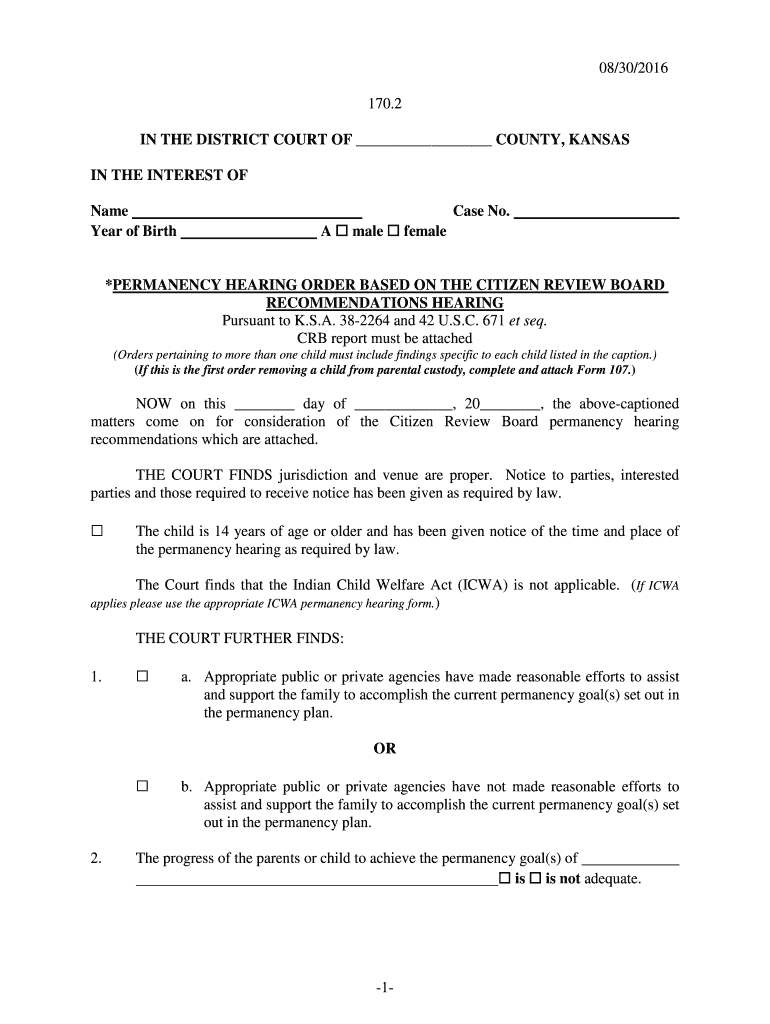
08 30 2016 -1- 170 2 IN THE DISTRICT COURT OF - kansasjudicialcouncil-2026

Get Form
08 30 2016 -1- 170 2 IN THE DISTRICT COURT OF - kansasjudicialcouncil Preview on Page 1

Here's how it works

01. Edit your form online
Type text, add images, blackout confidential details, add comments, highlights and more.
02. Sign it in a few clicks
Draw your signature, type it, upload its image, or use your mobile device as a signature pad.
03. Share your form with others
Send it via email, link, or fax. You can also download it, export it or print it out.

How to use or fill out 08 30 2016 -1- 170 2 IN THE DISTRICT COURT OF - kansasjudicialcouncil

Form edit decoration
9.5
Ease of Setup
DocHub User Ratings on G2
9.0
Ease of Use
DocHub User Ratings on G2
  1. Click ‘Get Form’ to open it in the editor.
  2. Begin by entering the county name in the designated field at the top of the form.
  3. Fill in the child's name and year of birth, selecting their gender by checking the appropriate box.
  4. Input the case number where indicated, ensuring accuracy for proper identification.
  5. Review each section carefully, marking checkboxes as applicable based on your situation regarding agency efforts and child needs.
  6. For any findings related to reintegration or placement options, select the appropriate checkboxes and provide additional details as required.
  7. Finally, ensure all necessary attachments, such as CRB reports, are included before saving or exporting your completed document.

Start using our platform today to easily fill out your court forms for free!

See more 08 30 2016 -1- 170 2 IN THE DISTRICT COURT OF - kansasjudicialcouncil versions

We've got more versions of the 08 30 2016 -1- 170 2 IN THE DISTRICT COURT OF - kansasjudicialcouncil form. Select the right 08 30 2016 -1- 170 2 IN THE DISTRICT COURT OF - kansasjudicialcouncil version from the list and start editing it straight away!
Versions Form popularity Fillable & printable
2016 4.8 Satisfied (83 Votes)
be ready to get more

Complete this form in 5 minutes or less

Get form

Got questions?

We have answers to the most popular questions from our customers. If you can't find an answer to your question, please contact us.
Contact us
If an appeal originates from an administrative tribunals decision, certified copies of the agency decision, any motion for rehearing and the ruling on the motion, and the petition for judicial review must accompany the documents filed under subsection (a). (d) Docket Fee. (1) Generally.
In addition to the cases the Court accepts to its merits docket and hears throughout its term, the Court also has whats called the emergency docket, or more colloquially known as the shadow docket. This is a mechanism for the Court to weigh in even during a recess to address cases moving through the lower courts.
The Supreme Courts docket system contains information about cases, both pending and decided, that have been filed at the Court. The docket provided here contains complete information regarding the status of cases filed since the beginning of the 2001 Term.
The Supreme Courts emergency docket, also known as the shadow docket, consists of applications seeking immediate action from the court.
The shadow docket is used when the Court believes an applicant will suffer irreparable harm if its request is not immediately granted. Historically, the shadow docket was rarely used for rulings of serious legal or political significance.

Security and compliance

At DocHub, your data security is our priority. We follow HIPAA, SOC2, GDPR, and other standards, so you can work on your documents with confidence.

Learn more
ccpa2
pci-dss
gdpr-compliance
hipaa
soc-compliance