




Here's how it works



How to use or fill out P:My DocumentsKSJC WebDocumentsMiscellaneous FormsRTF - kansasjudicialcouncil

- Click ‘Get Form’ to open it in the editor.
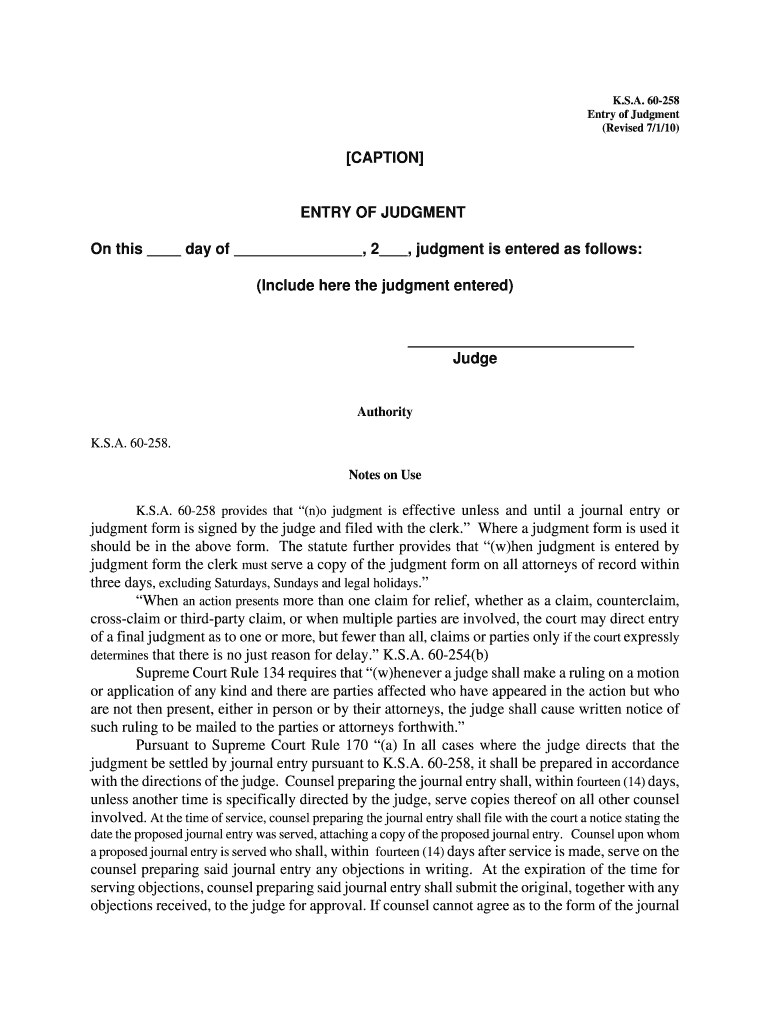
- Begin by entering the date in the designated field labeled 'On this day of'. Ensure you format the date correctly for clarity.
- In the section labeled 'judgment is entered as follows', provide a detailed description of the judgment being entered. Be precise and concise to avoid any ambiguity.
- Sign your name in the 'Judge' field, confirming your authority over the judgment. This step is crucial as it validates the document.
- Review all entries for accuracy before finalizing. Utilize our platform's editing tools to make any necessary adjustments easily.
Start using our platform today to streamline your document editing and signing process for free!
It's free
See more P:My DocumentsKSJC WebDocumentsMiscellaneous FormsRTF - kansasjudicialcouncil versions
| Versions | Form popularity | Fillable & printable |
|---|---|---|
| 2010 | 4.8 Satisfied (166 Votes) |
Got questions?
How can I sign my P:My DocumentsKSJC WebDocumentsMiscellaneous FormsRTF - kansasjudicialcouncil online?
Sign in to your DocHub account and add your P:My DocumentsKSJC WebDocumentsMiscellaneous FormsRTF - kansasjudicialcouncil to our editor using one of its upload options - from your device, cloud storage, secure URL, or your DocHub folders if you have already managed your form before. Open our editor, click the Sign key in the top toolbar, and choose your signing method. You can upload a picture of your handwritten signature, draw it, type in your name, or utilize a QR code instead.
How do you create an e-signature for the P:My DocumentsKSJC WebDocumentsMiscellaneous FormsRTF - kansasjudicialcouncil on iOS?
In addition to an extensive toolset for editing PDFs on mobile devices, DocHub enables you to sign your P:My DocumentsKSJC WebDocumentsMiscellaneous FormsRTF - kansasjudicialcouncil along the way. Open our editor in your browser, make changes using DocHub’s toolset, and complete your editing by eSigning the completed form.
Security and compliance
At DocHub, your data security is our priority. We follow HIPAA, SOC2, GDPR, and other standards, so you can work on your documents with confidence.
Learn more




