




Here's how it works



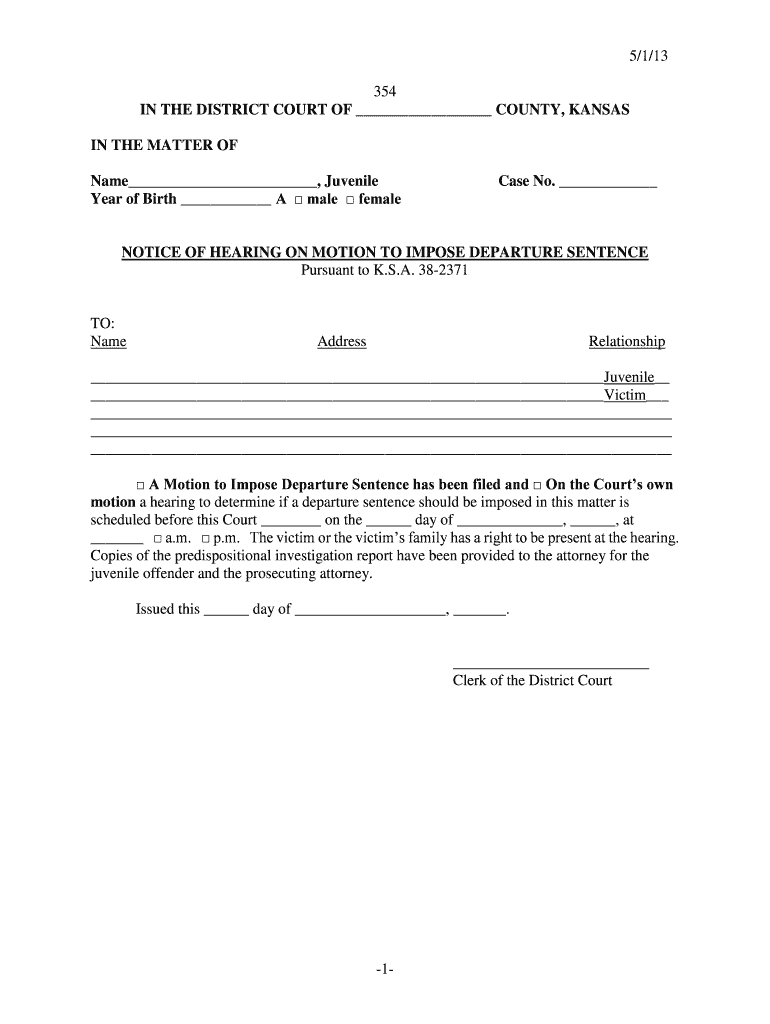
How to use or fill out 5113 -1- 354 IN THE DISTRICT COURT OF - Judicial Council - kansasjudicialcouncil with our platform

- Click ‘Get Form’ to open it in the editor.
- Begin by entering the name of the juvenile in the designated field, followed by their year of birth. Select the appropriate gender option.
- Fill in the case number where indicated. This is crucial for identifying the specific case related to this hearing.
- In the 'TO' section, provide the name and address of all parties involved, including the juvenile and victim, ensuring accuracy for proper notification.
- Indicate whether a Motion to Impose Departure Sentence has been filed and specify the date and time of the scheduled hearing.
- Complete the Certificate of Service section by detailing how service was accomplished, including names, manner of service, and date/time.
- Finally, review all entries for accuracy before saving or exporting your completed form.
Start using our platform today to fill out your forms online for free!
It's free
See more 5113 -1- 354 IN THE DISTRICT COURT OF - Judicial Council - kansasjudicialcouncil versions
| Versions | Form popularity | Fillable & printable |
|---|---|---|
| 2013 | 4.8 Satisfied (241 Votes) |
Got questions?
Can I sign my 5113 -1- 354 IN THE DISTRICT COURT OF - Judicial Council - kansasjudicialcouncil in electronic format?
Based on eSignature laws, documents approved electronically have the same validity as those approved with pen and paper. You can eSign almost any business and private paperwork. Four types of documents still require handwritten signatures only - wills and testamentary trusts, court orders and other court forms, state statutes governing divorce, adoption, or other family law, and notice of cancellation of utility services. If you follow the regulations and utilize a reliable and compliant software solution, like DocHub, you can eSign your 5113 -1- 354 IN THE DISTRICT COURT OF - Judicial Council - kansasjudicialcouncil without printing it.
How to complete and sign 5113 -1- 354 IN THE DISTRICT COURT OF - Judicial Council - kansasjudicialcouncil online?
You can quickly complete, edit, and even eSign your 5113 -1- 354 IN THE DISTRICT COURT OF - Judicial Council - kansasjudicialcouncil using DocHub. Create a new account and start your free trial. After that, you can add the document with the form and simply make all the needed edits. No need to print on paper or use a third-party application to sign it, as you can put your electronic signature on your document faster via DocHub.
Security and compliance
At DocHub, your data security is our priority. We follow HIPAA, SOC2, GDPR, and other standards, so you can work on your documents with confidence.
Learn more




