




Here's how it works



How to use or fill out jdf 880 letters adult template with our platform

- Click ‘Get Form’ to open the jdf 880 letters adult template in the editor.
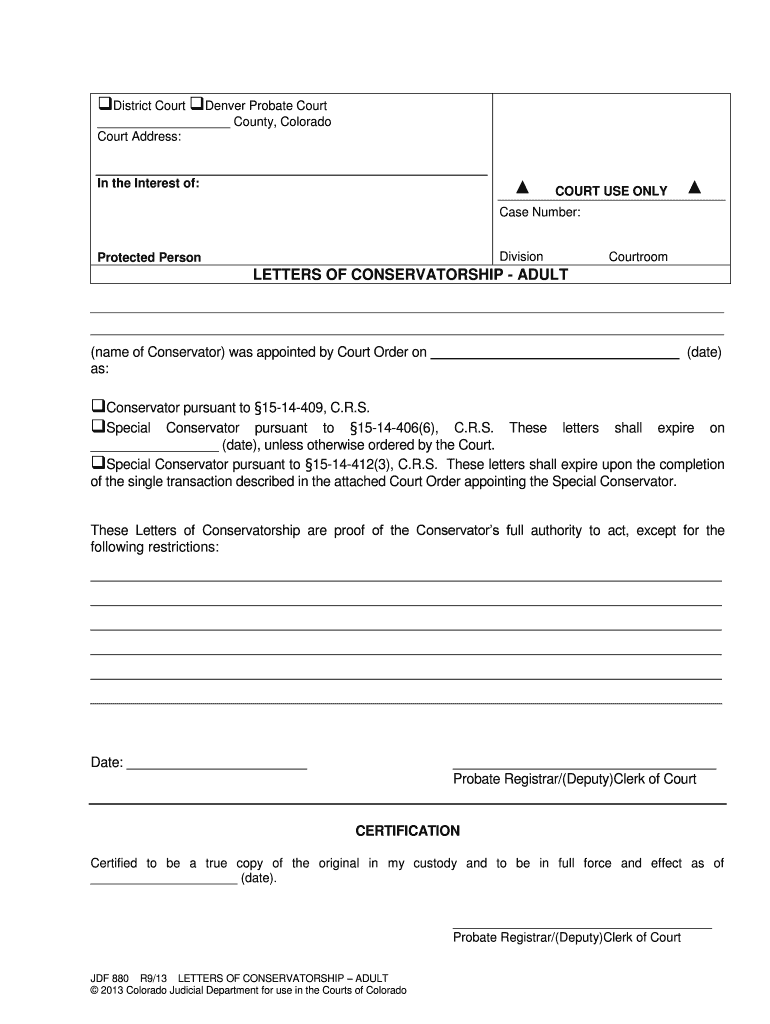
- Begin by entering the court address at the top of the form. This is essential for identifying the jurisdiction.
- In the 'In the Interest of' section, input the name of the protected person. This identifies who the conservatorship pertains to.
- Fill in the case number and division as indicated in your court documents. This helps in tracking your case.
- Specify the name of the conservator and date they were appointed by filling in those fields accurately.
- Select one of the options regarding conservatorship type by checking the appropriate box, ensuring you understand each designation's implications.
- Indicate any restrictions on authority in the designated area, providing clarity on what actions are permitted or prohibited.
- Finally, enter today's date and ensure that all information is correct before saving or printing your completed document.
Start using our platform today to fill out your jdf 880 letters adult template for free!
It's free
See more jdf 880 letters adult template versions
| Versions | Form popularity | Fillable & printable |
|---|---|---|
| 2013 | 4.8 Satisfied (210 Votes) |
Got questions?
What is the best way to electronically sign my jdf 880 letters adult template?
Many software solutions are available out there for document editing and signing. DocHub is one of the most in-demand online solutions that comply with all data protection and compliance requirements and guarantees your electronically signed paperwork is legally enforceable. All you need to try it out is to register an account, add your jdf 880 letters adult template, provide the required information, and click Sign. Create your electronic signature by typing, drawing it, uploading its image to your template, or scanning a unique QR code.
How do you edit jdf 880 letters adult template in Chrome?
If you use Chrome, there are two easy methods to edit your jdf 880 letters adult template online. First, visit the DocHub site, add your file, and edit it utilizing our toolbar. You may also install our Chrome extension and edit any document by dragging and dropping it in your web browser window.
Security and compliance
At DocHub, your data security is our priority. We follow HIPAA, SOC2, GDPR, and other standards, so you can work on your documents with confidence.
Learn more




