Permanent Resident Number ImageContact Information Finder 2026

Get Form
Permanent Resident Number ImageContact Information Finder Preview on Page 1

Here's how it works

01. Edit your form online
Type text, add images, blackout confidential details, add comments, highlights and more.
02. Sign it in a few clicks
Draw your signature, type it, upload its image, or use your mobile device as a signature pad.
03. Share your form with others
Send it via email, link, or fax. You can also download it, export it or print it out.

How to use or fill out Permanent Resident Number ImageContact Information Finder with our platform

Form edit decoration
9.5
Ease of Setup
DocHub User Ratings on G2
9.0
Ease of Use
DocHub User Ratings on G2
  1. Click ‘Get Form’ to open it in the editor.
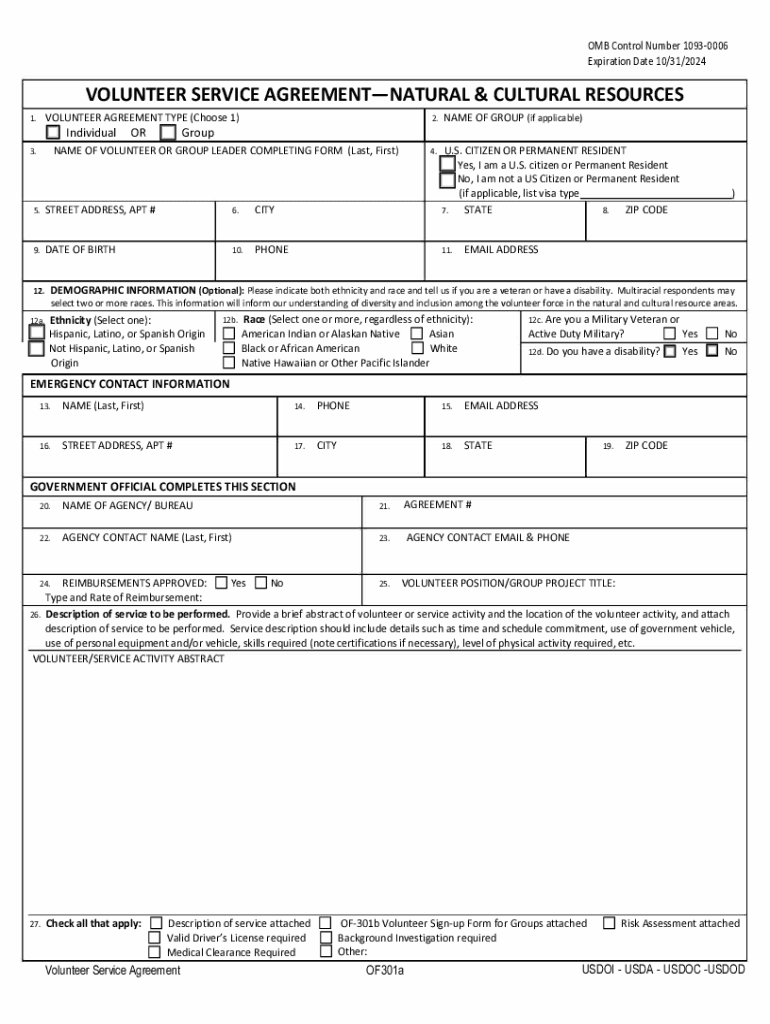
  2. Begin by selecting the type of volunteer agreement: Individual or Group. This is crucial for categorizing your application correctly.
  3. Fill in the name of the volunteer or group leader, ensuring to include both last and first names. If applicable, also provide the name of the group.
  4. Indicate your citizenship status by checking 'Yes' if you are a U.S. citizen or Permanent Resident, or 'No' otherwise.
  5. Complete your contact information including street address, city, state, zip code, phone number, and email address.
  6. Optionally provide demographic information such as ethnicity and race. This helps enhance diversity understanding within the program.
  7. For emergency contact details, fill in the name, phone number, email address, and address of your emergency contact.
  8. Review all sections for accuracy before submitting your form to ensure a smooth processing experience.

Start using our platform today to complete your Permanent Resident Number ImageContact Information Finder form easily and for free!

See more Permanent Resident Number ImageContact Information Finder versions

We've got more versions of the Permanent Resident Number ImageContact Information Finder form. Select the right Permanent Resident Number ImageContact Information Finder version from the list and start editing it straight away!
Versions Form popularity Fillable & printable
2021 4.2 Satisfied (21 Votes)
2014 4.8 Satisfied (105 Votes)
be ready to get more

Complete this form in 5 minutes or less

Get form

Got questions?

We have answers to the most popular questions from our customers. If you can't find an answer to your question, please contact us.
Contact us
Your Permanent Resident Card number is located in the top right corner on the back of your card. The Permanent Resident Card number starts with two (2) letters followed by ten (10) numbers (Example: RA0302123456) or two (2) letters followed by seven (7) numbers (Example: PA0123456).
Individuals can call USCIS Contact Center at 1-800-375-5283 and know their immigration status. You only need to provide the receipt number and basic information like full name, date of birth, and alien registration number (if applicable ) to the USCIS call center representative.
On newer cards, this is printed on the back of the card in the upper left corner. Some green cards have been spotted with a 1-551 (the number one-551) instead of I-551 (the letter, pronounced eye-551) or have the form number I-766, which corresponds with an Employment Authorization Document, not a green card.
You can find your A-Number and Department of State (DOS) Case ID on your immigrant data summary, USCIS Immigrant Fee handout, or immigrant visa stamp.
A. The Privacy Act requires that personal information belonging to U.S. citizens and lawful permanent residents (LPRs) be protected from unauthorized disclosure. Violations of these requirements may result in civil and criminal penalties.

Security and compliance

At DocHub, your data security is our priority. We follow HIPAA, SOC2, GDPR, and other standards, so you can work on your documents with confidence.

Learn more
ccpa2
pci-dss
gdpr-compliance
hipaa
soc-compliance
be ready to get more

Complete this form in 5 minutes or less

Get form

People also ask

If you are looking for immigration records from after May 1, 1951, or naturalization records from after April 1, 1956, you should visit the USCIS Freedom of Information Act and Privacy Act program page to find out how to request them.

Related links