




Here's how it works

01. Edit your form online
Type text, add images, blackout confidential details, add comments, highlights and more.

02. Sign it in a few clicks
Draw your signature, type it, upload its image, or use your mobile device as a signature pad.

03. Share your form with others
Send it via email, link, or fax. You can also download it, export it or print it out.
How to use or fill out Photography-Video Consent, Waiver, Release & Authorization

- Click ‘Get Form’ to open it in the editor.
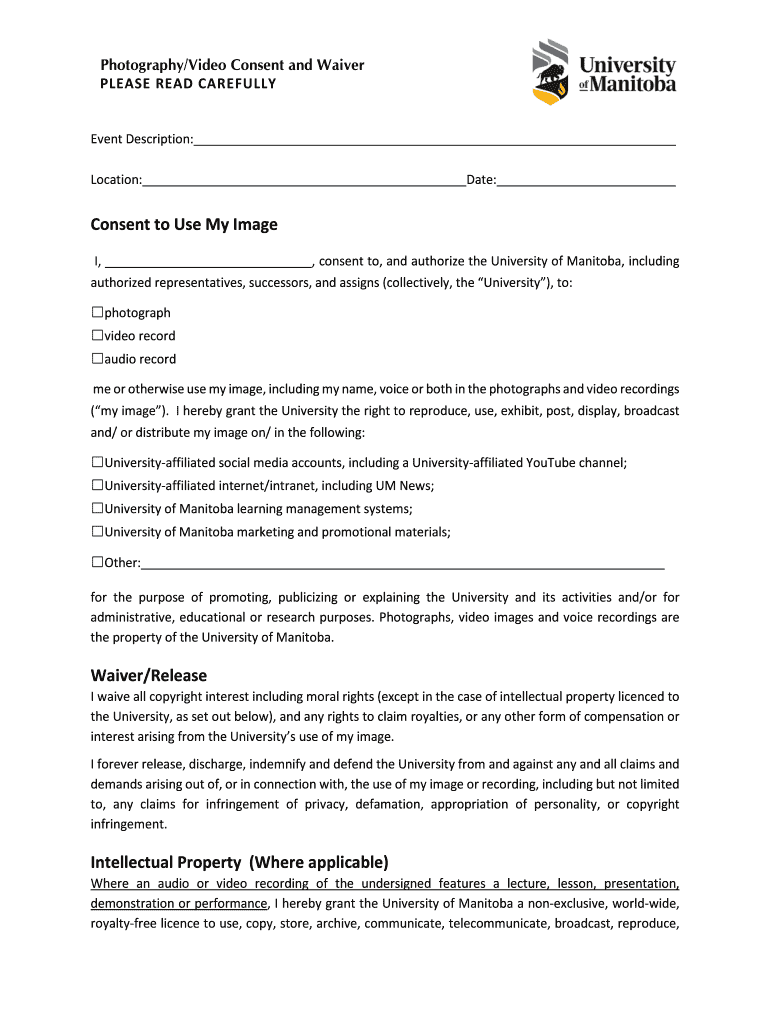
- Begin by filling in the Event Description, Location, and Date at the top of the form. This information sets the context for your consent.
- In the 'Consent to Use My Image' section, clearly indicate your consent by checking the appropriate boxes for photography, video recording, and audio recording. Ensure you understand where your image may be used.
- Review the Waiver/Release section carefully. By signing this part, you acknowledge that you waive any rights to compensation or claims related to the use of your image.
- If applicable, complete the Intellectual Property section by granting permission for any recordings of lectures or presentations. Make sure you are aware of third-party rights.
- Sign and date the declaration at the bottom of the form. If under 18, ensure a parent or guardian signs as well.
- Finally, review all sections for accuracy before submitting your completed form through our platform.
Start using our platform today to easily complete your Photography-Video Consent form online for free!
Fill out Photography-Video Consent, Waiver, Release & Authorization online
It's free
It's free
See more Photography-Video Consent, Waiver, Release & Authorization versions
We've got more versions of the Photography-Video Consent, Waiver, Release & Authorization form. Select the right Photography-Video Consent, Waiver, Release & Authorization version from the list and start editing it straight away!
| Versions | Form popularity | Fillable & printable |
|---|---|---|
| 2019 | 4.9 Satisfied (51 Votes) |
Got questions?
We have answers to the most popular questions from our customers. If you can't find an answer to your question, please contact us.
Contact us
How do I write a consent form for photography?
Where can you find a photo release consent form? Subject name. Include the complete name of the person in the photo and leave space for a guardian to sign if the model is a minor. Photographer name. Permission statement. Alteration statement. Release statement. Signature and date.
What is the wording for photography waiver?
I give permission for the [insert name/organisation] to use my photograph and other media such as film and quotations, on [insert name/organisation] promotional material and publications, for which it may be suitable. The next page of this document contains the Image Consent form template.
What is a photography waiver or release form?
A photography release form (or photography legal waiver) is a legally binding document that grants permission to use a photo in certain ways, such as for advertising or social media, and is necessary for obtaining permission from individuals featured in photographs used for commercial purposes.
How do I write a media release consent form?
How Do You Write a Media Release Form? Name of the parties involved, i.e., releasor and releasee. Detailed information about the project. Explicit information of the permissions granted. Any special considerations, including payment obligations or credit, if any. A space for all parties to sign.
Security and compliance
At DocHub, your data security is our priority. We follow HIPAA, SOC2, GDPR, and other standards, so you can work on your documents with confidence.
Learn more




