




Here's how it works



How to use or fill out the disability verification form with our platform

- Click ‘Get Form’ to open the disability verification form in the editor.
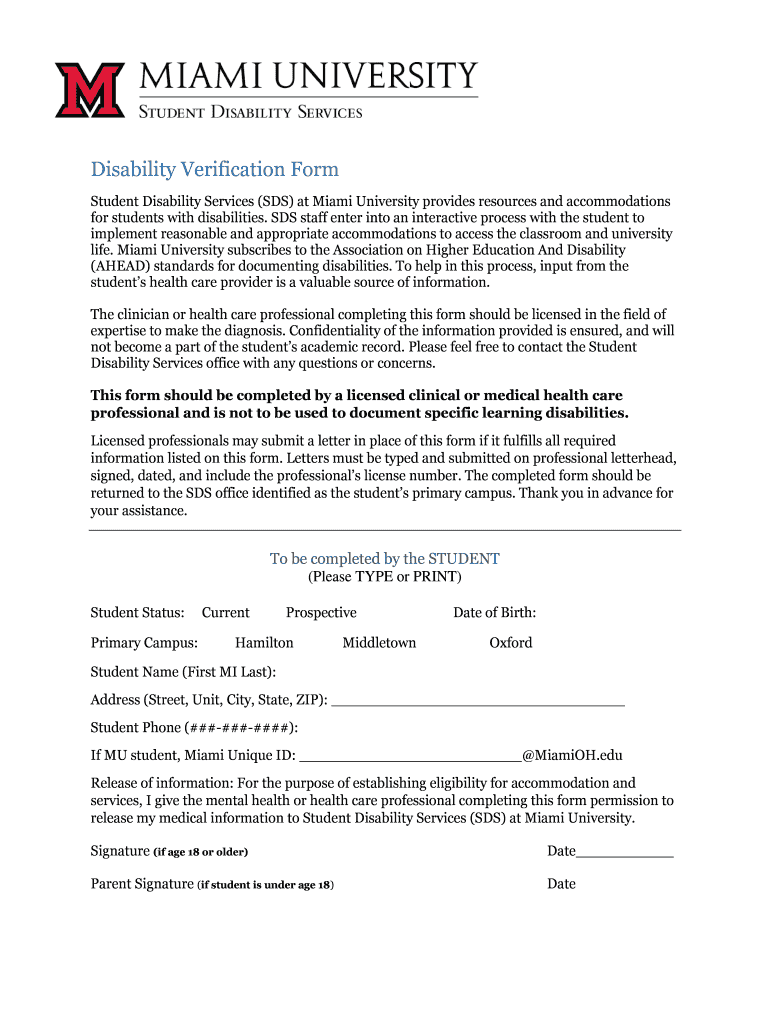
- Begin by filling out the student’s personal information, including their name, date of birth, and contact details. Ensure accuracy as this information is crucial for processing.
- In the release of information section, provide consent for the health care professional to share medical information with Student Disability Services (SDS). This is essential for establishing eligibility for accommodations.
- The certifying professional should complete their section by detailing the student's diagnosis according to DSM or ICD standards. Include evaluation dates and diagnostic tools used.
- Describe how the disability impacts academic performance and any recommended accommodations. This helps SDS tailor support effectively.
- Finally, ensure that both the student and certifying professional sign and date the form before submission to maintain compliance with documentation standards.
Start using our platform today to easily fill out your disability verification form online for free!
It's free
See more disability verification form versions
| Versions | Form popularity | Fillable & printable |
|---|---|---|
| 2017 | 4.8 Satisfied (115 Votes) |
Got questions?
Can I use DocHub to generate legal electronic signatures on my disability verification form online?
Yes, you can utilize DocHub for signing any business and private paperwork, including your disability verification form online. All eSignatures you create with our service are legally binding and court-admissible, as DocHub complies with standards required by ESIGN and UETA. Save your accomplished form with a detailed Audit Trail if necessary.
How do you edit student disability services verification form get on Android?
Document editing with DocHub is equally convenient on desktop and mobile devices. You only need an internet browser to modify your student disability services verification form get on Android. Open our site and sign in to access the tools you require. Add your document and introduce your intended changes. After that, you can keep your form in your document storage or send it out right away.
Security and compliance
At DocHub, your data security is our priority. We follow HIPAA, SOC2, GDPR, and other standards, so you can work on your documents with confidence.
Learn more


