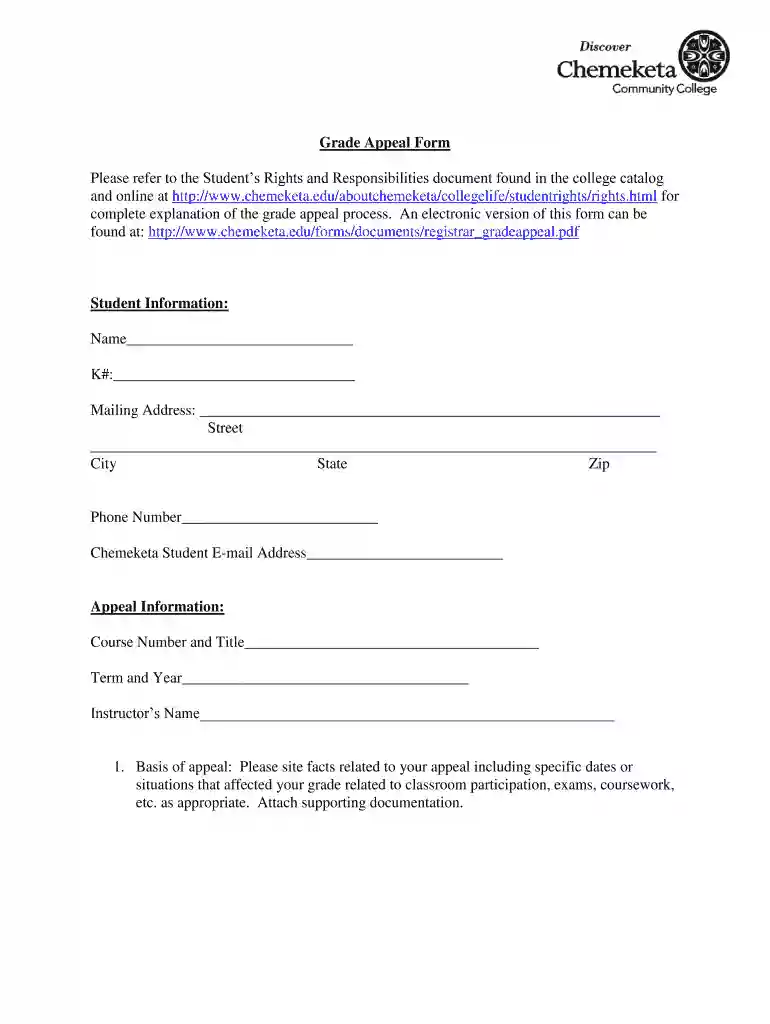
2011 chemeketa college grade appeal form blank-2026

Get Form
2011 chemeketa college grade appeal form blank Preview on Page 1

Here's how it works

01. Edit your 2011 chemeketa college grade appeal form blank online
Type text, add images, blackout confidential details, add comments, highlights and more.

02. Sign it in a few clicks
Draw your signature, type it, upload its image, or use your mobile device as a signature pad.

03. Share your form with others
Send 2011 chemeketa college grade appeal form download via email, link, or fax. You can also download it, export it or print it out.

How to use or fill out 2011 Chemeketa College Grade Appeal Form Blank with Our Platform

Form edit decoration
9.5
Ease of Setup
DocHub User Ratings on G2
9.0
Ease of Use
DocHub User Ratings on G2
  1. Click ‘Get Form’ to open the 2011 Chemeketa College Grade Appeal Form in the editor.
  2. Begin by filling out the 'Student Information' section. Enter your name, K number, mailing address, phone number, and Chemeketa student email address accurately.
  3. In the 'Appeal Information' section, provide the course number and title, term and year of the course, and your instructor's name.
  4. For the 'Basis of appeal', clearly state the facts related to your appeal. Include specific dates or situations that impacted your grade. If necessary, attach supporting documentation using our platform’s upload feature.
  5. Next, describe how you have attempted to resolve this situation in the provided field.
  6. Indicate what grade you believe you have earned in the designated area.
  7. Finally, sign and date the form at the bottom before submitting it through our platform for processing.

Start using our platform today to fill out your grade appeal form online for free!

See more 2011 chemeketa college grade appeal form blank versions

We've got more versions of the 2011 chemeketa college grade appeal form blank form. Select the right 2011 chemeketa college grade appeal form blank version from the list and start editing it straight away!
Versions Form popularity Fillable & printable
2011 4.8 Satisfied (62 Votes)
be ready to get more

Complete this form in 5 minutes or less

Get form

Got questions?

We have answers to the most popular questions from our customers. If you can't find an answer to your question, please contact us.
Contact us

Managing your documents with DocHub this way is very straightforward after you have downloaded its extension for Google Chrome. Navigate to the Chrome Web Store and install DocHub - Sign PDF from Gmail to get it. Give our tool access to your Google account, and then open an email containing 2011 chemeketa community grade appeal form printable as an attachment and point to the file with your cursor - the DocHub extension key will automatically appear there. Click on it to open your file in our editor. Make any necessary edits, complete the blanks, and click Sign to create your legally-binding electronic signature.

You may complete and sign your 2011 chemeketa community grade appeal form search online, even on a tight deadline. All you need to access top-notch editing instruments on any device is a DocHub profile, which you can sign up in just a couple of moments. After you register, upload your document or find what you are looking for in our catalog, complete it using the editing instruments you want, and put your electronic signature on it at the end.

Contact your teacher and ask them to unarchive the class so you can unenroll. Go to classroom.google.com and click Sign In. Sign in with your Google Account. For example, you@yourschool.edu or you@gmail.com. Learn more. On the class, click More. Unenroll. Click Unenroll to confirm.
Requirements for Withdrawal Students wishing to drop all of their classes from the College can do so in their MyChemeketa account up until the last day to drop classes without a grade. For questions about the process please contact Enrollment Services at 503.399. 5001.
Youll need to earn a C grade or better in all your classes and have a minimum GPA of 2.00. We recommend you work closely with an advisor to make the best use of these opportunities. Note: If you are still enrolled in high school and wish to also take Chemeketa classes, visit our Dual Credit Opportunities page.

Security and compliance

At DocHub, your data security is our priority. We follow HIPAA, SOC2, GDPR, and other standards, so you can work on your documents with confidence.

Learn more
ccpa2
pci-dss
gdpr-compliance
hipaa
soc-compliance
be ready to get more

Complete this form in 5 minutes or less

Get form

People also ask

Official Transcripts You can order your transcript online (instructions above) or through your My Chemeketa student account, and it is recommended that you do so, as it is the fastest and most cost effective and convenient method. Otherwise, you must complete an Official Transcript Request form.
How to Unenroll from College. Discuss your decision with your professors and academic advisor first, and finish out the semester if you can. Once youve decided to drop out of college, submit an official withdrawal request through your university.
Send an email to your teacher or academic advisor. They are best able to advise you of the correct process for withdrawing from your school. The process for withdrawing is different for each school. Some schools require written notice, while others may allow you to withdraw by email or phone.

Related links