Ma incident instructions autism waiver form print 2026

Get Form
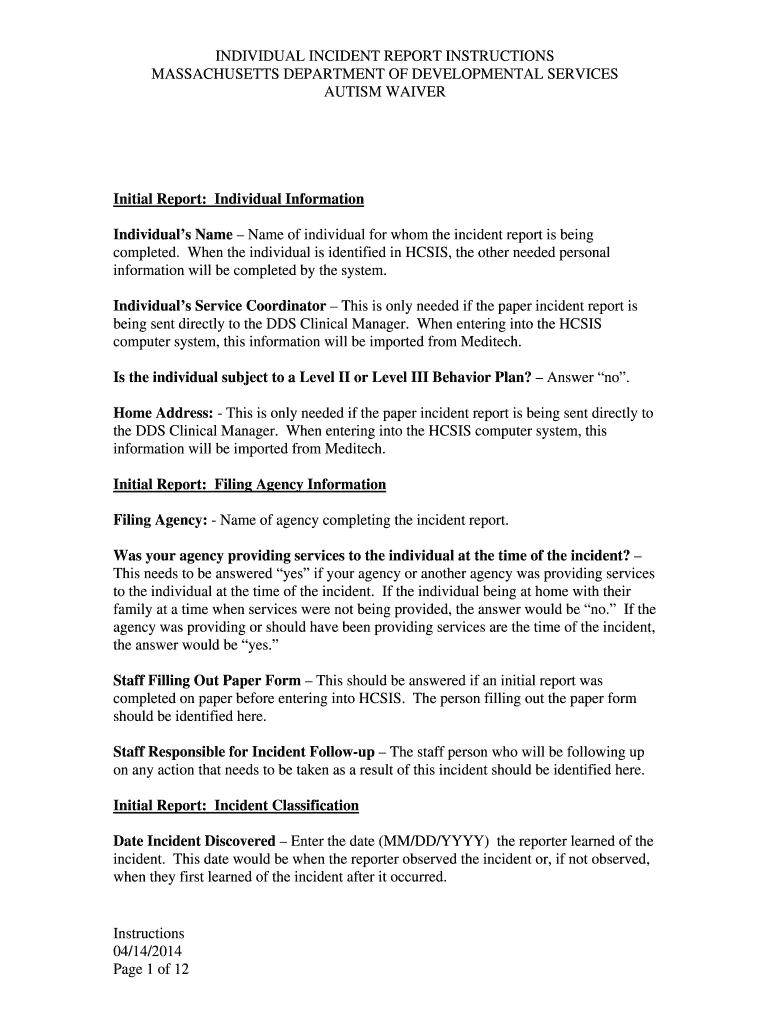
massachusetts incident report instructions Preview on Page 1

Here's how it works

01. Edit your massachusetts incident report instructions online
Type text, add images, blackout confidential details, add comments, highlights and more.
02. Sign it in a few clicks
Draw your signature, type it, upload its image, or use your mobile device as a signature pad.
03. Share your form with others
Send ma incident instructions autism waiver form print via email, link, or fax. You can also download it, export it or print it out.

How to use or fill out ma incident instructions autism waiver form print with our platform

Form edit decoration
9.5
Ease of Setup
DocHub User Ratings on G2
9.0
Ease of Use
DocHub User Ratings on G2
  1. Click ‘Get Form’ to open the ma incident instructions autism waiver form in the editor.
  2. Begin by entering the individual's name in the 'Individual Information' section. This is crucial for identifying the report.
  3. Fill in the 'Filing Agency' information, ensuring you indicate whether your agency was providing services at the time of the incident.
  4. In the 'Incident Classification' section, accurately record the date and approximate time when you discovered the incident.
  5. Complete all relevant fields regarding injury details, including cause and type of injury, if applicable.
  6. Provide a comprehensive description of the incident in the designated narrative section, ensuring confidentiality by using descriptors for individuals involved.
  7. Review all entries for accuracy before finalizing your report. Ensure that any necessary follow-up actions are documented.

Start filling out your form today for free and experience seamless document management with our platform!

See more ma incident instructions autism waiver form print versions

We've got more versions of the ma incident instructions autism waiver form print form. Select the right ma incident instructions autism waiver form print version from the list and start editing it straight away!
Versions Form popularity Fillable & printable
2014 5 Satisfied (34 Votes)
be ready to get more

Complete this form in 5 minutes or less

Get form

Got questions?

We have answers to the most popular questions from our customers. If you can't find an answer to your question, please contact us.
Contact us
The Childrens Autism Waiver Program allows children to receive Expanded Habilitation, Education which are in-home services and supports such as Applied Behavioral Analysis (ABA), Floor Time, and Relationship Development Intervention (RDI), for a total of up to 3 years.
Eligibility for autism waivers varies by state, but generally includes the following criteria: Diagnosis: A confirmed diagnosis of autism spectrum disorder (ASD) or a related developmental disability. Level of Care: Demonstrated need for a level of care that would typically be provided in an institutional setting.
Determining eligibility for an autism waiver involves several steps: Initial Assessment: Contact your states Medicaid office or a designated agency to request an assessment. Medical Documentation: Provide documentation from healthcare professionals confirming the diagnosis of autism and the need for specific services.
To be eligible, a person must be 65 years or older. People under 65 may also be eligible if they have specific health conditions or disabilities.
DSM-5 criteria for autism criterion A: persistent deficits in reciprocal social communication and social interaction. criterion B: restricted, repetitive patterns of behaviour, interests or activities. criterion C: symptoms must be present in the early developmental period.

Security and compliance

At DocHub, your data security is our priority. We follow HIPAA, SOC2, GDPR, and other standards, so you can work on your documents with confidence.

Learn more
ccpa2
pci-dss
gdpr-compliance
hipaa
soc-compliance
be ready to get more

Complete this form in 5 minutes or less

Get form