




01. Edit your inspector sponsorship online
Type text, add images, blackout confidential details, add comments, highlights and more.

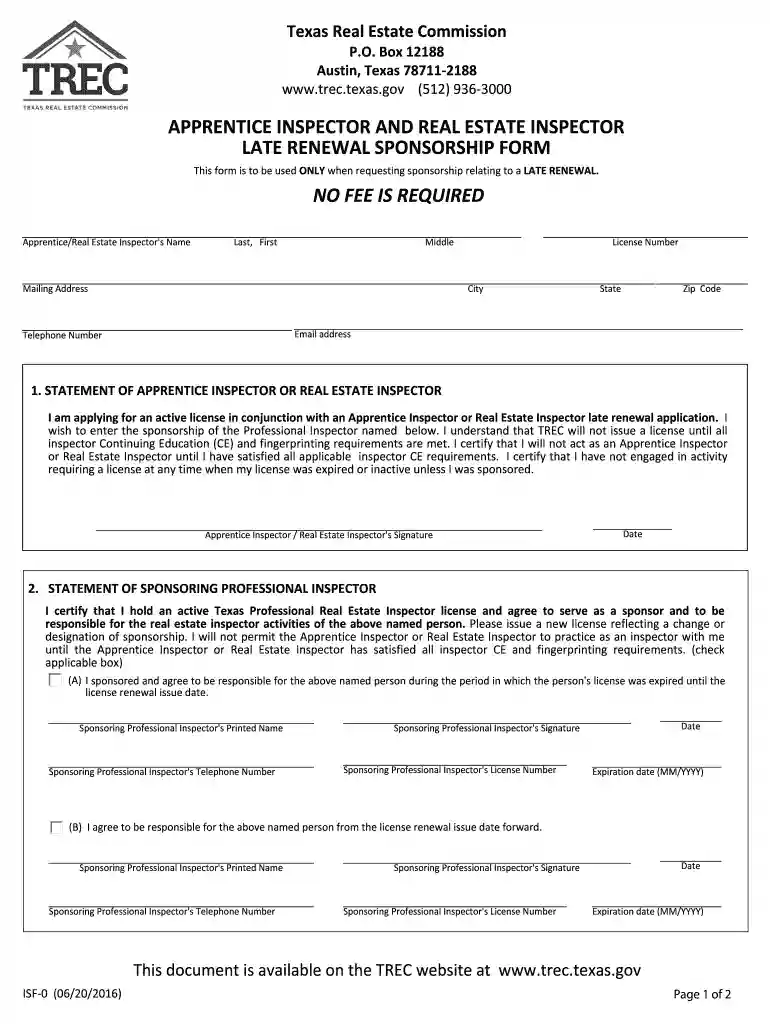
Type text, add images, blackout confidential details, add comments, highlights and more.

Draw your signature, type it, upload its image, or use your mobile device as a signature pad.

Send tx isf0 apprentice renewal get via email, link, or fax. You can also download it, export it or print it out.

Start filling out your tx apprentice inspector renewal form online for free today!
We've got more versions of the inspector sponsorship form. Select the right inspector sponsorship version from the list and start editing it straight away!
| Versions | Form popularity | Fillable & printable |
|---|---|---|
| 2016 | 4.8 Satisfied (101 Votes) |
At DocHub, your data security is our priority. We follow HIPAA, SOC2, GDPR, and other standards, so you can work on your documents with confidence.
A professional inspector who has been placed on inactive status may not return to practice or sponsor apprentices or inspectors until the professional inspectorRead more
TREC will send you a renewal notice about 90 days before your license expiration date. Until you receive this notice of renewal, you cannot renew your license.Read more


