Form 1241-2026

Get Form
usarec form 1241 Preview on Page 1

Here's how it works

01. Edit your usarec form 1241 online
Type text, add images, blackout confidential details, add comments, highlights and more.
02. Sign it in a few clicks
Draw your signature, type it, upload its image, or use your mobile device as a signature pad.
03. Share your form with others
Send usarec form 700 5 3 via email, link, or fax. You can also download it, export it or print it out.

How to use or fill out form 1241 with our platform

Form edit decoration
9.5
Ease of Setup
DocHub User Ratings on G2
9.0
Ease of Use
DocHub User Ratings on G2
  1. Click ‘Get Form’ to open it in the editor.
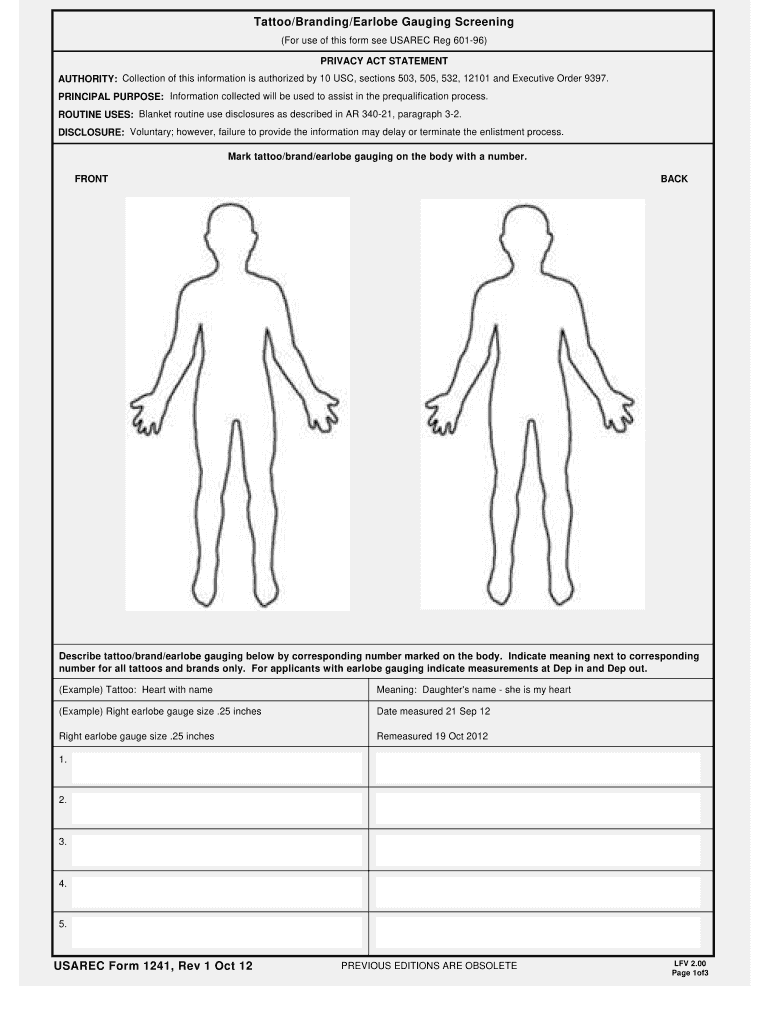
  2. Begin by marking your tattoos, brands, or earlobe gauging on the body diagram provided. Use numbers to correspond with the descriptions you will provide later.
  3. In the description section, detail each tattoo or brand next to its corresponding number. Include the meaning for tattoos and brands as shown in the example.
  4. For earlobe gauging, indicate the size measurements at 'Dep in' and 'Dep out' along with the dates measured.
  5. Complete the verification section by confirming whether you have any tattoos, brands, or earlobe gauging. Ensure all signatures are obtained from recruiters and commanders as required.
  6. If necessary, use the continuation page for additional information about your tattoos or gauges.

Start filling out form 1241 online for free today!

See more form 1241 versions

We've got more versions of the form 1241 form. Select the right form 1241 version from the list and start editing it straight away!
Versions Form popularity Fillable & printable
2012 4.8 Satisfied (84 Votes)
be ready to get more

Complete this form in 5 minutes or less

Get form

Got questions?

We have answers to the most popular questions from our customers. If you can't find an answer to your question, please contact us.
Contact us
How to fill out INZ 1241 form. Section A must be signed to: Indicate your understanding and agreement with the statements regarding your application and any potential granted visa. Confirm your agreement to the submission of the application.
This form is to provide additional information as part of a visa application with Immigration New Zealand (it is only usually applicable to certain nationalities). Download INZ 1200 form.
A declaration for visitor, student or work visa applicants if another person is applying online on their behalf.
A declaration for resident visa applicants if another person is applying online on their behalf. Using this form. Use this form if another person will submit an online application on your behalf for a resident visa or a variation of conditions of a resident visa.
Partner or child temporary visa declaration form (INZ 1241) Immigration New Zealand form if you have authorised a third-party to submit a partner or child temporary visa application on your behalf.
be ready to get more

Complete this form in 5 minutes or less

Get form